AI Campaign Builder for Email, WhatsApp and Web Push
Choose a channel, describe your campaign in a few lines, and Adflipr AI creates it for you. Copy, design, buttons and links, ready for you to review and send.
You Create a Black Friday sale email. 25% off everything with code BLACKFRIDAY25, ends Sunday. Show 4 bestsellers. Bold black and gold, confident tone.
Subject Your Black Friday gift: 25% off everything
Email layout Banner: BLACK FRIDAY SALE · 25% OFF 4 bestseller product blocks Button: Shop the Black Friday Sale
WhatsApp campaign
Created with AI in 1 prompt
Web push draft
Title fits in 31 characters
1
Pick a channel
Email, WhatsApp or web push. Each campaign gets its own prompt.
2
Describe the campaign
Offer, audience, deadline, products and tone, in plain words.
3
Review and send
AI builds the draft. You edit what you like, then send or schedule.
The problem
Why creating campaigns takes so much time
Every sale, launch or reminder needs fresh copy, a new design and the right format for each channel. That work piles up fast, especially in the holiday season.
ADD CONTENT
01
The blank page
Every campaign starts with an empty template and a deadline.
Email subject
48 / 50
WhatsApp template
Needs approval
Push title
52 / 40
02
Different rules per channel
Emails need subject lines, WhatsApp needs templates, push needs short titles.
03
Design takes hours
Banners, product blocks and buttons have to be built every time.
NOVEMBER
12 campaigns due this week
04
Sale season rush
During Black Friday or Cyber Monday you need many campaigns in very little time.
Adflipr AI handles the first draft, the format and the layout, so you only review and send.
Three campaign types. One simple way to create them.
Each campaign starts with its own prompt, so the AI stays focused on one channel, one goal and one audience.
Email campaigns
Create a full email campaign from one prompt
Describe the offer, products and style. AI writes the copy and builds the email layout, then opens it in the drag and drop builder so you can change anything.
“Flash sale push. 30% off for 6 hours. Title under 40 characters. Link to /collections/flash-sale.”
Notification preview · Chrome
YB
yourstore.com
Flash Sale: 30% off for 6 hours
Starts now. Your favourites will not wait long.
FLASH SALE · 30% OFF
Shop now
Remind me later
Title: 31 characters
Opens /collections/flash-sale
After the first draft
You stay in control. AI does the heavy lifting.
Refine with simple follow-ups
Not happy with a line? Ask in plain words and AI updates the campaign. No need to start over.
Make it shorter
More urgent
Write it in Spanish
Add a countdown
Use only 2 products
3
Subject line options
Every AI email comes with three subject lines to choose from or A/B test.
Edit by hand anytime
Open the draft in the drag and drop builder and change text, images or buttons yourself.
Any language
Write your prompt in English and ask for the campaign in Spanish or another language.
Nothing sends without you
You pick the audience and click send or schedule. AI never sends on its own.
Prompt guide
How to write a prompt that gets a ready-to-send campaign
Be specific. A prompt like “make a sale email” leaves the AI guessing. A prompt with these six parts gives you a campaign you can send after a quick check.
Create a Black Friday sale email
for customers who bought in the last 6 months
,
25% off everything with code BLACKFRIDAY25
,
ends Sunday midnight
.
Show our 4 bestsellers
in a bold, urgent tone
.
Goal and channel
What kind of campaign: sale email, cart reminder, launch push.
Audience
Who gets it: new subscribers, VIPs, cart abandoners.
Offer
The discount, code, free shipping or gift.
Deadline
When it ends, so AI can add honest urgency.
Products or link
What to show, or where the click should go.
Tone
Bold, premium, friendly, playful or urgent.
Email
Win-back email
“Win-back email for customers with no order in 90 days. 15% off with code COMEBACK15, valid 7 days. Warm, personal tone.”
WhatsApp
Cart reminder
“WhatsApp for cart abandoners from the last 24 hours. Free shipping if they order today. Use first name, under 3 lines, add a View my cart button.”
Web push
Sale ending soon
“Web push: Black Friday sale ends in 3 hours. Title under 40 characters, urgent tone, link to /collections/black-friday-sale.”
Old way vs new way
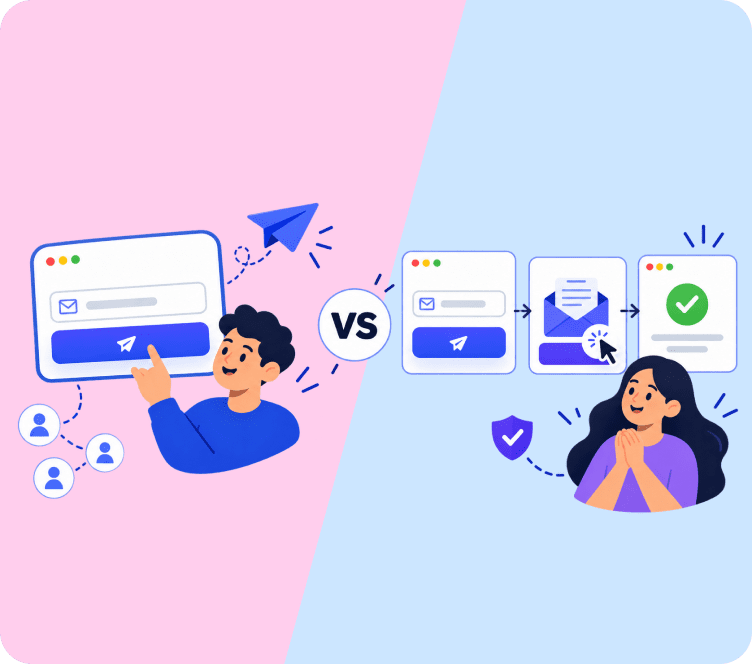
Stop building every campaign from scratch
The old way
Start every campaign from a blank template
Write separate copy for email, WhatsApp and push by hand
Check character limits and template rules yourself
Spend hours designing banners and product blocks
Miss sale dates because campaigns are not ready
VS
With Adflipr AI
Start from a full AI draft in seconds
Copy written in the right format for each channel
Channel rules followed for you
Layout and product blocks built automatically
More campaigns ready for every sale and season
Use cases
Campaigns you can create with AI
Seasonal sales
Black Friday, Cyber Monday, Christmas, Valentine’s Day and more.
Choose Email campaign in Adflipr and describe your offer, audience, products and tone. AI creates the email copy, layout and three subject lines for you to edit.
Yes. Adflipr AI writes WhatsApp campaign messages in template format, with personal variables and buttons, so they are ready to submit for Meta approval.
Mention the channel, goal, audience, offer, deadline, products or link, and tone. Specific prompts give email, WhatsApp and push campaigns that need fewer edits.
Yes. Ask AI for changes like “make it shorter” or edit your email, WhatsApp or push notification campaign yourself. Nothing is sent until you approve it.
Your next campaign is one prompt away
Create email, WhatsApp and web push campaigns with AI. Start free on Shopify or WooCommerce.