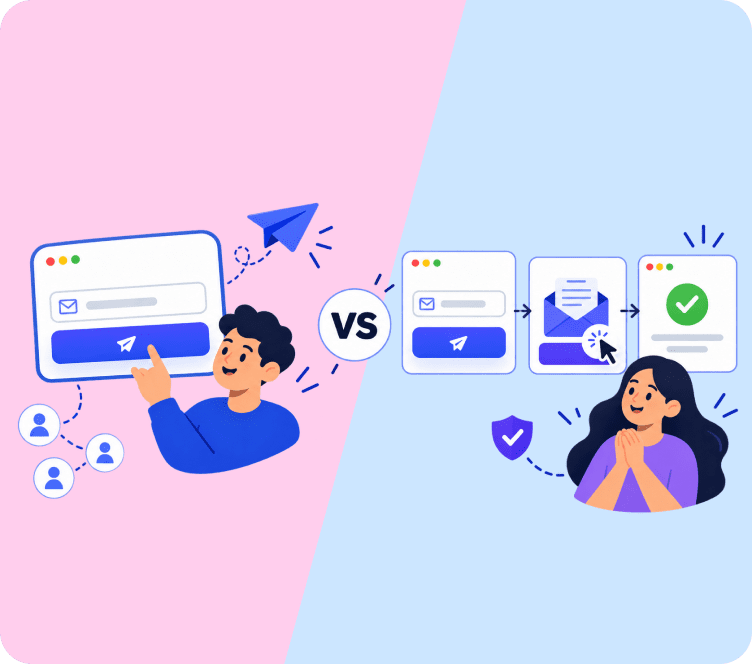
Open your Shopify app list and count the apps that send messages. One sends emails, one shows popups, one sends push notifications, and maybe one handles WhatsApp. Each app made sense on the day you installed it. But now you log into four or five dashboards every week, and you pay four or five bills every month. This post shows what that really costs you in time and money, and how an all in one ecommerce marketing platform lets you run all your marketing from one place.
Quick answer: Too many marketing apps waste your time and your money. You pay for the same shopper twice and fix the same offer in three places. One all in one ecommerce marketing platform runs email, WhatsApp, push and popups together. At 5,000 contacts, that can save about $2,200 a year.
How Much Time Too Many Marketing Apps Cost You Each Week
Most store owners count the money first. But the bigger loss is often time. Here is what a normal week looks like with five marketing apps:
- You log into five dashboards to see how things are going.
- You change a discount offer, then change it again in the other apps so they match.
- You wonder why the email app says 40 orders and the push app says 25, and you spend an hour finding out.
- An app updates, a setting breaks, and you open a support ticket.
- You build the same welcome message in two tools because they can’t share it.
Say all this takes you two hours a week. That is over 100 hours a year (2 hours × 52 weeks). If your time is worth $25 an hour, that is about $2,600 a year spent on app upkeep instead of on products, ads or customers. That number is only an example, so use your own hourly value.
Apps also connect to each other through integrations, and those connections can break after an update. Even cancelling takes work, because merchants often report that a removed app can leave code behind in the theme. The Shopify Community forum is full of owners describing the same thing: too many apps, too much checking, and a nagging worry about store speed.
Why Your Marketing App Bills Add Up
Every app has its own monthly fee, and the fees add up in ways that are easy to miss.
Two apps doing the same job
A popup app that also sends emails. An email tool with its own signup forms. A push app with its own cart reminders. Each one does a little of the same work. Add up what every plan includes, and you may find two or three tools set up to win back the same abandoned cart.
One shopper billed in several apps
Most apps charge by contacts, subscribers, pushes or messages. One shopper who joins through a popup, gets a WhatsApp message and allows push can count in three billing systems. The counting rules also differ. Some tools charge only for subscribed contacts. Others charge for every profile they store. Check how each app counts before you trust your list size.
Surprise plan upgrades
Your list grows, and one app moves you up a tier. A few weeks later, another app does the same. Because each app has its own limits, you never see the full picture until the bills arrive. Many Shopify marketing tools and other ecommerce marketing tools also add features you already pay for somewhere else, so you end up paying more for the same result. Together, these apps make up your marketing tech stack. Marketers call the mess tool sprawl, and the full bill is the total cost of ownership.
Hidden Costs Beyond the Monthly Bill
Shoppers get clashing messages
Picture a shopper who leaves a cart. Within an hour, they get a push from one app, an email from another, and a discount popup from a third. Each app thinks it is helping. The shopper just sees spam. Unsubscribes go up, and over time email deliverability can suffer. Limits on how often you message only work if one tool can see every message that was sent.
Your customer data is split across apps
When order history sits in one app and browsing activity sits in another, no tool sees the whole customer. You can’t easily message people who bought twice and looked at your new collection this week. So you send to bigger groups, and more people get messages they don’t care about. Good customer segmentation needs all the data in one place, and so does any real view of customer lifetime value.
Your store loads slower
Most marketing apps add JavaScript and tracking pixels to your store. More scripts mean more work for every visitor’s browser. Speed matters for sales. A study by Google and Deloitte of 37 brand sites found that a 0.1 second faster mobile load raised conversion rates for retail sites by 8.4% (web.dev). Test your own store. Run PageSpeed Insights on your homepage and a product page, then remove one app at a time and test again.
Every app reports different revenue
Each app reports its own sales and takes its own credit. Add them up and they may claim more revenue than your store made. Without one source of truth for revenue attribution, you can’t tell which channel earns its keep, so it’s hard to decide what to cut.
Abandoned Cart Recovery: Where Too Many Apps Hurt Most
Abandoned cart recovery is the clearest example. Your email app sends a cart reminder. Your push app sends one too. A popup app shows an exit offer, and your WhatsApp tool may send a fourth message. Each one runs on its own timer. None of them knows what the others sent, or whether the shopper already bought.
One flow fixes this. A good abandoned cart automation, the simplest kind of ecommerce marketing automation, looks like this:
- 30 to 60 minutes after the cart is left: a web push with the exact product and image.
- About 24 hours later: an email or WhatsApp message showing the cart.
- 2 to 3 days later: a last reminder, with a small offer if your margins allow it.
- At any point: stop the moment the order is placed.
Step 4 only works if email, push and WhatsApp share one customer record, because the flow has to see every channel. For setup details, see our guide to abandoned cart emails and the cart recovery feature.
How Much Can You Save? One Platform vs 4 Separate Apps
Let’s put real numbers on it. We priced the four tools most stores end up paying for: an email and automation platform, a web push app, a popup builder and a WhatsApp marketing tool. Prices were checked in October 2026 on vendor pricing pages, billed monthly in USD. Please confirm current prices before you decide.
What each tool costs on its own (entry paid plans):
| Tool type | Example apps and price | Cost used in the calculation |
|---|---|---|
| Web push notification app | Firepush Basic $13, Hextom $15, PushBot $15, PushOwl Plus $19 | $15 a month |
| Popup builder app | Privy popups from $24, OptiMonk Essential $29 | $24 a month |
| WhatsApp marketing tool | WATI Growth $69 (monthly billing), plus Meta’s message fees | $69 a month |
| Email and automation platform | Klaviyo, Omnisend (price depends on contacts) | See table below |
Yearly cost at three list sizes:
| Contacts | Klaviyo + push + popups + WhatsApp | Omnisend + WhatsApp (push and popups included) | Adflipr Standard (all four) | Yearly saving vs Klaviyo stack | Yearly saving vs Omnisend stack |
|---|---|---|---|---|---|
| 5,000 | $208 a month, $2,496 a year | $150 a month, $1,800 a year | $25 a month, $300 a year | $2,196 | $1,500 |
| 10,000 | $258 a month, $3,096 a year | $201 a month, $2,412 a year | $40 a month, $480 a year | $2,616 | $1,932 |
| 25,000 | $508 a month, $6,096 a year | $351 a month, $4,212 a year | $87 a month, $1,044 a year | $5,052 | $3,168 |
Here is how we built the numbers. Klaviyo Email costs $100, $150 and $400 at these list sizes, and Omnisend Standard costs $81, $132 and $282. Adflipr Standard costs $25, $40 and $87 for the matching contact tiers. We kept the push, popup and WhatsApp prices flat. That is the cautious choice, because those apps usually cost more as your traffic and sends grow.
A few honest notes before you act on this:
- Adflipr Standard includes fewer monthly email sends (4x your contacts) than Omnisend Standard (12x) or Klaviyo (10x profiles), and it has no SMS.
- Meta charges for WhatsApp messages in every setup. Adflipr adds no WhatsApp fee until December 31, 2026, while many WhatsApp tools add a platform fee or markup.
- Klaviyo has predictive analytics and a bigger integration library than Adflipr.
- The table only covers subscription fees. The time you lose (see the first section) comes on top.
Even so, a store with 5,000 contacts saves about $2,200 a year against a Klaviyo-based stack, and a store with 25,000 contacts saves more than $5,000. Add the time you get back, and the gap gets bigger. For current plan details, see the Adflipr pricing page.
How Adflipr Puts Email, WhatsApp and Push in One Place
Adflipr is ecommerce automation software and an ecommerce marketing platform that covers email, WhatsApp and web push for Shopify and WooCommerce stores. Instead of five dashboards, you get one. Your contacts, your messages and your reports all sit in the same place.
Editorial note: Adflipr is our own product. We describe it with the same checklist used in this post, including where it falls short.
Here is what a week looks like when everything runs from one platform:
- One login. Email, WhatsApp, web push and popups live in the same dashboard.
- One change, everywhere. Update a discount once, and every message that uses it stays in sync.
- One flow for every channel. The visual automation builder lets a single flow use delays, triggers and split conditions across channels, so Shopify marketing automation takes one build, not three. It covers welcome series, abandoned cart recovery, browse abandonment and post-purchase flows.
- One customer record. A shopper who gets a push won’t also get the same offer by email an hour later.
- One report. You see which flow earned revenue, without adding up five dashboards.
Best for: Shopify and WooCommerce stores that want email, WhatsApp and web push in one workflow, and that email their list a few times a month rather than daily.
Strengths:
- Email, WhatsApp and web push notifications share one contact record and one workflow builder
- Popup forms with spin-to-win and exit-intent options, plus landing pages (25 on Standard, unlimited on Premium)
- A free plan that includes 750 web push subscribers, and a Standard plan from $10 a month
- Billing based on subscribed contacts, so unsubscribed and never-subscribed contacts are not charged
- WhatsApp marketing with no Adflipr fee until December 31, 2026 (you pay Meta’s message charges)
- Native Shopify and WooCommerce sync
Watch out for: no SMS, a lower monthly email send limit than some larger platforms (4x contacts on Standard, 5x on Premium), and a smaller integration library than older platforms.
7 Things to Look For in an All in One Ecommerce Marketing Platform
Whichever tool you pick, check that it is a true all in one ecommerce marketing platform and not a bundle of separate products. Companies use different names for this kind of software, such as customer engagement platform, marketing automation platform or ecommerce automation software. The name doesn’t matter. These seven things do:
- One contact record across channels. The same shopper has one profile for email, WhatsApp and push, so you can follow the customer journey in one omnichannel view.
- One workflow builder that mixes channels. For example, a push after 30 minutes and an email the next day, inside the same flow.
- Live store sync. Orders, carts and products reach the platform quickly from Shopify or WooCommerce, so cart recovery uses the real items.
- Clear billing. You know what counts toward your limit (subscribed contacts or all profiles) and what happens when you pass it.
- Revenue reports for each campaign and flow. Opens and clicks are not enough.
- Capture tools included. Popups, forms and landing pages don’t need a separate subscription.
- Easy import and export. You can bring your data in and take it out later.
If a tool misses two or more of these, it is probably several products behind one login.
When You Should Keep a Separate Tool
One ecommerce marketing platform is not always the right answer for your Shopify marketing tools. Keep or add a specialist when:
- SMS is central to your plan. Some platforms include it. Adflipr does not offer SMS today, so check this first.
- You rely on predictive analytics or very detailed event data. Larger platforms such as Klaviyo are built for this.
- You send email at very high volume. Compare monthly send limits, not only price.
- A specialist app is clearly better at one job, like reviews, subscriptions or loyalty, and it connects well to your platform.
- You are in the middle of an annual contract. Plan the switch for the renewal date instead of paying twice.
A simple test for any of your ecommerce marketing tools: can you explain what it does in one sentence? If two apps get the same sentence, one of them is probably extra.
How to Switch to One Platform in 6 Steps (Without Losing Sales)
Moving your Shopify marketing automation to one platform doesn’t have to be risky if you go in the right order. Most small stores can finish in two to four weeks.
- Audit your apps first (about 60 minutes). List every app that sends a message or stores customer data. Write the monthly cost, what it charges by, and the revenue it reports over the last 90 days. Mark any job two apps share. An app with no sends or no revenue is the first one to cancel.
- Export your contacts. Save every list with its consent status and tags. You need that record to stay compliant, and you can’t rebuild it later.
- Rebuild your three best flows first. For most stores these are the welcome series, abandoned cart and post-purchase flow. See our guides on the welcome email series and the post-purchase email sequence.
- Run old and new side by side for one to two weeks, but not on the same trigger. Turn off the old abandoned cart flow on the day the new one starts, so a shopper never gets both.
- Cancel apps one at a time. Wait until the new platform’s revenue report matches what the old apps reported for the same flow.
- Clean your theme and test speed. After you remove an app, check your theme for code it left behind, then run PageSpeed Insights again and compare.
Moving from a bigger platform? Our Klaviyo alternative page explains how contacts and flows carry over.
Key Takeaways
- Managing many marketing apps costs you real hours every week, over 100 hours a year in our example.
- The subscription bill is bigger than it looks: overlapping features, one shopper billed in several tools and plan jumps you don’t plan for.
- Hidden costs include clashing messages, split data, a slower store and reports that disagree.
- Cart recovery works best as one flow across push, email and WhatsApp that stops when the order is placed.
- Replacing a Klaviyo-based four-app stack with one platform saves about $2,200 a year at 5,000 contacts and over $5,000 at 25,000 contacts in our example.
- Adflipr puts email, WhatsApp, web push, popups and reports in one dashboard, with one contact record and one workflow builder.
- A true all in one platform has one contact record, one multichannel workflow builder, clear billing and revenue reports.
- Separate tools still win for SMS-led plans, predictive analytics, very high send volumes and strong specialist apps.
- Switch in order: audit, export contacts, rebuild top flows, avoid double triggers, cancel one app at a time and clean your theme.
Your Next Step: Run the 60-Minute App Audit
A bloated marketing tech stack rarely fails in one big way. They slowly eat your hours, your budget and your clean data until the numbers stop adding up. Start with the 60-minute audit, because it shows what you really use and what you only pay for. If it points to overlap, test one all in one ecommerce marketing platform on your top three flows before you move everything. You can try Adflipr on the free plan, and our Shopify email marketing guide shows how to connect email with your other channels.
Frequently Asked Questions
It combines email, WhatsApp, push, popups and automation in one tool with one contact list, so a single workflow can use every channel.
There is no fixed number. It is too many when apps overlap, bills grow faster than revenue, or messages clash. Audit overlap, not app count.
It depends on your setup. Two hours a week of logins, fixes and syncing adds up to over 100 hours a year.
In our example, a store with 5,000 contacts saves about $2,200 a year versus a Klaviyo-based stack. Savings depend on your plans, traffic and message volume.
Many add scripts to your storefront, which can slow loading. Test with PageSpeed Insights, remove one app at a time, and compare the results.
It is software that manages messages to customers across channels and uses shared customer data to decide what to send. Marketing automation platforms are a common type.
Yes, if SMS is central to your plan and your platform lacks it. Adflipr does not offer SMS today, so check this first.
It is a flow that reminds shoppers about items left in their cart by push, email or WhatsApp, and stops once they complete the order.