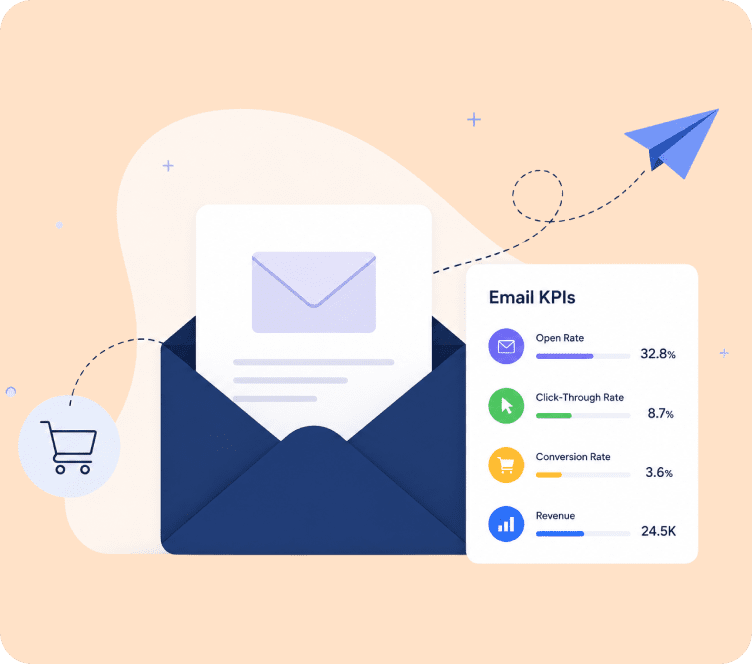
Most store owners check one number after sending a campaign: the open rate. Then they move on.
That’s a mistake, and honestly, it’s an outdated habit. Open rate alone tells you almost nothing about whether an email actually made you money. Real email marketing analytics means looking at a full set of numbers, from deliverability to revenue, so you know exactly what’s working and what’s quietly costing you sales.
In this guide, we’ll break down every metric that actually matters, show you 2026 benchmarks, walk through how to set up tracking on Shopify and WooCommerce, and point out the mistakes that make most email reports misleading. By the end, you’ll know exactly how to measure email marketing performance the way experienced ecommerce marketers do it, not the way beginner guides teach it.
What Email Marketing Analytics Actually Means
In simple terms, it’s the process of collecting and reviewing data on how your subscribers interact with your emails, from the moment an email is sent to the moment (if it happens) a customer buys something because of it.
It covers four things:
- Delivery data – did the email actually land in the inbox?
- Engagement data – did people open it and click on anything?
- Conversion data – did those clicks turn into an action, like a purchase?
- Revenue data – how much money did the campaign or automation actually generate?
Put simply, analytics for email marketing is what turns a guessing game into a repeatable growth system. Without it, you’re just sending emails and hoping.
What You’re Actually Protecting by Tracking This
If you run a Shopify or WooCommerce store, email is probably already one of your highest-ROI channels. The question is whether you’re protecting that or slowly leaking money out of it without noticing.
A weak subject line, a broken checkout link, or a bad send time can quietly kill revenue and nobody catches it, because nobody’s watching the right number. High bounce rates and spam complaints get your domain flagged by Gmail and Outlook, and once that happens, even your best campaigns stop reaching the inbox. Click patterns and conversion data tell you which products and offers your list actually responds to, so you stop guessing at segmentation and start building it from real behavior.
There’s also a budget conversation buried in here. If you’re paying for an email platform, this is the data that tells you whether that spend is earning its keep.
Stores that skip this usually make the same three mistakes: they keep sending to dead subscribers, they never fix a leaking abandoned cart flow, and nobody can say what email is actually worth to the business when the topic comes up. Good email analytics for marketers isn’t about tracking more, it’s about tracking the few numbers that actually change what you do next. All three mistakes above are fixable in an afternoon once you know where to look.
Four Buckets, Not Twelve Random Numbers
Before jumping into individual metrics, it helps to group them. Most guides throw twelve numbers at you with no structure. Here’s the structure that actually matters:
| Category | What it tells you | Key metrics |
|---|---|---|
| Deliverability | Are your emails reaching the inbox at all? | Bounce rate, spam complaint rate, deliverability rate |
| Engagement | Are people actually interested? | Open rate, CTOR, click-through rate |
| Conversion | Are clicks turning into action? | Conversion rate, cart recovery rate |
| Revenue | Is email making you money? | Revenue per email, ROI, CAC |
If you only track engagement metrics, you’re missing half the picture. A campaign can have a great open rate and still lose you money. This is exactly why good analytics for email marketing always pulls from all four categories together, not just the one that’s easiest to check.
The Metrics Actually Worth Watching
Open rate isn’t dead, but it can’t be trusted alone anymore
Open rate is just the percentage of recipients who opened your email (opens ÷ emails delivered × 100), and for years it was the go-to health check. That changed when Apple rolled out Mail Privacy Protection, which quietly pre-opens emails in the background for a large chunk of Apple Mail users. That means a chunk of your “opens” never happened in any real sense.
It’s still worth glancing at for trend direction, week over week. Just don’t make decisions off it alone. If you want to actually move it, sharper subject lines, real personalization, and testing your own send times still work, Apple MPP or not.
Click-to-open rate is the number beginner guides skip
Click-to-open rate (CTOR) looks only at people who opened, then asks how many of them clicked something (clicks ÷ opens × 100). Because it’s filtered down to actual openers, it dodges a lot of the noise MPP creates. A strong CTOR is a genuine signal that your content and offer are landing, not just that your subject line got a glance.
Click-through rate tells you who actually raised their hand
CTR measures clicks against everyone who received the email (clicks ÷ emails delivered × 100). This one’s about intent, someone didn’t just see your email, they acted on it. If yours feels flat, the fix usually isn’t the subject line, it’s the email itself: too many competing links, no clear single offer, or a CTA that’s easy to miss. One clear button beats five scattered ones almost every time.
Bounce rate is a deliverability warning light
A bounce means the email never got delivered at all. Hard bounces mean the address doesn’t exist; soft bounces are usually temporary, like a full inbox. Either way, a rising bounce rate drags your sender reputation down and can push future sends into spam, even for subscribers who genuinely want to hear from you. Keep this under 2%.
Unsubscribe rate is your list telling you something directly
This one’s straightforward feedback: too frequent, too irrelevant, or the person never really wanted to be on the list in the first place. Under 0.5% per campaign is generally considered healthy.
Spam complaint rate matters more than most guides admit
This gets skipped constantly in beginner content, but mailbox providers like Gmail weigh it heavily when deciding whether your next send lands in the inbox or the spam folder. Even a small spike here can hurt deliverability across your entire list, not just for that one campaign. Stay below 0.1%, and treat anything higher as a real warning sign, not a rounding error.
Conversion rate is where clicks turn into actual money
Conversion rate (conversions ÷ emails delivered × 100) is the metric that finally connects email marketing tracking to revenue. Opens and clicks are steps on the way there, but conversion is the outcome you’re actually paid for.
Revenue per email tells you what a send is really worth
Take total revenue from a campaign and divide it by total emails sent. RPE shows the real value of a campaign or segment, separate from how many people simply engaged with it. A send with a modest open rate but a strong RPE is often more valuable to your store than a flashy one that never converts.
ROI answers the “is this even worth it” question
(Revenue from email − cost of email marketing) ÷ cost of email marketing × 100. Email consistently ranks among the highest-ROI channels in ecommerce, but that’s an industry average. Your own number, calculated from your own data, is the one that actually settles the argument.
CAC via email puts your channels on a level playing field
Factor in platform cost, design time, and any discounts baked into your offers, and you get a real cost per new customer acquired through email. That number is what lets you compare email fairly against paid ads when you’re deciding where next month’s budget goes.
List growth rate catches shrinkage before it becomes a crisis
(New subscribers − unsubscribes − bounces) ÷ total subscribers × 100. A list that’s flat or quietly shrinking means your reach is shrinking too, even if every engagement number on your dashboard looks perfectly fine.
Cart recovery rate is where most stores leave money sitting on the table
This is the percentage of shoppers who come back and finish their purchase after an abandoned cart email. Most online shoppers add to cart and leave without buying, so a well-timed recovery flow is often the single highest-converting email type a store sends. If your recovery rate feels low, check three things first: are you sending a short series (three emails, not one), are product images and pricing actually showing up correctly, and is there a modest, time-limited discount kicking in by the second or third touch.
Deliverability rate is the foundation everything else sits on
Simple enough: the percentage of emails that actually reach the inbox instead of spam or getting blocked outright. It doesn’t matter how good your subject line or offer is if the email never arrives. Every other metric on this list assumes deliverability is already solid, which is exactly why it’s worth checking first when numbers start looking off.
What “Good” Looks Like in 2026
Benchmarks vary by industry, list size, and whether you’re looking at campaigns or automated flows. Here’s a general reference point based on current 2026 ecommerce data:
| Metric | Average | Good | Top Performers |
|---|---|---|---|
| Open Rate (campaigns) | 35-42% | 42-48% | 50%+ |
| Click-Through Rate (campaigns) | 1.3-1.7% | 2-3% | 5%+ |
| Click-to-Open Rate | 8-12% | 12-18% | 20%+ |
| Conversion Rate (flows) | 1.5-2.5% | 3-4% | 5%+ |
| Bounce Rate | Under 2% | Under 1% | Under 0.5% |
| Unsubscribe Rate | Under 0.5% | Under 0.3% | Under 0.1% |
| Cart Recovery Rate | 5-8% | 8-12% | 15%+ |
These numbers are a starting point, not a target to chase blindly. Your own historical performance matters more than any industry average, since your audience, price point, and niche all affect what “good” looks like for you.
The Small Slice of Emails Doing Most of the Work
Here’s something most beginner content completely ignores: automated flows (welcome series, abandoned cart, post-purchase) typically generate a hugely disproportionate share of email revenue compared to one-off campaigns, despite going out to far fewer people.
In practice, this means a small percentage of your total sends (your automations) can generate close to half of your total email revenue. If you’re only tracking campaign performance and ignoring your flows, you’re measuring the smaller half of your email program.
What to do about it: Track campaigns and flows separately in your reporting. Don’t average them together, since flows will always look different (and usually better) than campaigns, and blending the numbers hides where your real revenue is coming from.
Getting This Set Up in Shopify
- Connect your email platform directly to Shopify. This lets your platform pull order data, not just click data, so you can see actual revenue per email instead of estimated revenue.
- Use UTM parameters on every campaign link. This lets Shopify Analytics and Google Analytics 4 attribute sales specifically to email, separate from other channels.
- Track flows and campaigns as separate reports. Your welcome series and abandoned cart flow should have their own performance view, not be lumped in with newsletters.
- Set up a weekly dashboard review. Check deliverability, CTOR, conversion rate, and RPE every week, not just after a big sale campaign.
- Segment your Shopify customer data before you send. Purchase history and browsing behavior let you send far more relevant emails, which improves every metric downstream.
Adflipr connects directly with Shopify, so revenue, product-level performance, and customer behavior all show up in one dashboard without needing to manually cross-reference Shopify Analytics and your email platform separately.
Getting This Set Up in WooCommerce
- Sync your WooCommerce store data with your email tool. This is what makes revenue tracking (not just click tracking) possible.
- Set up cart and order tracking for abandoned cart flows. WooCommerce stores often lose this data if the email tool isn’t natively integrated.
- Use UTM tagging consistently, especially if you’re also running WooCommerce with Google Analytics for cross-channel attribution.
- Watch deliverability closely. WooCommerce stores on shared hosting or basic SMTP setups are more prone to deliverability issues than Shopify stores, so bounce rate and spam complaint rate deserve extra attention here.
- Report on RPE and conversion rate by segment, not just list-wide averages, since WooCommerce stores often serve more varied customer types than single-niche Shopify brands.
Adflipr’s WooCommerce integration pulls order and customer data automatically, so abandoned cart recovery, post-purchase flows, and revenue reporting work out of the box.
Turning This Into a Dashboard You’ll Actually Open
You don’t need a complicated setup. If you’re wondering how to measure email marketing performance without drowning in tabs, a useful dashboard covers:
- Weekly view: deliverability rate, bounce rate, CTOR, conversion rate
- Monthly view: list growth rate, RPE, ROI, revenue split between campaigns and flows
- Quarterly view: benchmark comparison, unsubscribe trend, spam complaint trend
Review the weekly numbers to catch problems early. Review the monthly and quarterly numbers to make bigger strategic decisions, like whether to invest more in flows, change your sending frequency, or clean your list.
Where Most Stores Trip Up
- Treating open rate as the main success metric. With Apple MPP inflating opens for a large share of most lists, CTOR and conversion rate are far more trustworthy signals.
- Ignoring bot clicks. Security scanners on business email accounts often click links automatically before a human ever opens the email, which can inflate your CTR. Watch for clicks that happen within seconds of delivery with no corresponding open.
- Averaging campaigns and flows together. This hides the fact that your automations are probably outperforming your campaigns significantly.
- Never cleaning your list. Sending to unengaged subscribers month after month drags down every metric and increases your spam risk.
- Comparing yourself only to generic benchmarks. Your niche, price point, and list size matter more than a general industry average.
- Skipping revenue tracking entirely. Opens and clicks feel good to look at, but if you can’t tie email back to actual revenue, you can’t prove (or improve) its value to your business.
A Few Habits Worth Stealing
- Review your numbers on a fixed schedule, not just when something feels off
- Always separate flow performance from campaign performance
- Use segmentation to keep your engagement numbers healthy, rather than blasting your entire list every time
- A/B test one variable at a time (subject line, send time, or CTA) so you know exactly what moved the needle
- Clean your list every quarter by removing subscribers who haven’t engaged in 90+ days
- Set a target RPE and ROI for each campaign type, so “success” has a clear definition before you hit send
Where Adflipr Fits Into This
Adflipr is built specifically for Shopify and WooCommerce stores, so the analytics you see aren’t generic engagement numbers. They’re tied directly to your actual store data.
With Adflipr, you can:
- See opens, clicks, conversions, and revenue in one real-time dashboard
- Track campaigns and automated flows separately, so you always know where your revenue is really coming from
- Recover abandoned carts automatically with built-in tracking on recovery rate and revenue recovered
- Segment customers based on real purchase behavior, not just email engagement
- Monitor deliverability and list health so your sender reputation stays protected
- Pay based on active contacts, so you’re not stuck paying for a bloated, unengaged list
Whether you’re just getting started or already running a mature email program, Adflipr gives you the reporting layer needed to actually act on your email marketing metrics instead of just looking at them.
Key Takeaways
Email marketing analytics is what separates stores that guess from stores that grow predictably. Open rate alone won’t tell you the full story anymore, especially with Apple MPP inflating it for a large chunk of most lists. The metrics that actually matter are the ones tied to real revenue, tracked separately for campaigns and flows, not blended into one misleading average.
Here’s what to remember and act on:
- Open rate is a trend indicator, not a success metric. Lean on click-to-open rate (CTOR) and conversion rate for a more accurate read on engagement.
- Always separate campaigns from flows in your reporting. Automated flows like abandoned cart and post-purchase usually carry a much heavier share of revenue than one-off campaigns, and blending the two hides that.
- Deliverability comes before everything else. Bounce rate and spam complaint rate protect your ability to reach the inbox at all, so watch them closely.
- Revenue metrics prove email’s value. RPE and ROI are what turn “we send emails” into “email drives X% of our revenue,” which matters for budget conversations.
- Set a review rhythm. Weekly for deliverability and engagement, monthly for revenue, quarterly for benchmark comparisons.
- Shopify and WooCommerce need slightly different setups, but the underlying metrics you should measure email marketing performance against stay the same.
Pick three or four metrics from this guide that connect most directly to your revenue goals, set up proper tracking, and review your numbers on a consistent schedule. That’s how email marketing tracking becomes an actual growth strategy instead of a report nobody reads.
Start Free with Adflipr and get open, click, and revenue tracking built specifically for Shopify and WooCommerce stores.
FAQs
My open rate looks great but sales aren’t going up. What’s wrong?
This is one of the most common email marketing analytics problems right now, and it’s usually caused by Apple Mail Privacy Protection inflating opens without reflecting real engagement. Check your click-to-open rate and conversion rate instead. If those are flat while open rate looks strong, the issue is usually your offer, your CTA placement, or the landing page the email links to, not your subject line.
How much revenue should email marketing actually bring in for my store?
For most ecommerce stores, email should account for a meaningful share of total revenue, often 20-30% or more once flows are fully built out. If email is contributing far less than that, it usually means your abandoned cart, welcome, and post-purchase flows aren’t set up, since these automations typically drive the bulk of email revenue rather than one-off campaigns.
What email marketing metrics should I actually look at as a small store owner?
You don’t need to track all fifteen metrics people talk about. Focus on click-to-open rate, conversion rate, revenue per email, and bounce rate first. Most email analytics for marketers guides overload beginners with numbers that don’t change any actual decision. These four give you the clearest read on whether your emails are working and whether your list is healthy, without the noise.
How do I know if my abandoned cart emails are actually working?
Look at your cart recovery rate, which is the percentage of shoppers who complete their purchase after receiving the email, along with the revenue that flow generates on its own, separate from your regular campaigns. A healthy cart recovery flow usually recovers 8-12% of abandoned carts. If yours is lower, check your timing, your discount offer, and whether product images are showing correctly in the email.
How do I actually track how much money my emails are making on Shopify?
You need your email platform connected directly to your Shopify store data, not just tracking clicks. This lets the platform match orders back to specific campaigns and flows using order and customer data, so you see real revenue per email instead of an estimate based on clicks alone. Adflipr does this automatically through its native Shopify integration.
Why do my WooCommerce email numbers not match what I see in Shopify guides?
WooCommerce stores often lose revenue and cart data if the email platform isn’t properly synced with store orders, which is a more manual setup than Shopify’s native integrations. If your WooCommerce email marketing tracking looks off or incomplete, check that your platform is pulling order data directly rather than relying on click tracking alone.
What’s a good email marketing ROI for an ecommerce store?
Email consistently ranks as one of the highest-ROI marketing channels for ecommerce, often returning several times what you spend once your automated flows are built out properly. If your ROI feels low, it’s worth checking whether you’re relying too heavily on campaigns while your welcome, abandoned cart, and post-purchase flows are missing or underdeveloped, since flows typically carry most of the return.