
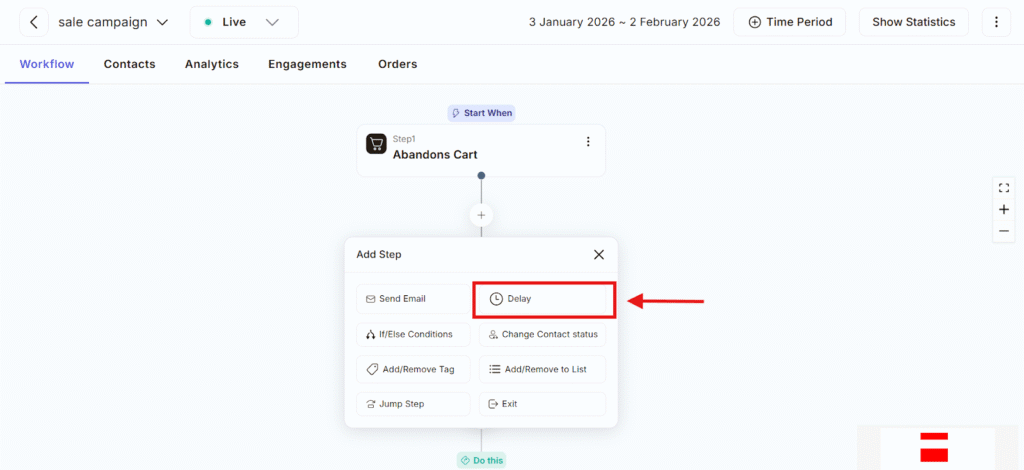
The Delay feature allows you to pause the workflow for a specific amount of time before the next action happens. Instead of sending messages or performing actions immediately, Delay helps you wait for a set duration so your communication feels natural and can be maintained as per required time. You can think of Delay as a waiting period between two steps in your workflow.
You can find delay feature of workflow :
- Click the ( + ) Add Step button
- Select Delay from the list of options
Once added, the Delay step between two actions and controls when the next step will occur.
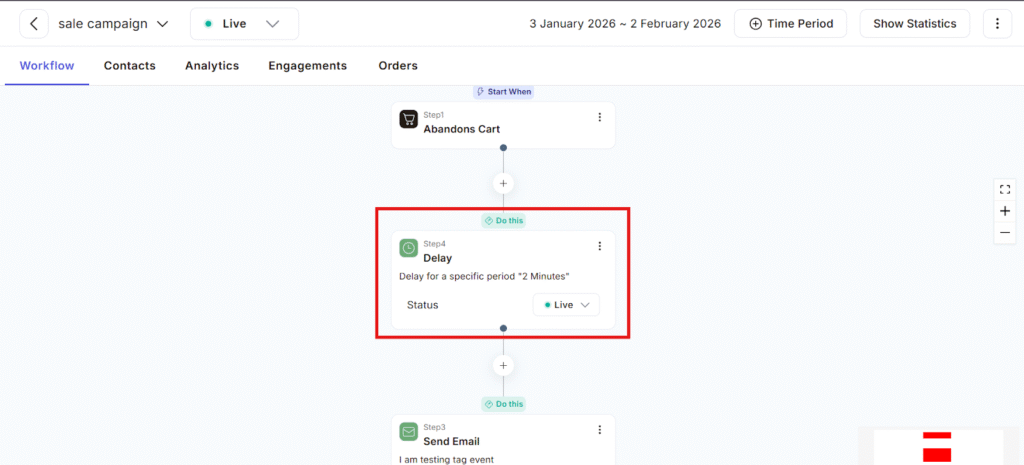
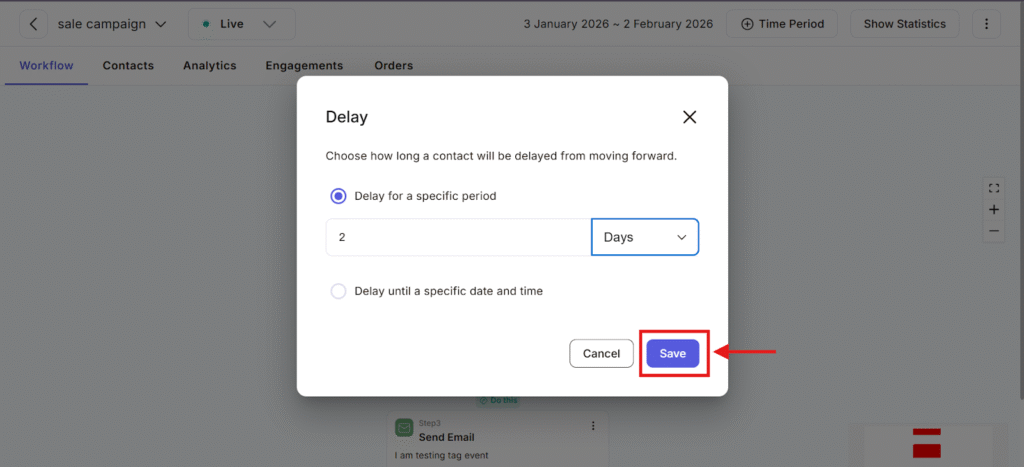
For Example : If a user has started the workflow he/she wants to delay it for 2 days they will click the delay option, set time as per their requirement click to save button and reminder email will automatically send on time that has been selected.
What the Delay Feature Does
- It pauses the contact in the workflow
- Holds the contact for a particular period of time (minutes, hours, or days)
- After the delay ends, the workflow automatically continues to the next step
Without delays, all actions would happen instantly, which can make it appear spam or overwhelming to users. Delay helps you send messages at the right time, give users time to respond or take action and Create a more natural communication flow
Delay is typically used for some reasons such as:
- After cart abandonment – Wait a few hours before sending a reminder email, instead of sending it immediately.
- Between follow-up messages – Add a 1–2 day gap between emails so users don’t feel rushed.
- Before checking conditions – Give users time to open an email or click a link before running an If/Else condition.
Using Delay can improve campaign performance in many ways such as:
- Increase open and click rates
- Reduce unsubscribes
- Avoid sending messages too frequently
- Create a smoother user journey
- Make your workflow feel more human and less automated
By adding delays feature in your automation can create smoother and more natural communication that doesn’t feel overwhelming to users. It gives contacts enough time to read, think, and take action before receiving follow-ups. This makes your workflow more effective, improves engagement, and creates a better experience for your audience.
