
The Product feature in Adflipr allows you to directly add and display your store products inside your email design. Instead of manually adding product images, prices, and buttons one by one, this feature automatically pulls product details and displays them in a clean layout. It helps you create professional, sales-focused emails quickly.
Step to Add Products in your Email
Step 1: Create a New Template
- Log in to your Adflipr account.
- Go to Templates.
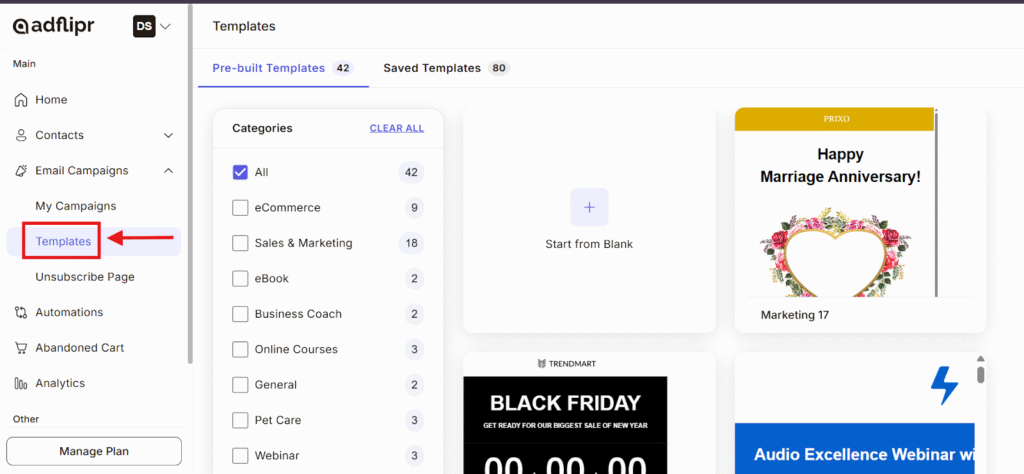
- Click Create New Template.
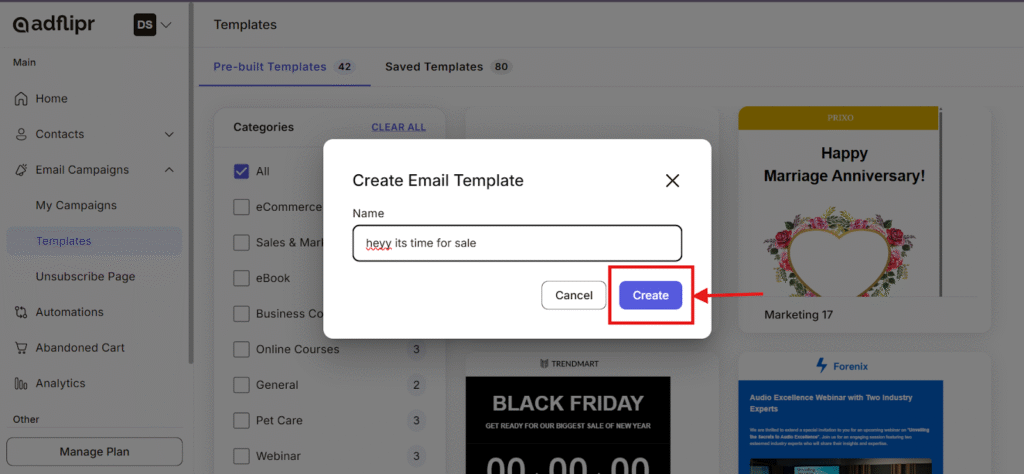
- Choose a layout or start from scratch.
- The Email Editor will open.
Step 2: Select the Product Block
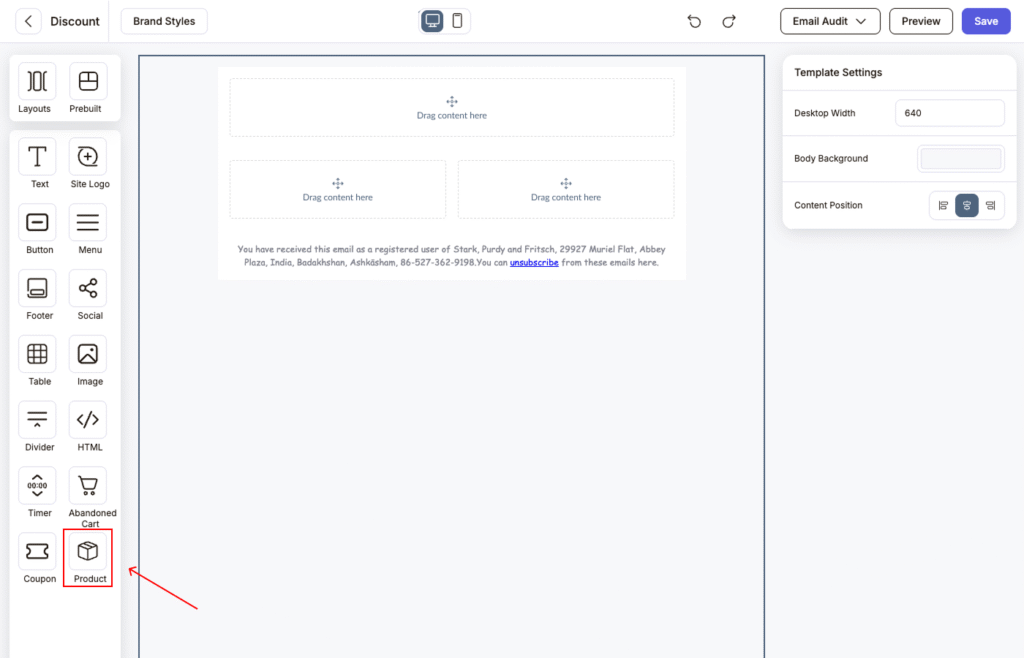
- In the left-side panel, find the Product block under the E-commerce section.
- Drag and drop the Product block into your email template.
Step 3: Connect Your Store (Pop-up Appears)
Once you add the Product or CartItems block, a pop-up will appear:
“E-commerce – Product Block” or “E-commerce – CartItems Block”
It will show two options:
- Connect Shopify Store
- Connect WooCommerce Store
Choose your store platform.
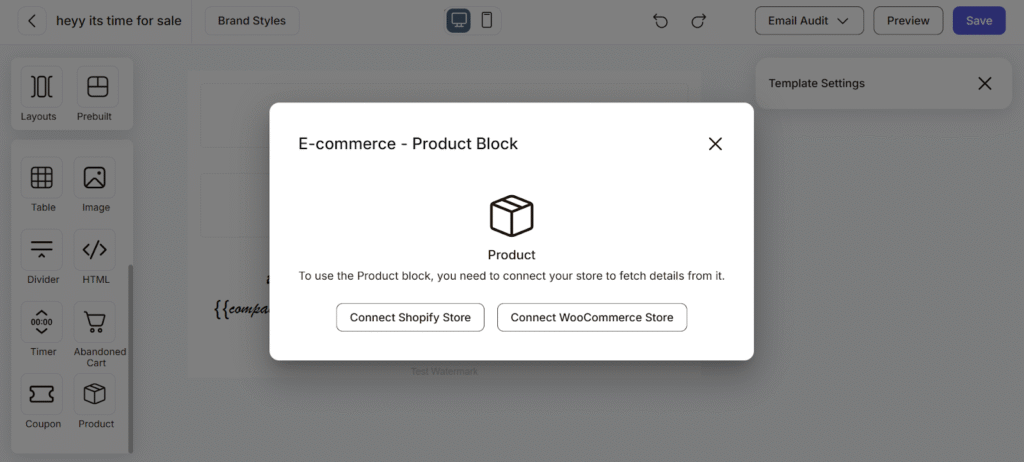
Step 4: Connect Shopify or WooCommerce Store
- Click Connect Shopify Store.
- Click Install and login with your adflipr account.
- Wait for the confirmation message.
- Once connected, Adflipr will fetch all the products and it will be shown at your screen.
Step 5: Select Products in Template
- After the store is connected, click on the Product block inside the editor.
- Choose the product you want to display.
- Customize:
- Product image
- Product name
- Price
- CTA button (e.g., “Buy Now”)
- Save your template.
Step 6: Preview and Save
- Click Preview to check product display.
- Click Save once everything looks correct.
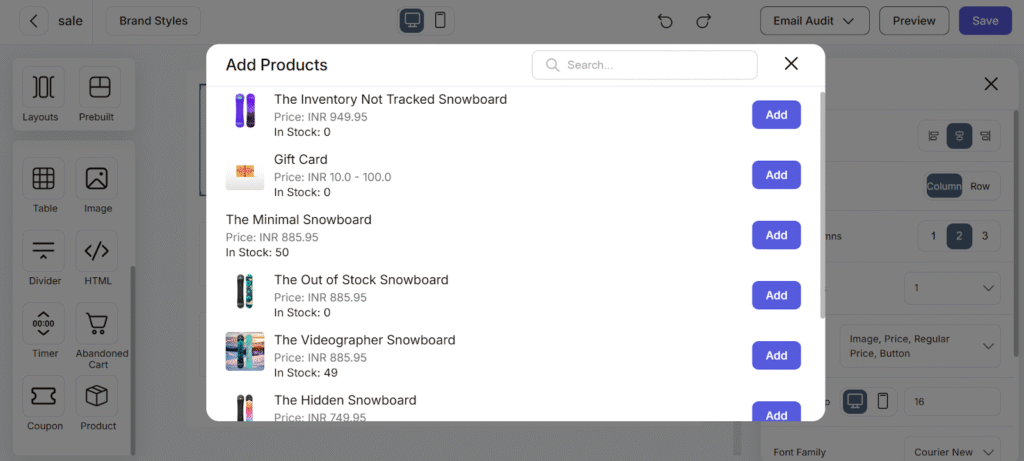
When you click “Add Product” inside the Product block, a popup window appears. This is where you choose which products from your store you want to display in your email. This window acts like your product library.
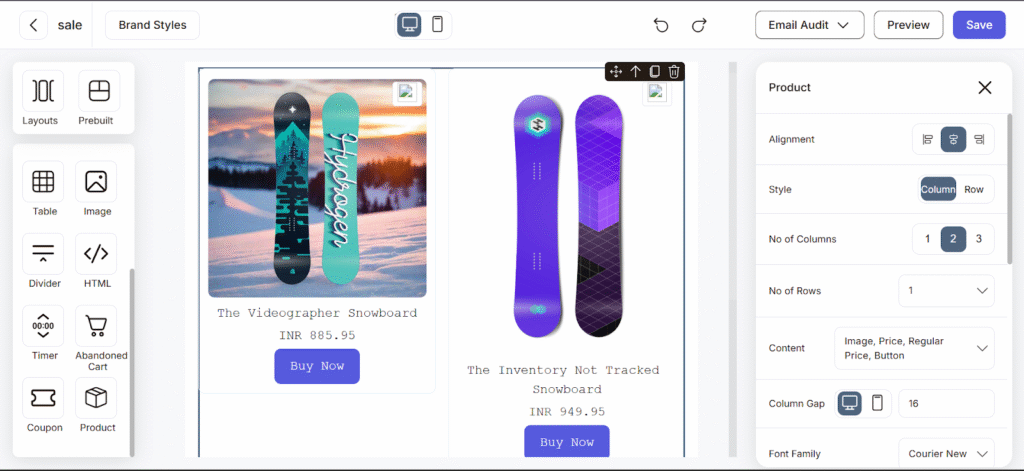
Alignment – You can choose how your product section is positioned.This controls how the entire product layout sits inside your email.
Style – You can decide how products appear. Products appear side by side in a grid format.
Number of Columns – You can add columns as per your requirement 1, 2, 3 columns.
Row Style – Products appear one below another. Best for in case of:
- Highlighting a single product
- Detailed product focus
- Story-based product promotions
The Product Feature is Powerful as :
- It Saves Time: No need to manually upload images or copy prices.
- Reduces Mistakes: Prices and product details stay accurate.
- Looks Professional: Clean grid layout improves design quality.
- Boosts Sales: Clear product image + price + button = higher click rate.
You can use the Product block in:
- Sale campaigns
- Abandoned cart reminders
- Festival promotions
- Cross-sell & upsell emails
- Clearance campaigns
The Product Feature in Adflipr makes it simple to showcase your store items directly inside your email campaigns. With flexible layout options, real-time product selection, stock visibility, and customizable display settings, you can create visually appealing and sales-focused emails in just a few clicks.