
The Unsubscribe Page in Adflipr is a user-friendly page that appears when someone wants to, they no longer want to receive marketing or promotional emails from Adflipr.
Instead of just removing the user, this page:
- Confirms that the user has been unsubscribed
- Politely asks for feedback
- Helps Adflipr understand why users are leaving the email list
The Unsubscribe Page in Adflipr is an important feature designed to give users full control over their email preferences. Not every user wants to receive emails forever, and Adflipr respects the choice by providing a clear, transparent, and easy way for not receiving emails.
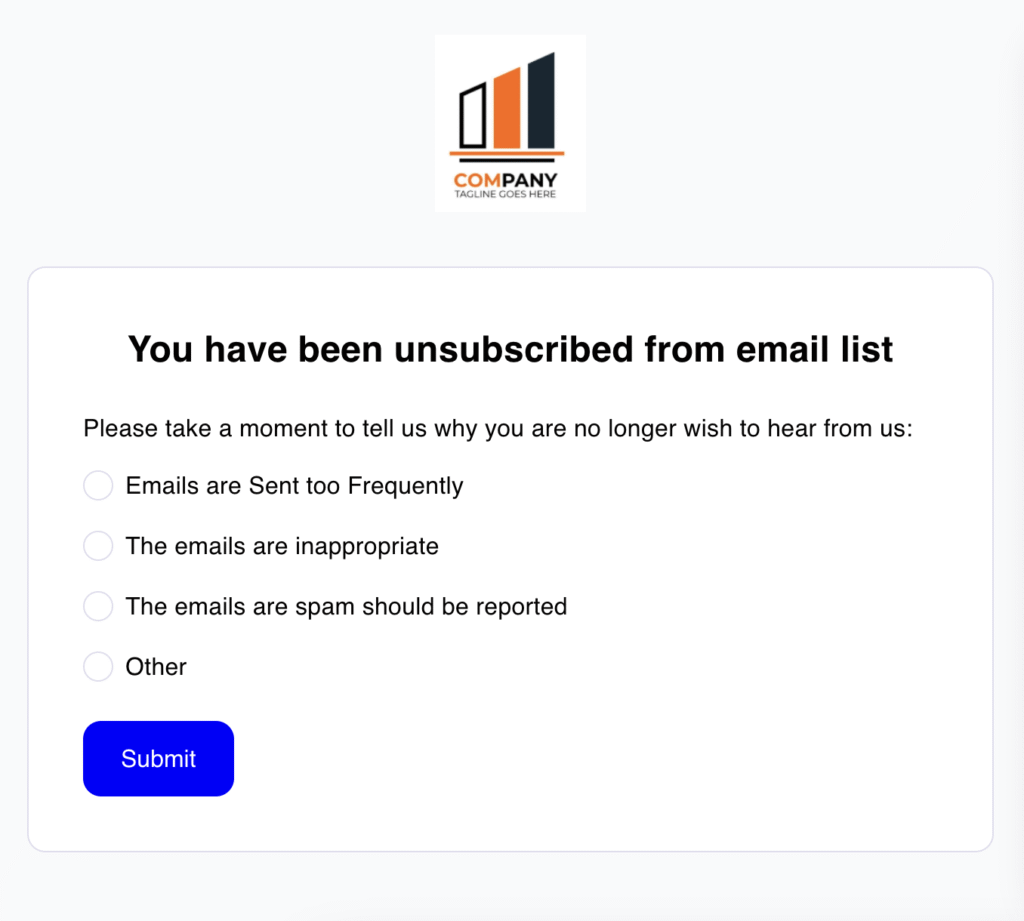
Go to the Adflipr Email campaigns section and click on the unsubscribe page. When a user opens the unsubscribe link, they see a clear message at the top:
“You have been unsubscribed from email list” This message makes sure that
- Their request was successful
- They will no longer receive emails from Adflipr
Below this message, the page asks:
“Please take a moment to tell us why you no longer wish to hear from us” This shows that Adflipr values feedback and wants to improve the reason behind unsubscribing.
The page provides several button options, ask the user to select one reason for unsubscribing.
- Emails are Sent Too Frequently – The user feels they are receiving emails too often this helps Adflipr adjust email timing or offer preference controls.
- The emails are inappropriate – The user believes the content is not suitable or relevant; it may include tone, topic, or messaging quality that helps Adflipr to review content standards.
- The emails are spam and should be reported – The user considers the emails unwanted or spam this is critical feedback for email compliance and reputation this helps Adflipr improve permission-based emailing
- Other – This option is used when none of the listed reasons match the user’s situation this allows flexibility for general or personal reasons.
- New Option – It is a customizable option that can be used for testing new feedback categories.
At the bottom of the page, there is a Submit button when the user clicks Submit the unsubscribe reason is saved and the feedback is recorded for analysis.
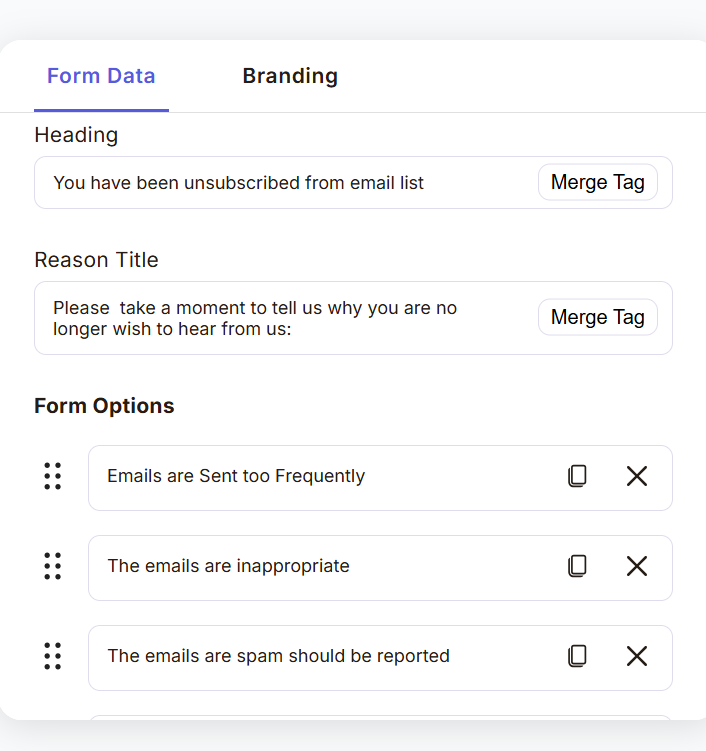
The Unsubscribe Form feature in Adflipr allows admins or customers to fully customize the unsubscribe experience for their users. Instead of using a fixed and boring unsubscribe page, Adflipr provides a flexible form building where you can control the text, options, and success messages shown to users when they unsubscribe from emails.
This additional feature may sure that the unsubscribe process is clear, professional, and user-friendly, while also helping businesses collect useful feedback.
Form Data Section- The Form Data tab is where you can define the content of the unsubscribe page.
Heading:
This is the main message that is shown on the top of the unsubscribe page. It clearly confirms to the user that their request was successful. Also there is a Merge Tag option that allows dynamic text like customer name or user information to be added automatically.
Reason Title:
This text appears just below the heading It explains why the user is being asked to select a reason. The message should be polite and optional, encouraging feedback without forcing users. Merge Tags can also be used here for personalization.
- Example:
“Please take a moment to tell us why you are no longer wish to hear from us:”
Form Options (Unsubscribe Reasons)
This section lets you define the reasons users can choose from when unsubscribing. Option that are available are-
- Emails are Sent too Frequently- Indicates the user is receiving too many emails.
- The emails are inappropriate- Suggests content relevance or tone issues.
- The emails are spam should be reported- Indicates serious dissatisfaction or compliance concerns.
- Other- Covers any reason not listed.
- + Add Option – Lets you add new custom reasons anytime.
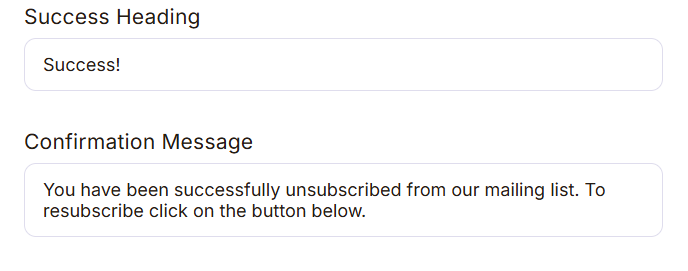
After the user submits the unsubscribe form, they see a confirmation message.
In Success Heading a short confirmation title. Gives instant reassurance to the user.
- Example:
“Success!”
In the Confirmation Message a clear message explaining what happened next. This message Confirms unsubscribe completion also Optionally provides a path to resubscribe And Maintains a positive tone.
- Example:
“You have been successfully unsubscribed from our mailing list. To resubscribe click on the button below.”
Branding
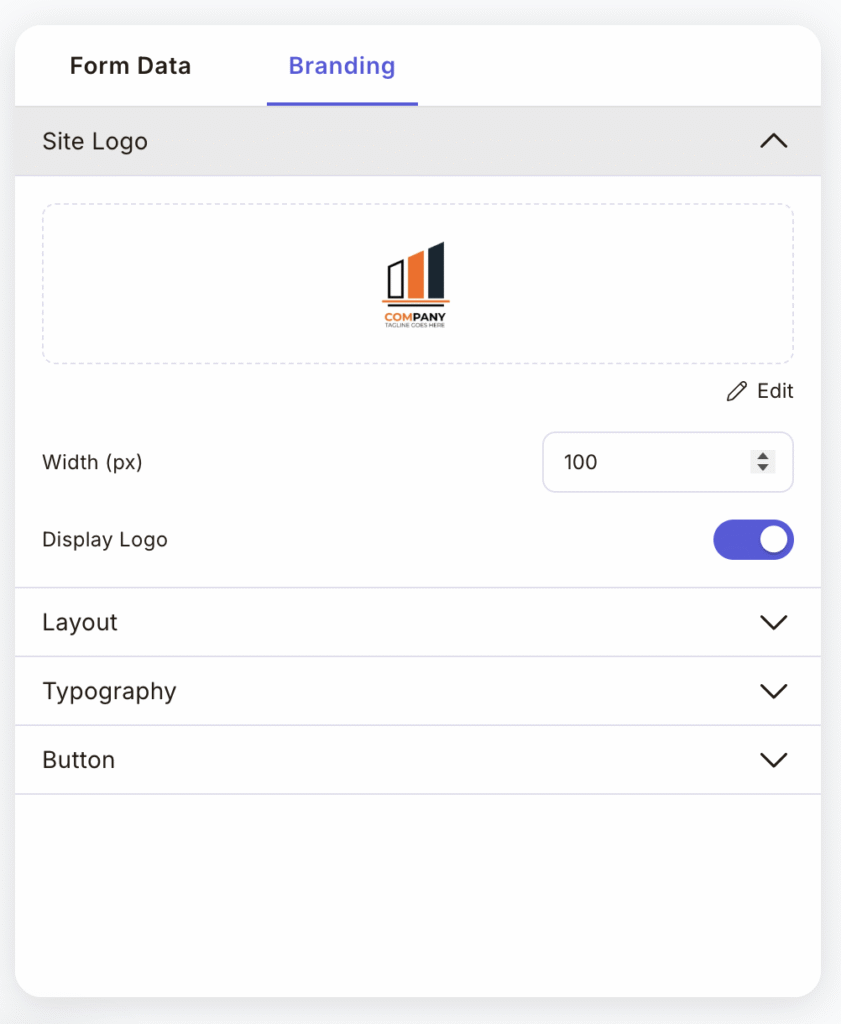
The Branding feature in Adflipr lets you design how your form should looks so it matches your campaign. You can control the logo, layout, style, and buttons without any coding or design skills.
Branding Tab
At the top, you see branding tabs that are Used for design and appearance. Everything you change here affects how your form looks to users.
Site Logo Section
This section controls your brand logo on the form that shows the logo that is currently added. This helps you quickly see how it looks on the form.
Layout Section
This Controls the structure and spacing of the form. This Helps to decide how content is arranged and Useful for making the form look neat and well-aligned.
Typography Section
This Controls how text looks on your form and you can style headings, labels, and other text. Also Helps in improving readability and match your brand style.
Button Section
This is Used to design form buttons like Submit or Sign Up. In this feature you can control how buttons look so they stand out. Helps to increase user clicks and conversions.
