
Since February 1, 2024, Gmail and Yahoo have implemented new requirements for email senders to better protect users’ inboxes from spam while ensuring legitimate emails are delivered. On May 5, 2025, Microsoft announced it would adopt similar standards. With the rest of the industry expected to follow, it’s essential for all email senders to comply with these requirements.
In this article, we’ll explain what these sender requirements are and what actions you need to take to be compliant. You’ll also find a quick recap in the table below:
| Sender requirements | Actions to take | |
| All email senders | Send emails from a custom domain | Use a custom domain (not a free domain like @gmail.com, @yahoo.com, or @outlook.com) and set up a professional email address through a provider such as GoDaddy or OVH. |
| Authenticate your domain with DKIM and DMARC | Add the Adflipr code, DKIM record, and DMARC record to your domain.➡️ To learn more, check our dedicated article Authenticate your domain with Adflipr (Adflipr code, DKIM record, DMARC record). | |
| Stay under a 0.3% spam complaint rate | Use Gmail’s Postmaster Tools to monitor your spam complaint rate. | |
| Bulk email senders (> 5.000 emails per day) with a dedicated IP | Align the email address you use to send emails with the domain you have authenticated with DKIM or SPF | Make sure that the email address you’re sending emails from matches the domain you authenticated with DKIM or SPF, or is a subdomain of it. |
What all senders should do
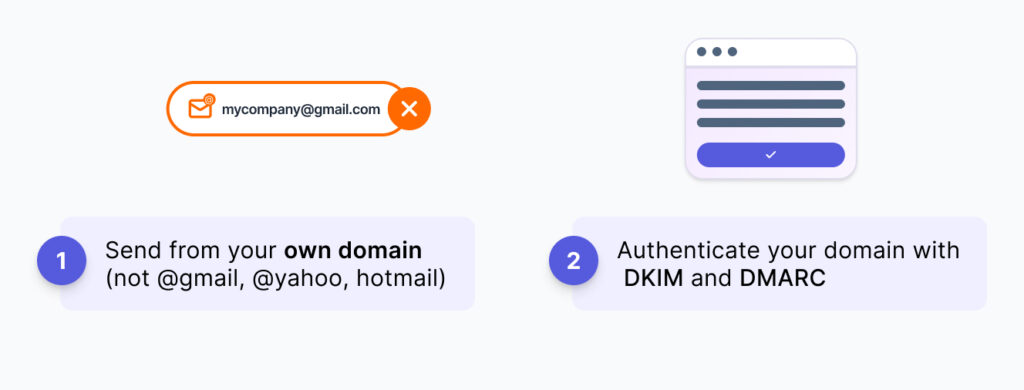
🌐 Send from a custom domain (not a free domain like @gmail.com, @yahoo.com, or @outlook.com)
If you send emails from a free domain like @gmail.com, @yahoo.com, or @outlook.com, they’re more likely to land in your recipients’ spam folders.
To improve deliverability and appear more professional, use a custom domain instead. You can set one up through providers like GoDaddy. An email address with a custom domain not only builds trust with your audience but also increases the chances that your emails will reach their inboxes.
Authenticate your domain with DKIM and DMARC
❗️Important
If your domain is not authenticated with DMARC, all your emails sent to Microsoft recipients (@outlook.com, @hotmail.com, and @live.com) will be marked as spam or rejected by Microsoft.
DKIM and DMARC are email authentication methods that help protect against spam, phishing, and other malicious activity. They also increase the chances that your emails will reach your recipients’ inboxes.
➡️ To access a detailed procedure for authenticating your domain with DKIM and DMARC, check our dedicated article Authenticate your domain with Adflipr (Adflipr code, DKIM, DMARC).
What bulk senders (> 5000 emails per day) with a dedicated IP should do
🤝 Align the email address you use to send emails with the domain you have authenticated with DKIM or SPF
💡 Good to know
Messages sent from the same primary domain count toward the 5,000 limit. For example, if you send 2,500 messages daily from domain.com and another 2,500 messages from marketing.domain.com, you are considered a bulk sender because all 5,000 messages were sent from the same primary domain (here, domain.com).
