Most shoppers who add a product to their cart do not buy it. They get distracted, compare prices, or simply forget. The good news is that a few well-timed reminders can bring many of them back, and you can send them automatically.
Quick answer: To recover abandoned carts, use automation that sends reminders to shoppers who left items behind. Use a cart abandoned trigger, then send messages after 30 minutes, 24 hours and 48 hours by email, WhatsApp or web push.
What Abandoned Cart Automation Does
Abandoned cart automation is a set of automatic messages that bring shoppers back to a cart they left. First, your store spots the abandoned cart. Then the automation waits a short time and sends a reminder. If the shopper still does not buy, it sends a follow-up. For a short definition, see our abandoned cart email glossary page. To run it for your own store, see our abandoned cart recovery software.
The problem is big. According to the Baymard Institute, about 70% of online shopping carts are abandoned. Baymard also finds that extra costs, such as shipping and taxes, are the most common reason for leaving.
However, you will not win everyone back. Some shoppers were only browsing, and others left because of a cost they saw at the last step. Even so, a small share is worth the effort. These shoppers already chose your products, so they know your store.
Cart Abandonment vs Checkout Abandonment
These two terms sound alike, but they work differently.
- Cart abandonment: the shopper adds items, then leaves before starting checkout. You often do not have their email yet.
- Checkout abandonment: the shopper enters an email or phone number at checkout, then leaves. You can message them because they shared their details.
Because of this, most recovery flows start from checkout events. If you also want to reach earlier visitors, capture their email first with a popup or form. Then they can enter your flows too. For a deeper comparison, read cart recovery vs checkout optimization.
How a Cart Recovery Automation Works
Every recovery flow has the same four parts.
- Trigger: the event that starts the flow. Here it is “cart abandoned”.
- Delay: a wait before the message, so you do not message someone who is still checking out.
- Message: an email, a WhatsApp message or a web push notification with a link back to the cart.
- Check: the flow stops when the shopper buys. Otherwise, it moves to the next step.
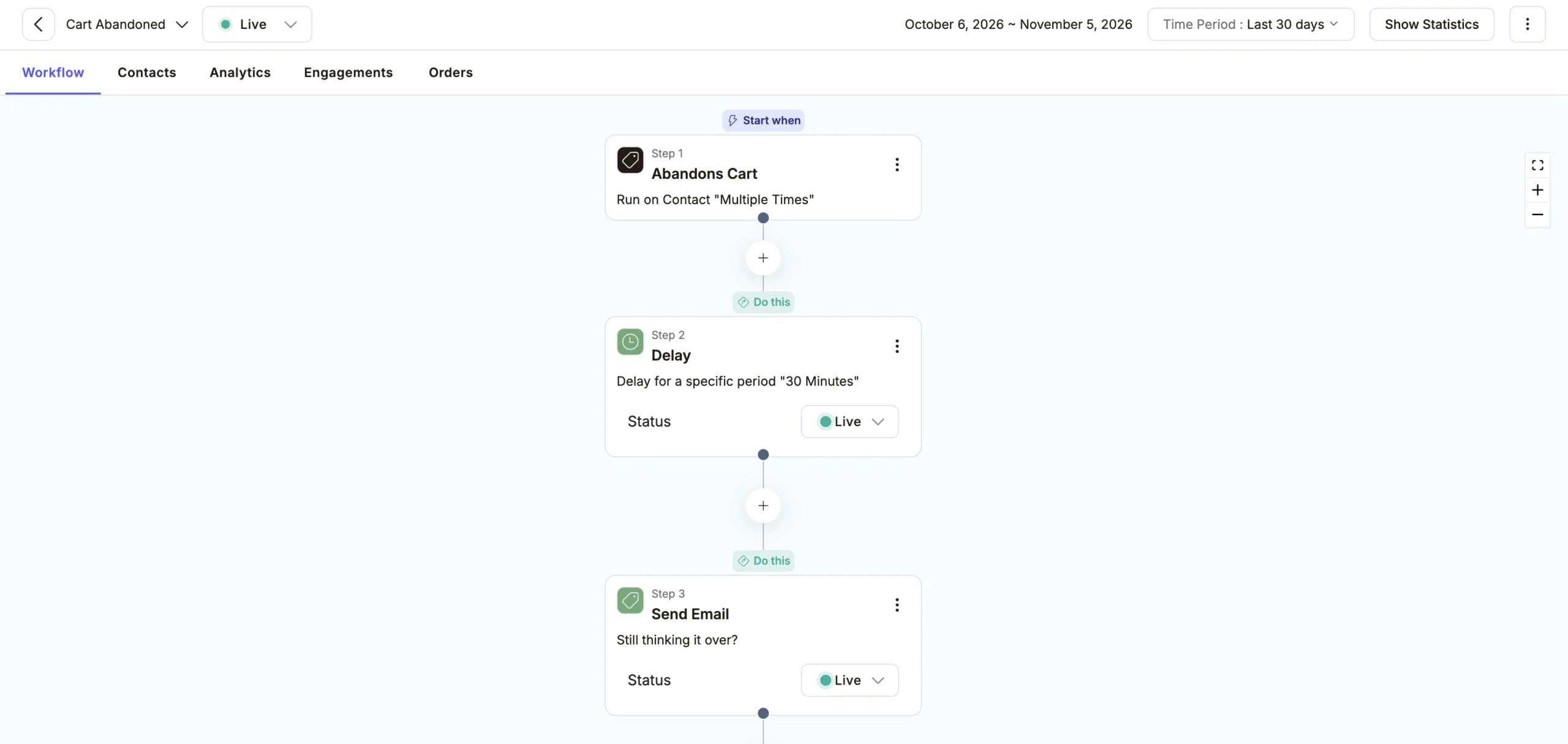
The standard timing uses three messages over two days.
| Step | Wait after abandonment | Message | Goal |
|---|---|---|---|
| 1 | 30 minutes | Friendly reminder | Catch shoppers who got distracted |
| 2 | 24 hours | Help and proof | Answer doubts, show reviews |
| 3 | 48 hours | Last call | Add gentle urgency or a small incentive |
Why these times? At 30 minutes, the shopper still remembers the product. After 24 hours, they have had time to think. By 48 hours, a last nudge feels natural. Every store is different, so treat these times as a starting point and test them.
How to Recover Abandoned Carts in Adflipr, Step by Step
This takes about 10 minutes. You only build the flow once, and it then runs on its own.
Step 1: Connect your store
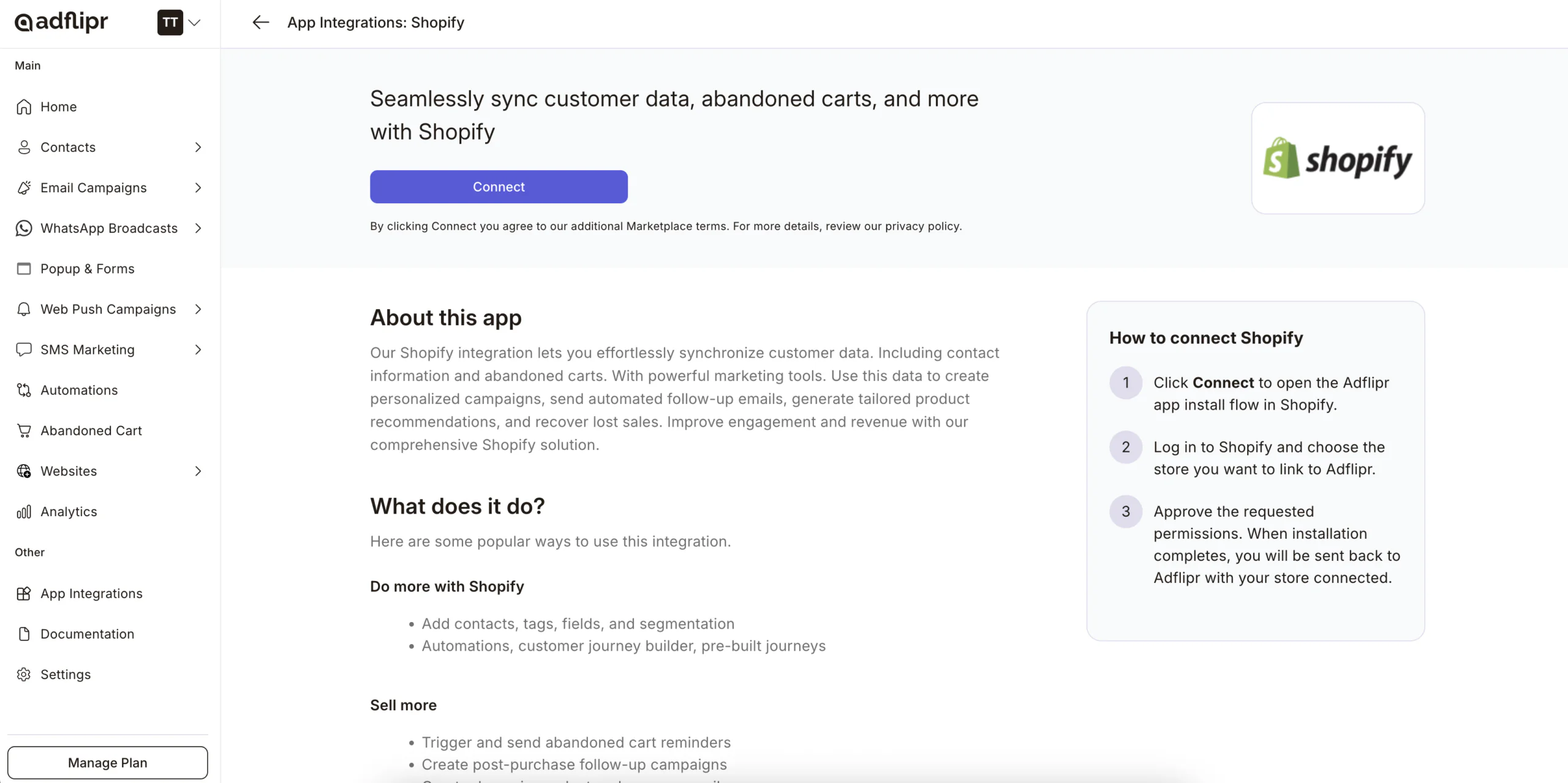
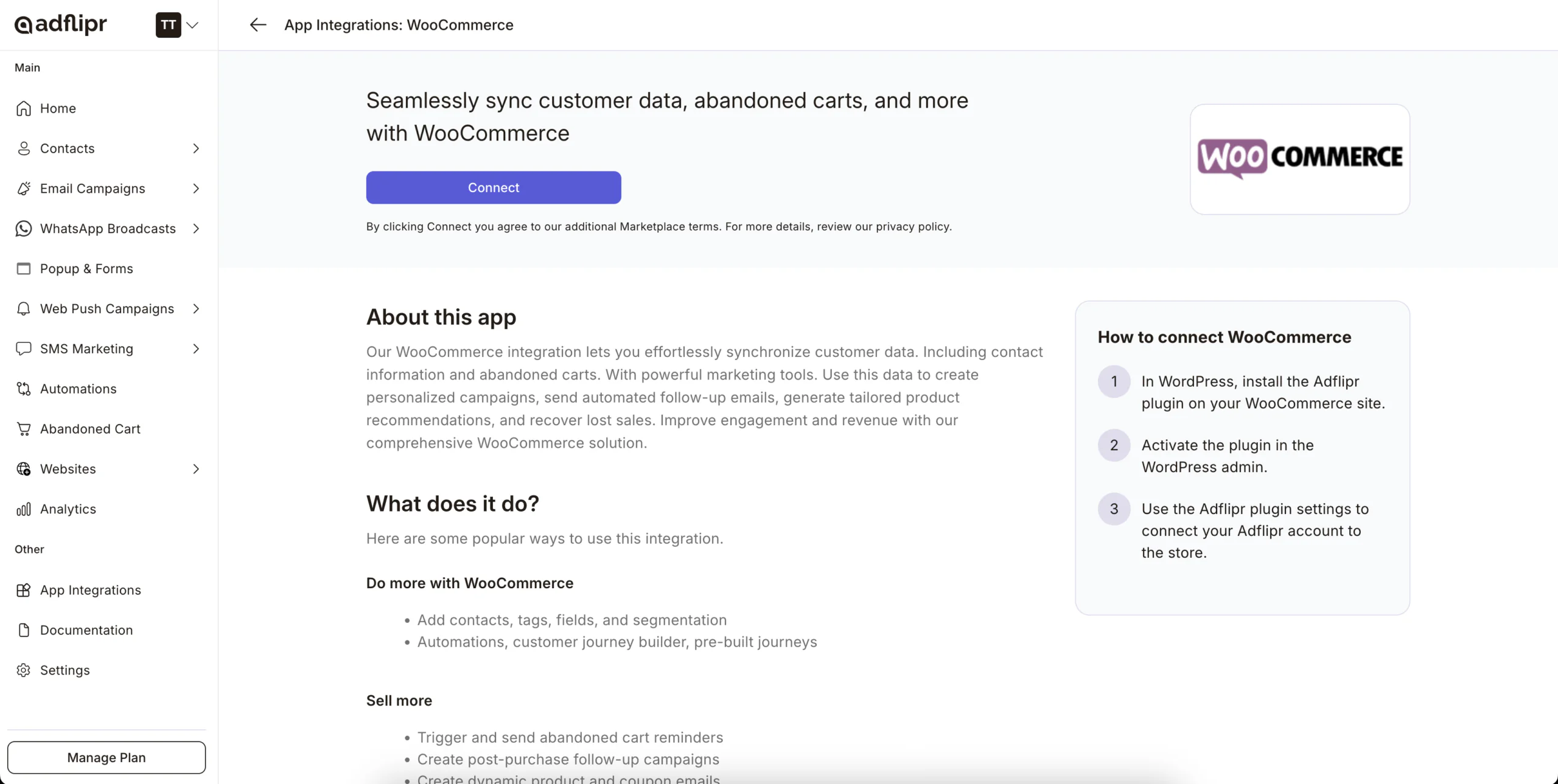
Connect your Shopify or WooCommerce store first. This lets Adflipr see carts, products and customers.
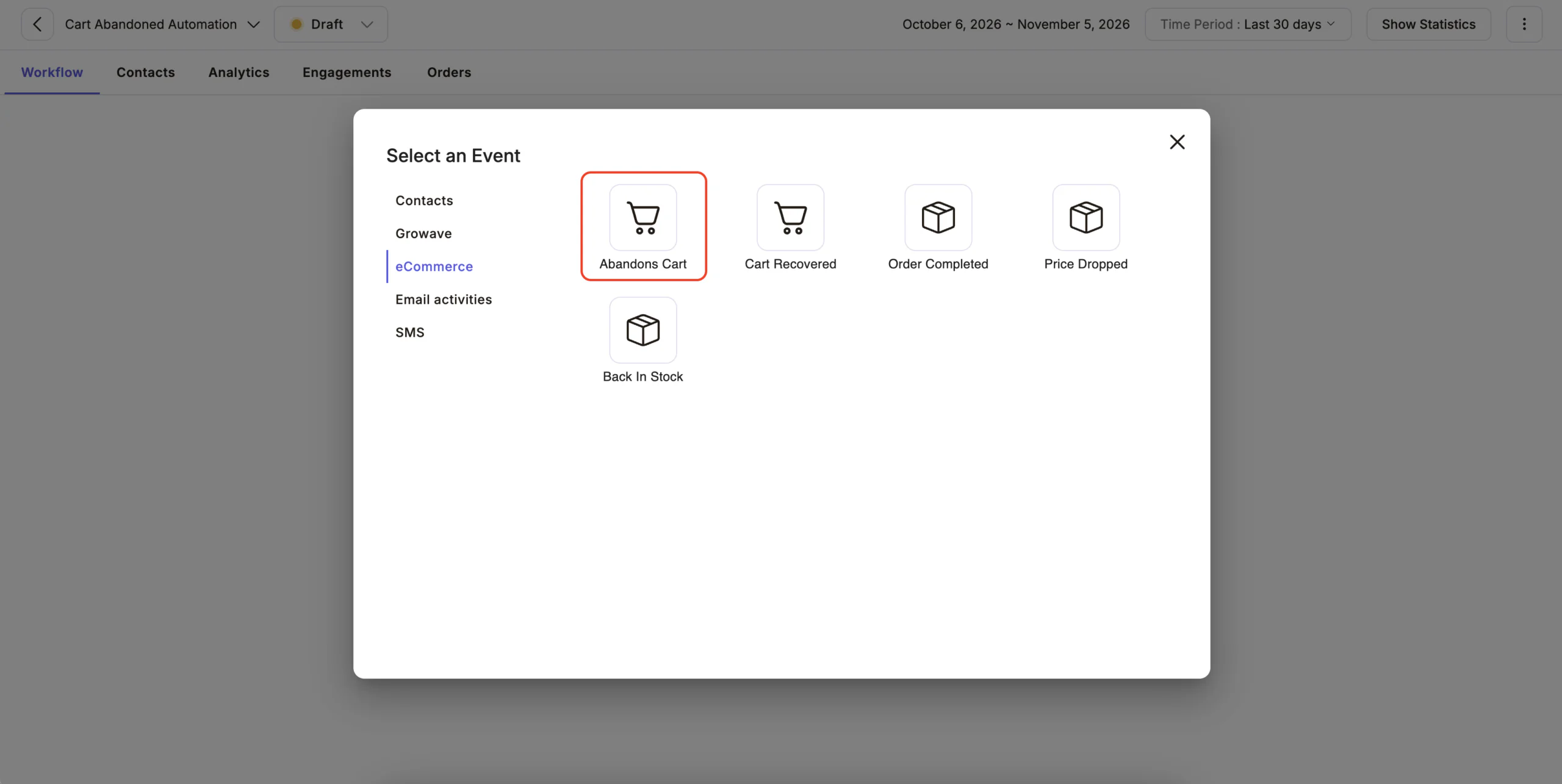
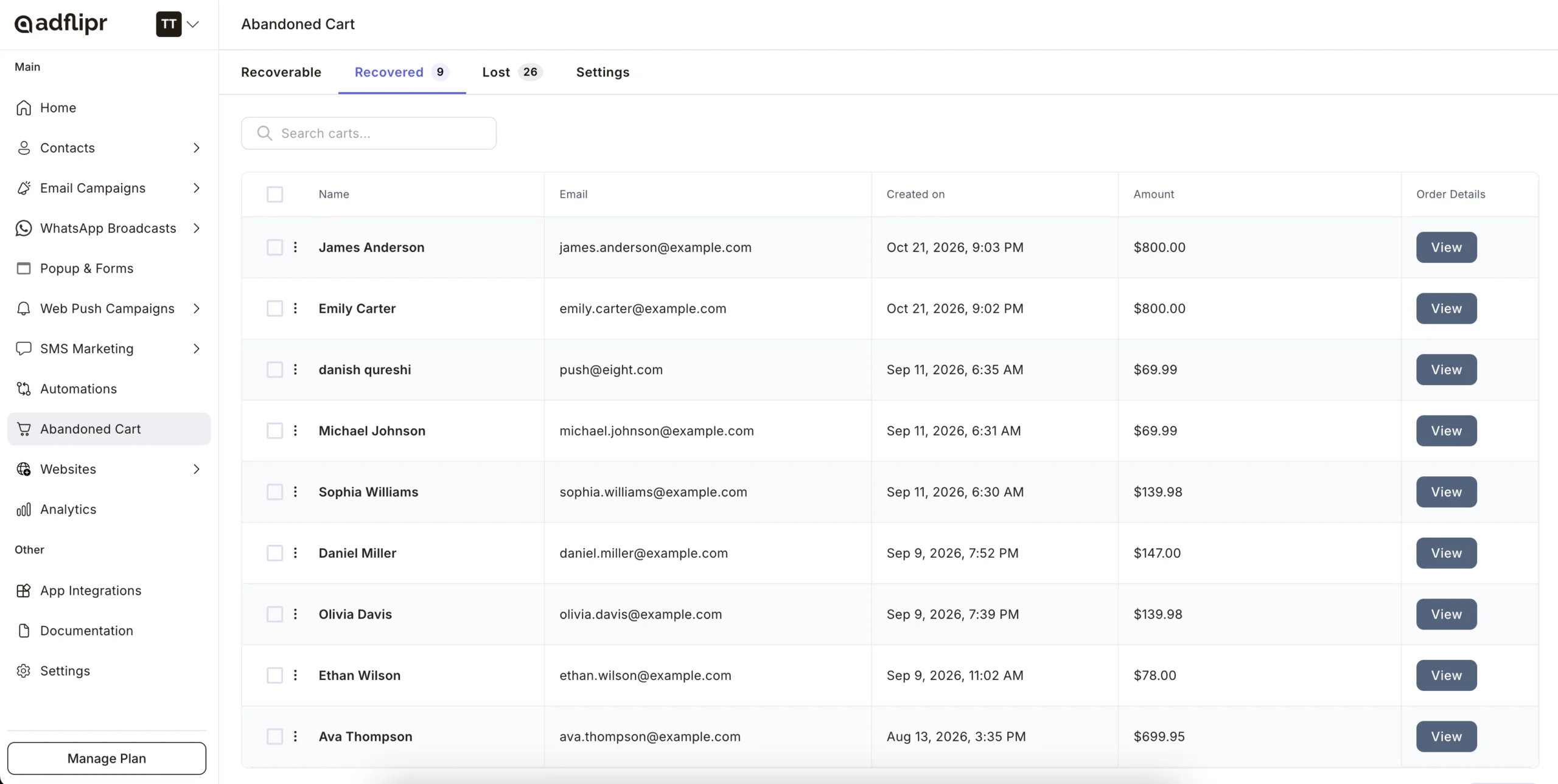
Step 2: Create a new automation and choose the event
Create a new automation. For the trigger, choose the event Abandoned Cart.
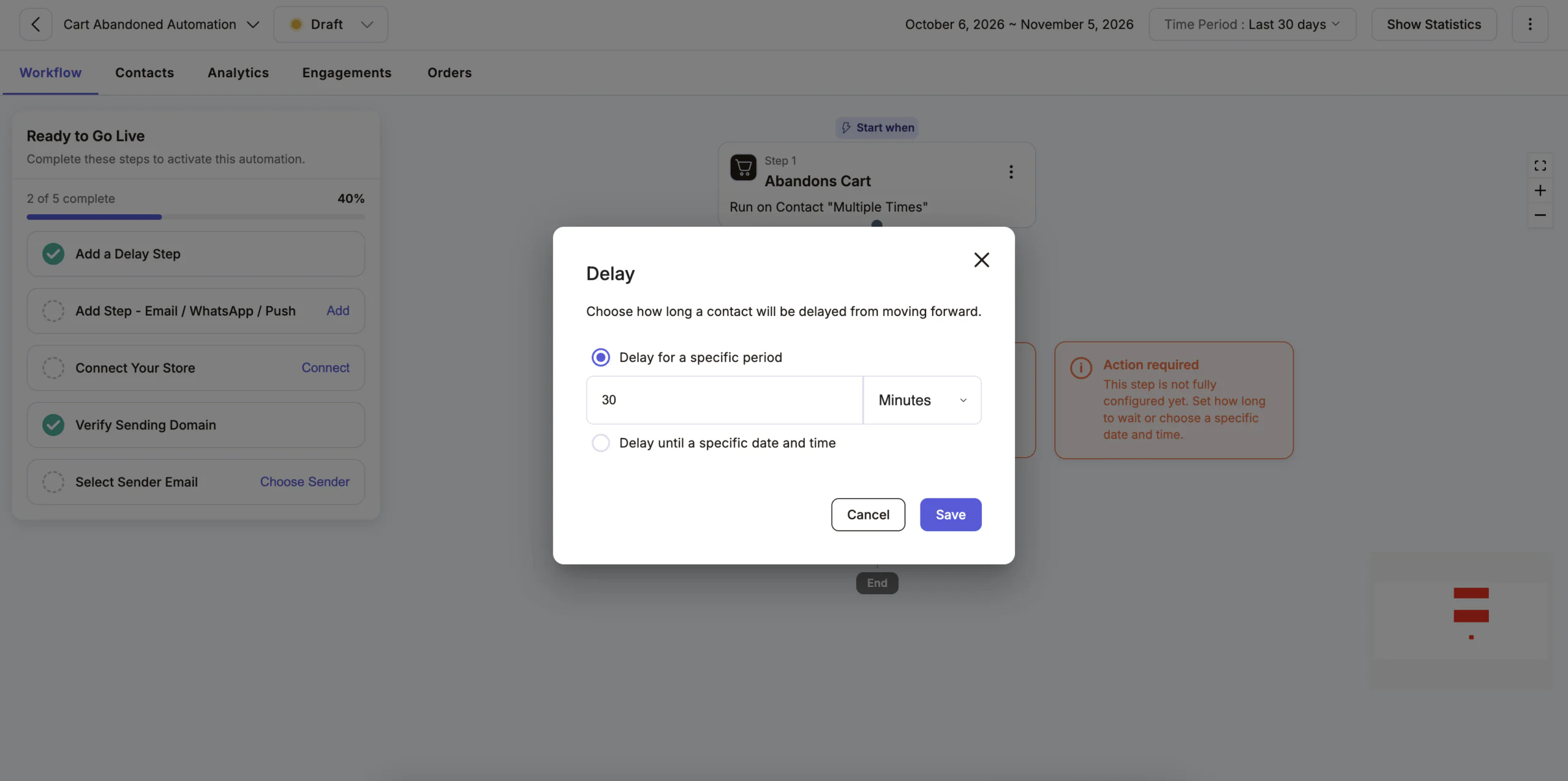
Step 3: Add a 30-minute delay
Add a delay step and set it to 30 minutes. This gives the shopper time to finish the order on their own.
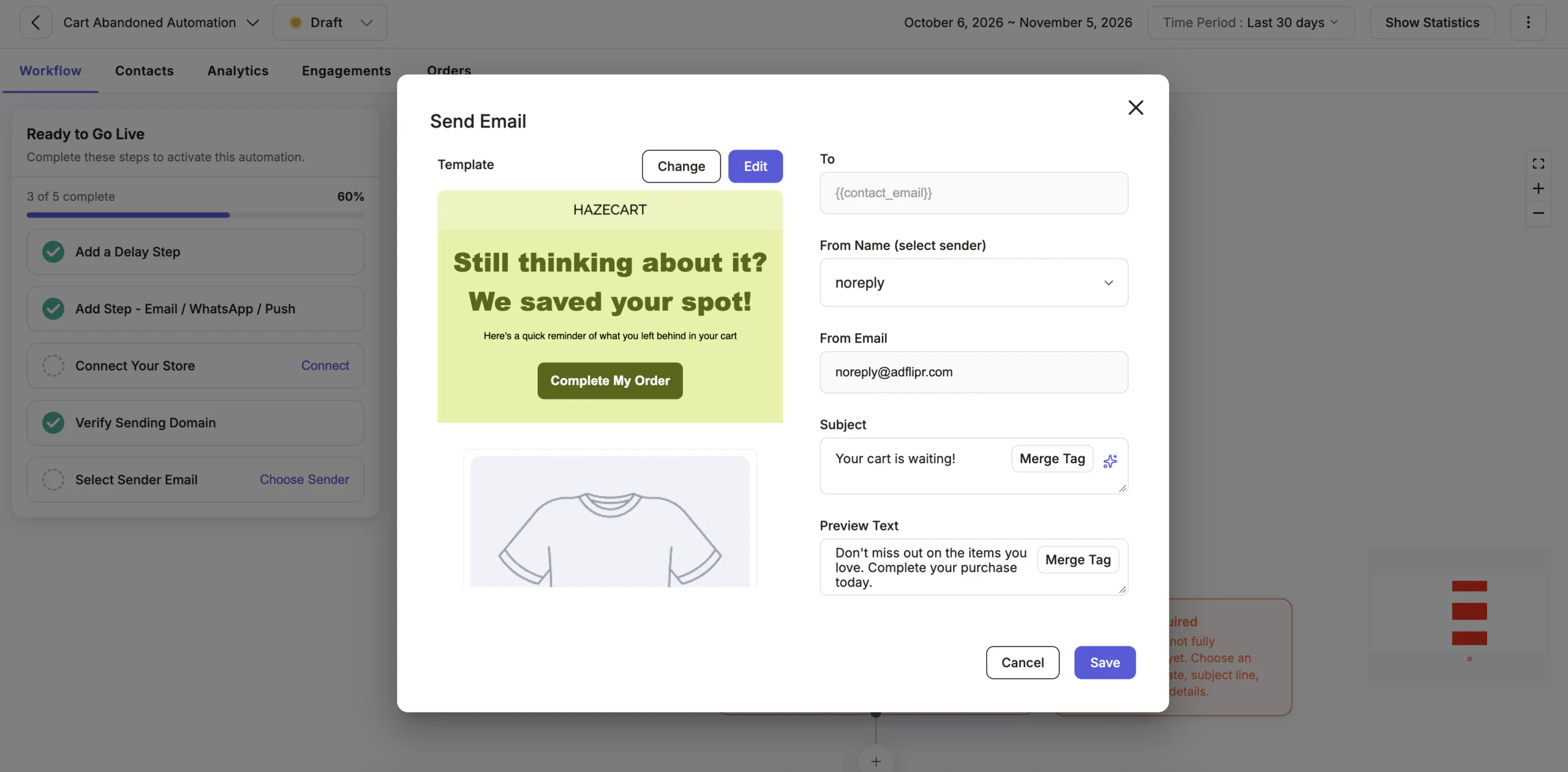
Step 4: Send the first email
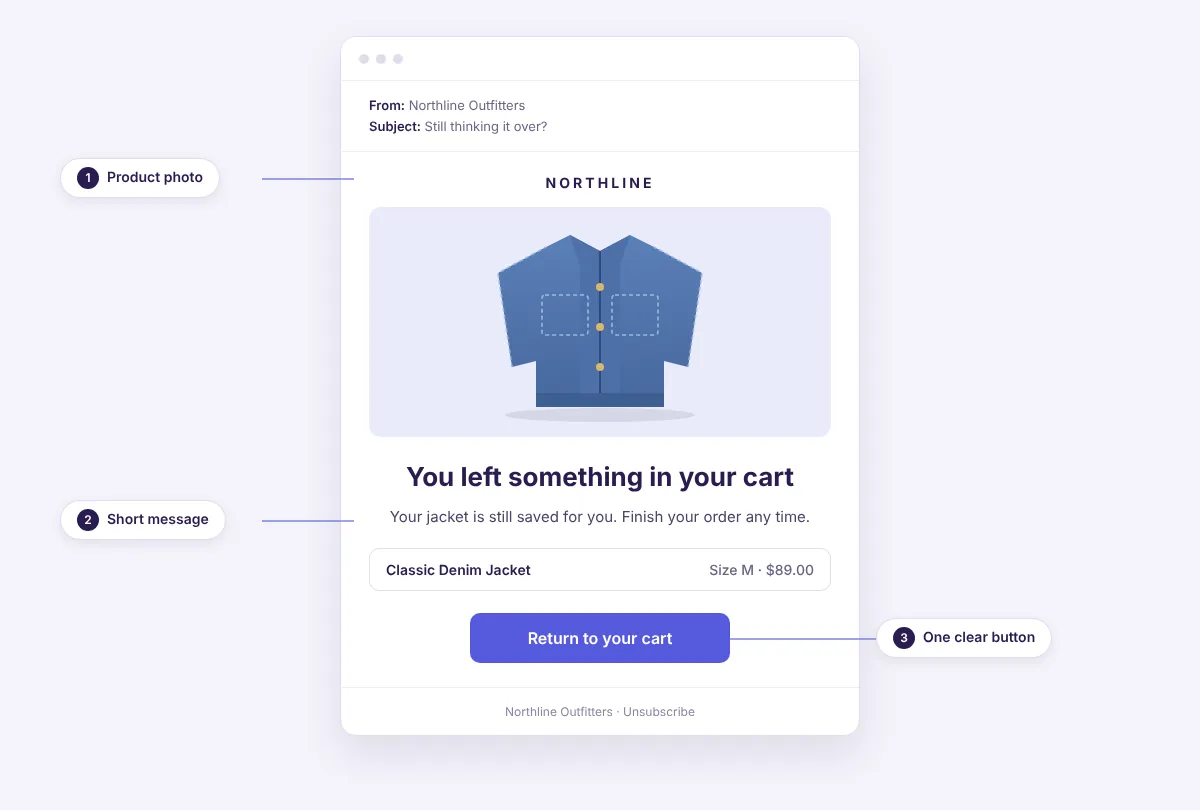
Add a Send Email step. Pick a template in the email builder, add the cart items block, and write a short subject line. Keep one clear button that returns the shopper to their cart.
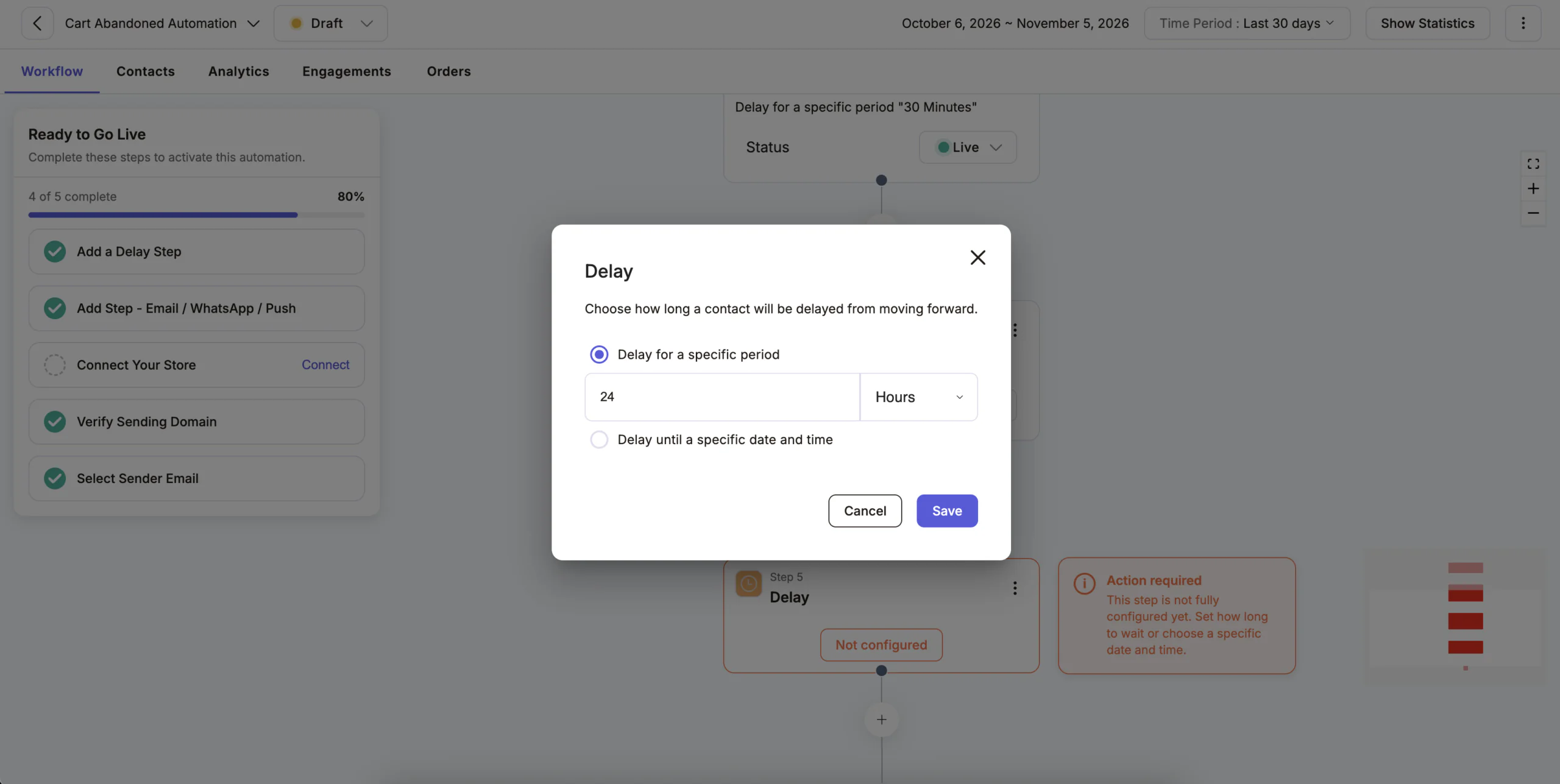
Step 5: Add a 24-hour delay and the second email
Add a delay of 24 hours, then another Send Email step. This time, answer common doubts, such as delivery, returns and reviews.
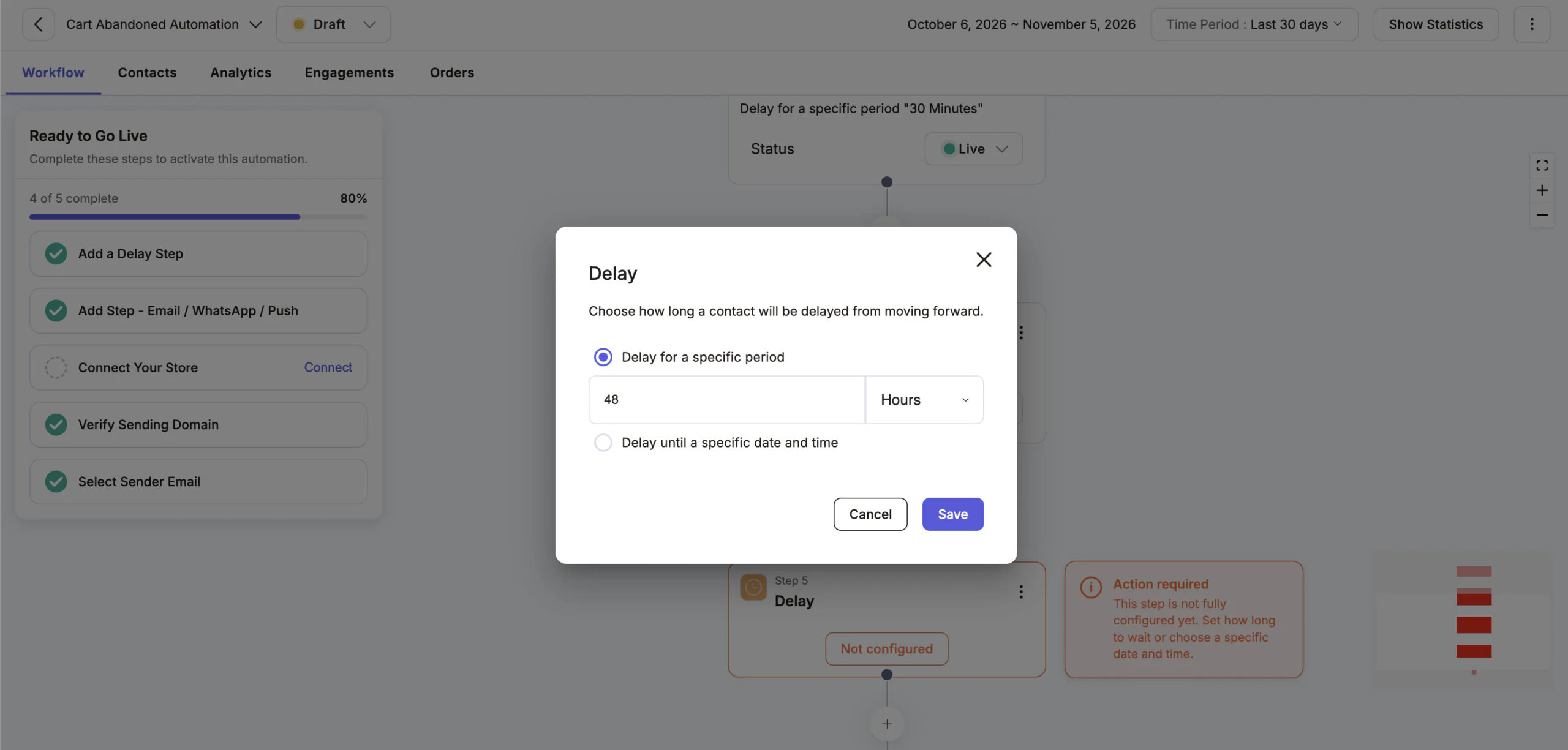
Step 6: Add a 48-hour delay and the third email
Add a delay of 48 hours, then the last email. This is your final reminder. Add a small incentive only if your margins allow it.
Step 7: Test it and turn it on
Send a test email and click the cart link. Then check that the flow stops once an order is placed. Finally, turn the automation on.
What to write in each email
Keep each email short, with one goal.
- Email 1, the reminder: show the items and one button. Do not offer a discount yet.
- Email 2, the help: answer questions about shipping, returns and sizing. Add a review or two.
- Email 3, the last call: say the cart will not be held much longer, if that is true. Offer free shipping or a small coupon only if you can afford it.
Need ideas for wording? Try the subject line generator, or see our abandoned cart email examples. Want email only? Read our abandoned cart email automation guide. On WooCommerce? See WooCommerce abandoned cart.
Add WhatsApp to Your Cart Recovery Flow
WhatsApp works well because people check it quickly, and the messages feel personal. The setup follows the same pattern: trigger, delay, message.
- In the same automation, add a delay after the first email. Many stores use 24 hours.
- Add a WhatsApp step.
- Choose an approved message template with the customer name, the product and the cart link.
- Place the step before the shopper would get the final email, or run it as its own flow.
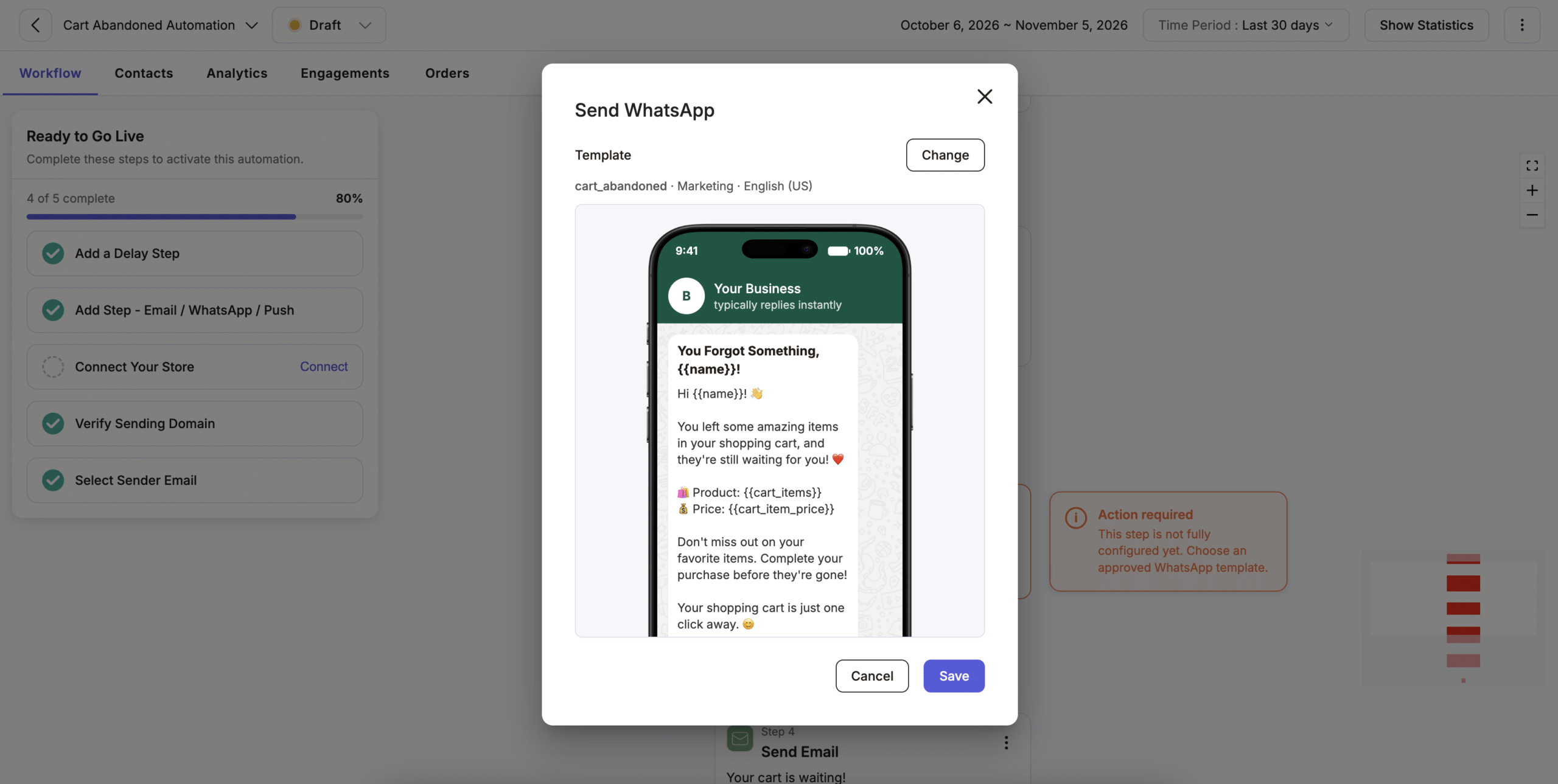
Here is a short example of a message.
Hi Emily, you left a Classic Denim Jacket in your cart. It is still saved for you. Tap here to finish your order: {{cart_link}}
Keep these rules in mind.
- Message only customers who agreed to get WhatsApp messages.
- Meta requires approved templates for messages that a business starts.
- Adflipr’s WhatsApp marketing is free until December 31, 2026, and you pay only Meta’s message charges.
Add Web Push to Your Cart Recovery Flow
Web push sends a short notification to the shopper’s browser. It does not need an email address or a phone number. However, the shopper must click Allow first, and the notification reaches only the browser where they agreed.
To add it, turn on web push notifications for your store. Then add a web push step to your cart flow after a delay. For example, you can send one soon after the first email, with the product name and a link to the cart.
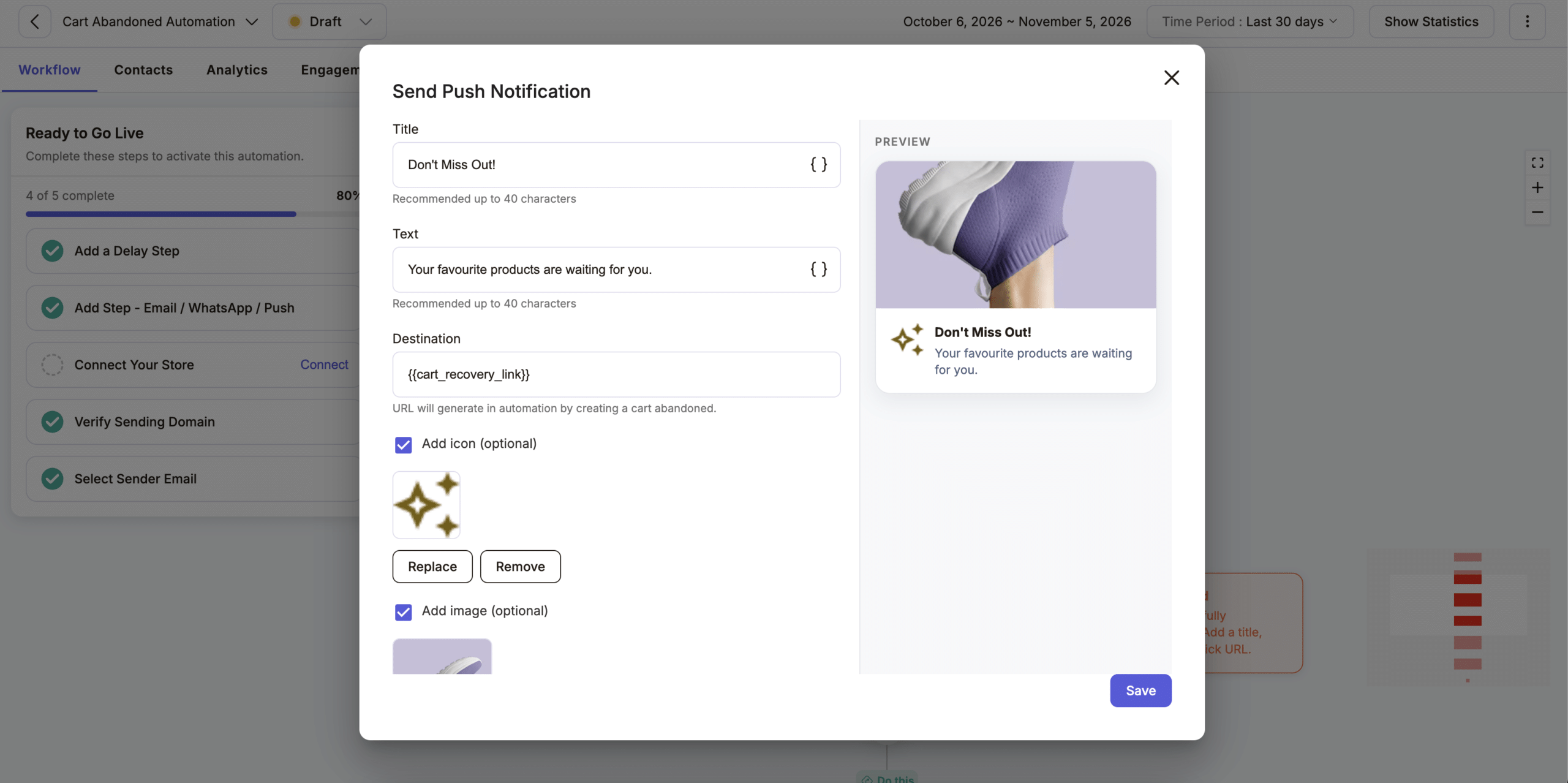
Ask for permission at a helpful moment, such as after the shopper adds an item to the cart. Asking the second they land feels pushy, so fewer people agree. The free web push plan covers 750 subscribers.
Shopify's Built-in Abandoned Checkout Email vs a Recovery Flow
Shopify can already email shoppers who leave checkout, so it is a fair place to start. A recovery flow builds on that with more steps and more channels.
- Shopify’s built-in email: sends an email after a shopper leaves checkout. You choose who receives it and how long Shopify waits. You can add your logo and colours to the template.
- Where it works: the Online Store and Buy Button sales channels. Checkouts from Shopify POS or third-party channels do not get the email.
- A recovery flow: adds follow-ups at 24 and 48 hours. It can also reach shoppers on WhatsApp and web push.
However, do not run both at once. Shoppers may get two emails about the same cart. So turn off Shopify’s automatic email once your flow is live.
Which Channel Should You Use?
Start with email, because most stores already have email addresses. Then add one channel at a time, so you can see what each one adds.
| Channel | Best for | Needs | Watch out for |
|---|---|---|---|
| Full reminders with product images | Email address | Spam folders, slow reading | |
| Short, personal nudges | Phone number and opt-in | Template approval, opt-in rules | |
| Web push | Quick nudges on the same browser | Browser permission | Only reaches shoppers who clicked Allow |
Here is one sample schedule to test.
- 30 minutes: email reminder.
- 24 hours: WhatsApp message for shoppers who opted in.
- 48 hours: final email, or a web push notification.
Keep the total to three or four messages. Otherwise, your reminders start to feel like spam.
How to Measure Cart Recovery
Track two numbers.
- Recovery rate: recovered carts divided by abandoned carts, times 100.
- Revenue per recipient: revenue from recovered orders divided by the number of people who got your messages.
Here is an illustrative example, not a benchmark. Suppose 200 carts were abandoned this month and 24 were recovered. That is 24 divided by 200, or a 12% recovery rate.
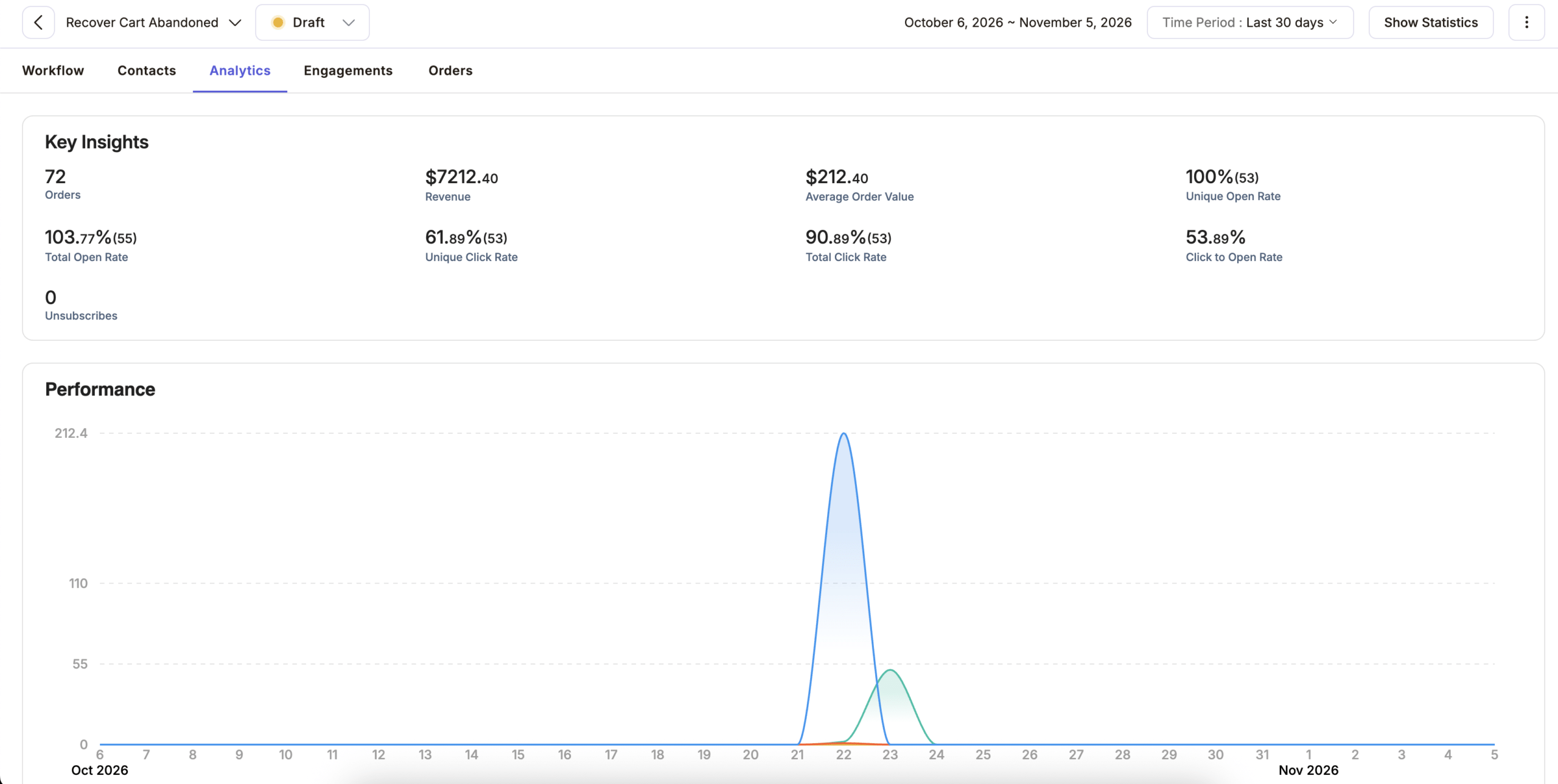
Also compare each step and each channel. Then you can see whether the second email or the WhatsApp message brings in the sales. Do not judge by open rates alone, because privacy features in some mail apps can inflate them. Adflipr’s analytics and reporting shows results for each campaign and automation. For typical rates to compare against, see our cart abandonment rate guide.
Consent and Privacy Basics
Before you send, check that you have permission. This is general information, not legal advice.
- Email: follow the rules that apply to you, such as CAN-SPAM in the US and consent rules in the EU. Always include an unsubscribe link.
- WhatsApp: collect a clear opt-in before you message.
- Web push: the browser asks for permission, and the shopper can turn it off at any time.
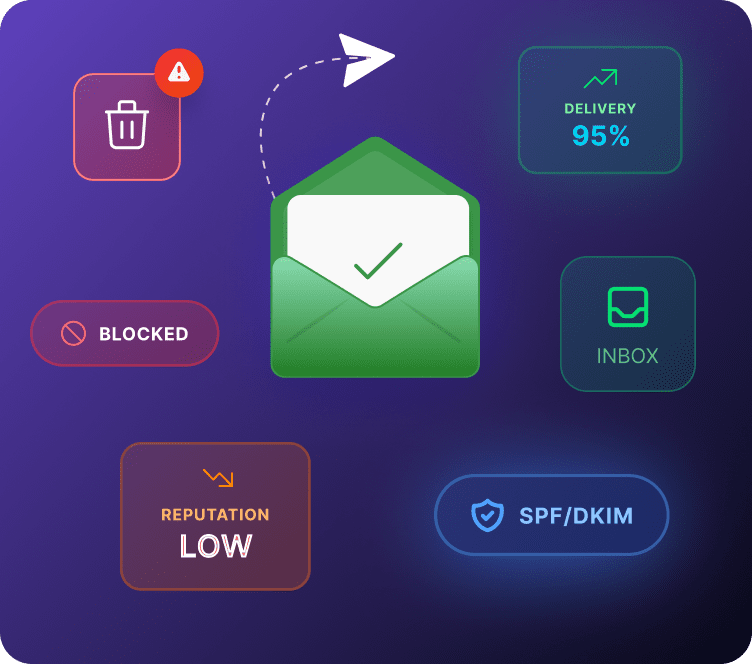
Good sender habits also help your emails reach the inbox. Our email deliverability page explains how.
Common Cart Recovery Mistakes
- Messaging too early: wait at least 30 minutes, so you do not interrupt a checkout in progress.
- Offering a discount in the first message: shoppers may learn to abandon carts on purpose. Save any offer for the last step.
- Sending too many messages: stick to three or four in total.
- Not stopping after a purchase: test this before going live.
- A cart link that does not restore the items: click it yourself on a phone.
- Using the same text on every channel: write short messages for WhatsApp and push, and fuller ones for email.
- Asking for the email too late: if checkout asks for it only at the final step, you cannot follow up. Put the email field first.
- Treating every cart the same: send high-value carts a more personal message than low-value ones.
Tune Your Flow for Black Friday and Cyber Monday
Black Friday falls on November 27, 2026, and Cyber Monday on November 30. During sales, cart traffic rises, so your flow matters more.
- Check that the cart emails show the sale price.
- Update the template with your sale banner, and remove it when the sale ends.
- Keep the same three-step timing, and avoid adding extra messages.
For a full plan, read our Black Friday email marketing guide.
How Adflipr Helps
Adflipr is an email and WhatsApp marketing platform for Shopify and WooCommerce stores. For cart recovery, it gives you:
- Ready-made automations with an Abandoned Cart event.
- A no-code email builder with store product blocks.
- Email, WhatsApp and web push recovery in one place.
- Contact management for tags and segments.
- Analytics and reporting for recovered revenue.
Using WooCommerce? See our WooCommerce abandoned cart guide. Want to stop carts from being abandoned in the first place? Read how to reduce cart abandonment. After the sale, a post-purchase email keeps the customer coming back.
Key Takeaways
- Abandoned cart automation works best as a flow of trigger, delay and message.
- Start with three steps at 30 minutes, 24 hours and 48 hours.
- Add WhatsApp and web push one at a time, and only for shoppers who agreed.
- Stop the flow once the shopper buys, and keep it to three or four messages.
- Measure recovery rate and revenue per recipient, then improve one step at a time.
Frequently Asked Questions
Wait about 30 minutes. That is long enough not to interrupt a checkout, and soon enough that the shopper still remembers the product. Test shorter and longer waits.
Yes. Add each channel as a step after a delay. Start with email, then add one channel at a time so you can see what each one adds.
Three or four messages in total is a safe limit. More than that tends to annoy shoppers and can raise unsubscribes. Stop the flow as soon as they buy.
No. You can only reach shoppers who gave an email, a phone number, or browser permission. A popup or form can help you collect these earlier.
Check recovery rate and revenue per recipient in your reports. Compare each step and channel, and change only one thing at a time.
Not in the first message, because shoppers may learn to wait for a coupon. Save a small offer, such as free shipping, for the last message, and only if your margins allow it.
Cart abandonment means the shopper left before checkout. Checkout abandonment means they left after sharing an email or phone number. Most flows start from checkout events because you then have contact details.
Show the items left in the cart, add one clear button back to the cart, and keep the subject line short. Leave out any discount in the first reminder.