AI Automations
AI Automation Builder for Email, WhatsApp and Web Push
Describe the customer journey you want in plain words. Adflipr AI builds the full automation: trigger, timing, conditions and messages. Review it, then switch it on.
Automations › New › Build with AI
You
Abandoned cart flow. WhatsApp reminder after 1 hour. If no order, email with 10% off the next day. Last web push before the code expires.
Abandoned cart flow. WhatsApp reminder after 1 hour. If no order, email with 10% off the next day. Last web push before the code expires.
Trigger
Cart abandoned
Wait
1 hour
1 hour
WhatsApp
Cart reminder with link
Cart reminder with link
Condition
No order yet? Continue
No order yet? Continue
Email
10% off, code COMEBACK10
10% off, code COMEBACK10
Wait
2 days
2 days
Web push
Offer ends tonight
Offer ends tonight
1
Describe the journey
Goal, audience, channels and timing, in one or two sentences.
2
AI builds the automation
Trigger, waits, conditions and every message, laid out in the builder.
3
Review and switch it on
Change any step by hand or ask AI, then activate.
The problem
Why most stores never finish their automations
Everyone knows abandoned cart and welcome flows make money. But building them step by step takes time most store owners do not have.
+
Add your first step
01
An empty builder
Starting from a blank canvas makes it hard to know where to begin.
Wait
1 hour? 4 hours? 1 day?
Condition
Opened? Clicked? Bought?
Exit rule
When to stop?
02
Too many settings
Delays, conditions and exit rules all need the right values.
Email
?
WhatsApp
?
Push
03
Which channel, when?
Mixing email, WhatsApp and push in the right order is guesswork.
Welcome series
Draft
Win-back
Draft
Review request
Draft
04
Stuck in drafts
Half-built flows sit in drafts and never send a single message.
Adflipr AI turns one sentence into a complete, ready-to-review automation.
What AI builds for you
Every part of the automation, built from your description
Triggers & timing
AI picks the right trigger and timing
Say what should start the journey and how fast to follow up. AI sets the trigger and the wait between each step, so messages arrive at a sensible pace.
- Triggers like cart abandoned, first order or new subscriber
- Wait times set between every step
- Quiet hours so messages do not arrive at night
- Change any timing with one click
START WHEN
Cart abandoned
Joined the list
Placed first order
Viewed a product
No order in 90 days
Back in stock
Birthday
Order delivered
THEN WAIT
Start
1 hour
1 day
2 days
Multi-channel
Email, WhatsApp and web push in one flow
Tell AI which channels to use and in what order. It places each message where it works best, like a quick WhatsApp nudge first and a detailed email later.
- Mix email, WhatsApp and web push in any order
- Short nudges on WhatsApp and push, details by email
- Skip a channel if the contact has not opted in
- One report for the whole journey
GO
Customer joins your list
Trigger
EM
Welcome email with 10% off
Right away
WA
WhatsApp: meet our bestsellers
After 2 days
PU
Web push: your code expires soon
After 5 days
EM
Email: our brand story
After 7 days
Conditions & exits
Smart branches that stop at the right time
AI adds checks like “did they buy?” or “did they open?” and splits the path. Customers who already ordered leave the flow, so nobody gets a discount they did not need.
- Checks for orders, opens and clicks
- Yes and No paths with different messages
- Exit rules so buyers stop getting reminders
- Discounts only for people who need a nudge
WA
WhatsApp cart reminder
Placed an order?
YES
Exit flow
No more reminders
NO
Email with 10% off
Sent the next day
Messages included
Every step comes with its message drafted
AI does not stop at the flow chart. It writes the email, the WhatsApp message and the push notification for each step, in the tone you asked for.
- Email copy, subject line and preview text
- WhatsApp messages in template format
- Short push titles and messages
- Edit any message before you switch the flow on
Step 2 · WhatsApp
Hi Emma, you left a few things in your cart. Tap below to finish your order.
Step 5 · Email
Still thinking it over? Here is 10% off
Your cart is saved. Use COMEBACK10 before Friday.
Step 7 · Web push
Your 10% off ends tonight
Tap to complete your order.
Automation ideas
Automations you can create with AI
Each one starts from a single prompt like the ones below.
7 steps
Abandoned cart
“Remind cart abandoners on WhatsApp after 1 hour, email 10% off next day, final web push.”
Email
WhatsApp
Web push
6 steps
Welcome series
“Welcome new subscribers with 10% off, then share bestsellers and our story over a week.”
Email
WhatsApp
4 steps
Browse abandonment
“When someone views a product twice and does not buy, send a web push and an email with that product.”
Email
Web push
5 steps
Post-purchase thank you
“Thank first-time buyers on WhatsApp, then email care tips and a review request after delivery.”
Email
WhatsApp
5 steps
Win-back
“No order in 90 days: email first, WhatsApp 3 days later with 15% off. Stop if they buy.”
Email
WhatsApp
3 steps
Back in stock
“When a waitlisted product is back, send web push right away and an email 1 hour later.”
Email
Web push
3 steps
Birthday offer
“Send a birthday email with a gift code, and a WhatsApp reminder 3 days before it expires.”
Email
WhatsApp
3 steps
COD to prepaid
“After a COD order, send WhatsApp asking to pay online for 5% back. Email if no reply.”
Email
WhatsApp
Prompt guide
How to describe an automation so AI builds it right
The more of these six parts you include, the closer the first version is to what you want.
Create a win-back automation
for customers with no order in 90 days
.
Send an email first, then a WhatsApp 3 days later
with 15% off using code COMEBACK15
.
Stop if they place an order
.
Warm, personal tone
.
Goal
What kind of automation: welcome, cart, win-back.
Who and when
The trigger or audience that starts it.
Channels and timing
Which channel first, and how long to wait.
Offer
Discount, code, free shipping or gift, if any.
Exit rule
When people should leave the flow.
Tone
How the messages should sound.
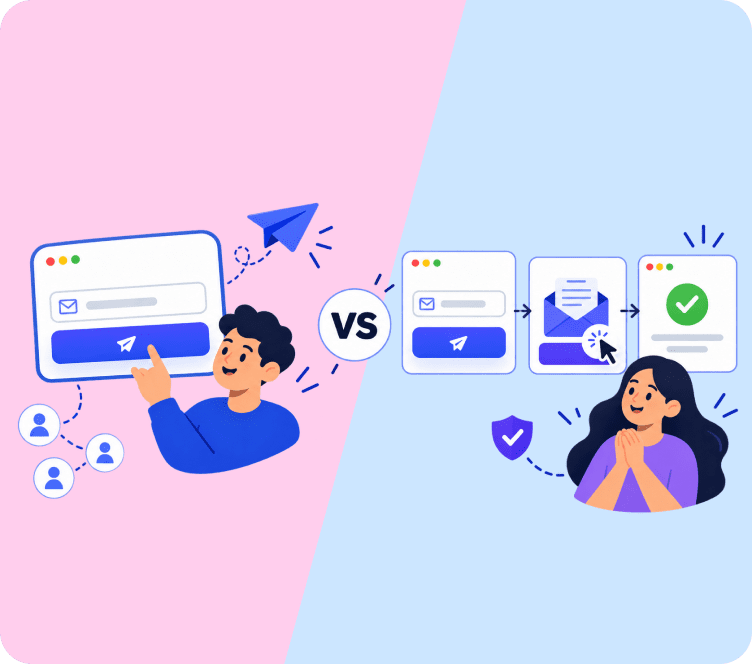
Old way vs new way
Stop building automations step by step
The old way
- Drag every step onto an empty canvas
- Guess wait times and conditions
- Write each email, WhatsApp and push by hand
- Forget exit rules and over-message buyers
- Leave flows half-built in drafts
VS
With Adflipr AI
- One prompt builds the whole flow
- Sensible timing and branches set for you
- Every message drafted in your tone
- Exit rules included by default
- Review, tweak and switch on the same day
Frequently Asked Questions
Describe the journey in a prompt, like an abandoned cart flow with WhatsApp and email. AI builds the trigger, steps and messages for you to review.
Yes. Name the channels and order in your prompt, and AI places email, WhatsApp and web push steps in one automation.
Common ones include abandoned cart, welcome series, browse abandonment, post-purchase, win-back, back in stock and birthday flows.
Yes. Change triggers, waits, conditions or messages in the visual builder, or ask AI for changes in plain words.
No. AI saves it as a draft. It only starts sending after you review it and switch it on.
Describe the journey. Let AI build the automation.
Abandoned cart, welcome, win-back and more, across email, WhatsApp and web push. Start free on Shopify or WooCommerce.