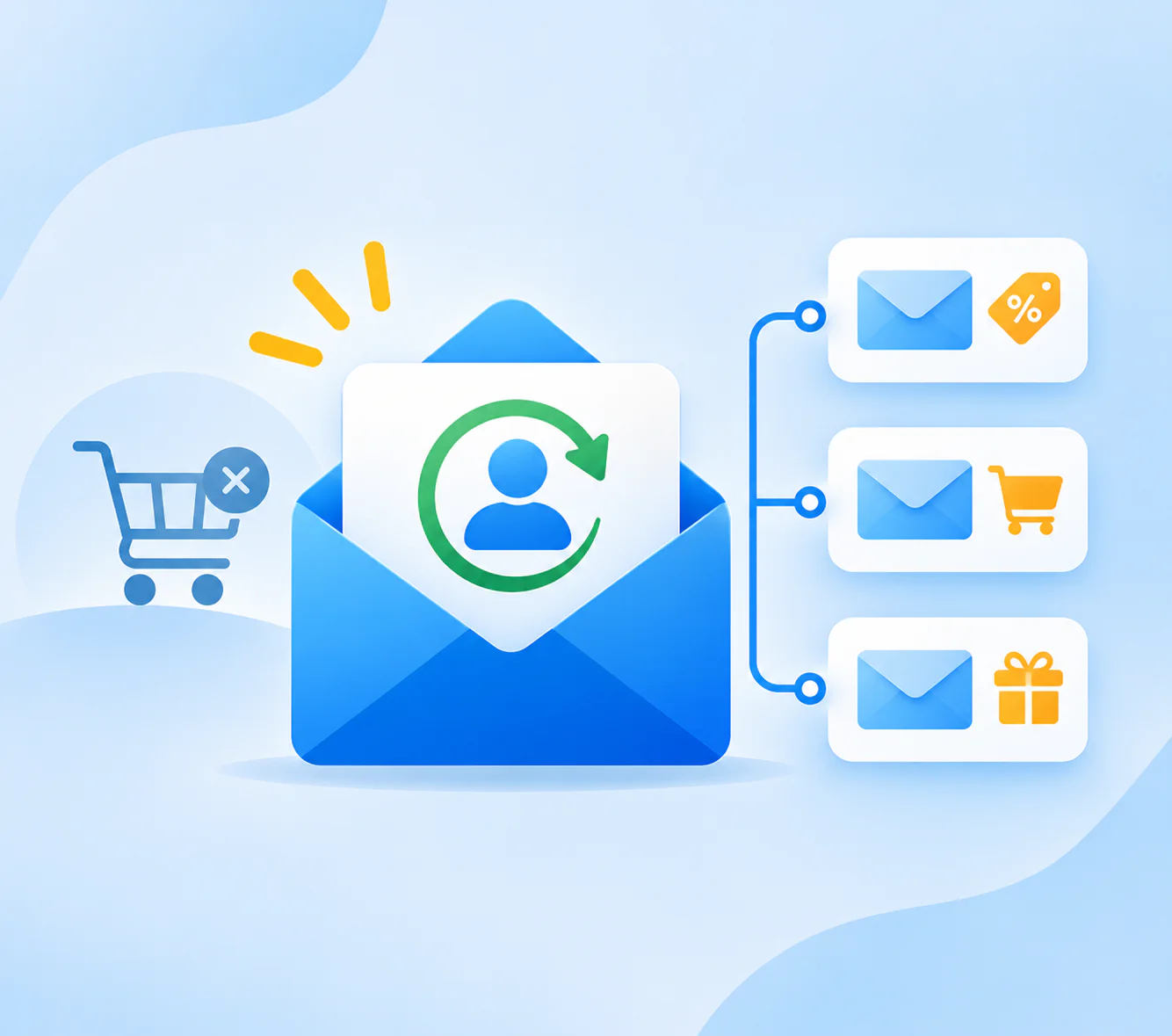
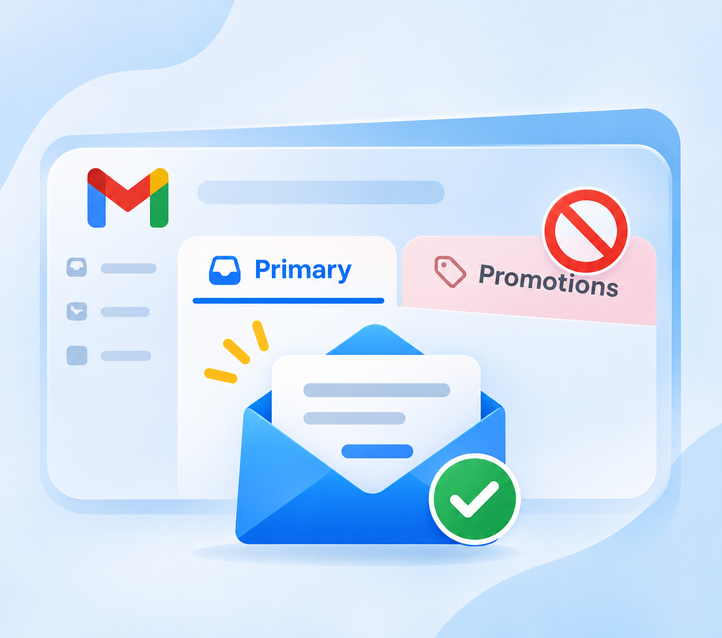
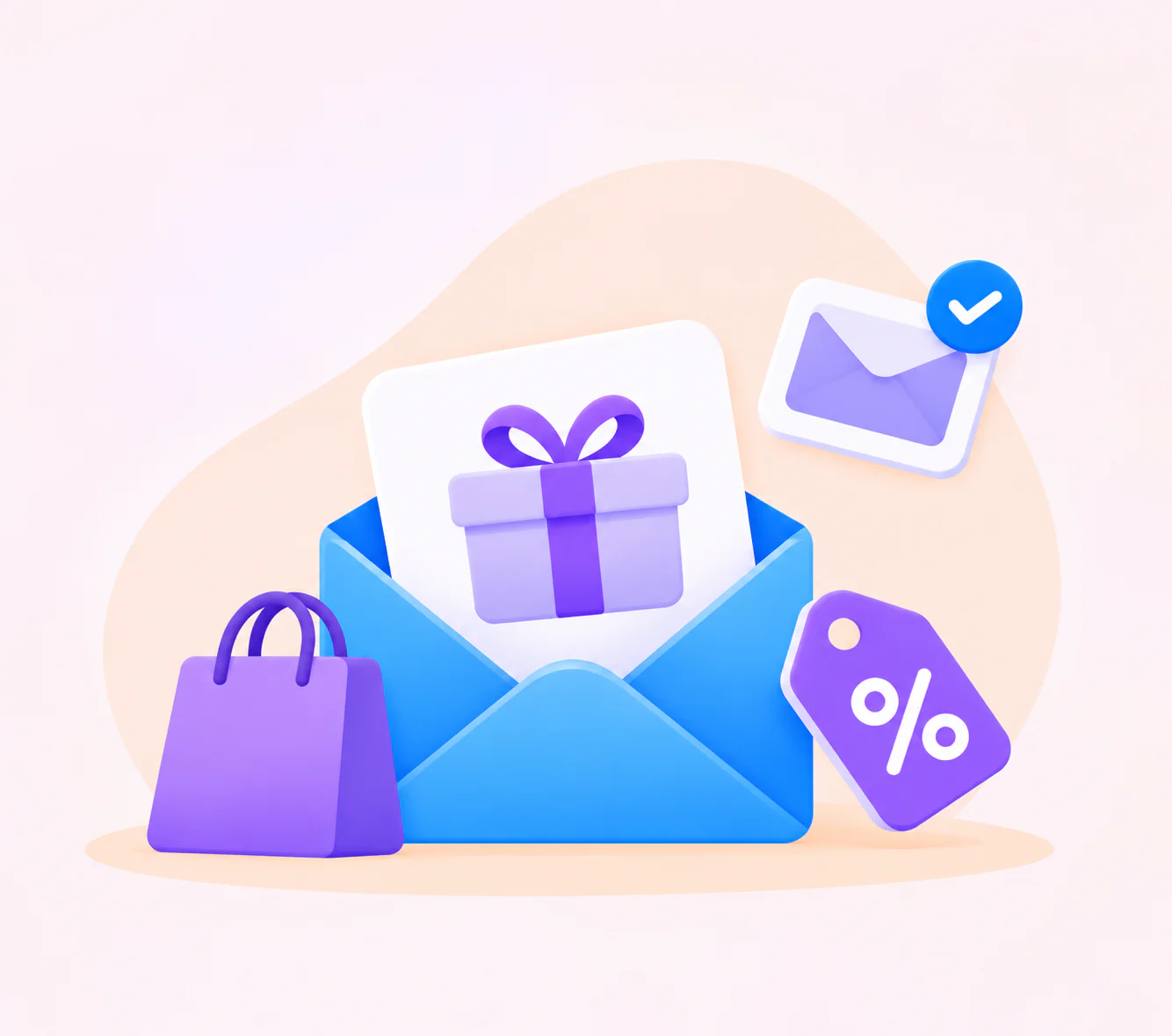
Most stores send one “we miss you” blast and call it a win-back. Win-back email automation works better, because it watches your orders, spots who has gone quiet and sends the right emails on its own.
This guide shows you how to build it in one sitting, with an email you can paste at each step. To define the term first, see our win-back campaign page.
Quick answer: To automate win-back emails, start a flow when a customer passes your lapsed cutoff. Send three emails a week apart, stop the flow on any order or click, and keep the discount for email three.
Win-Back Email Automation at a Glance
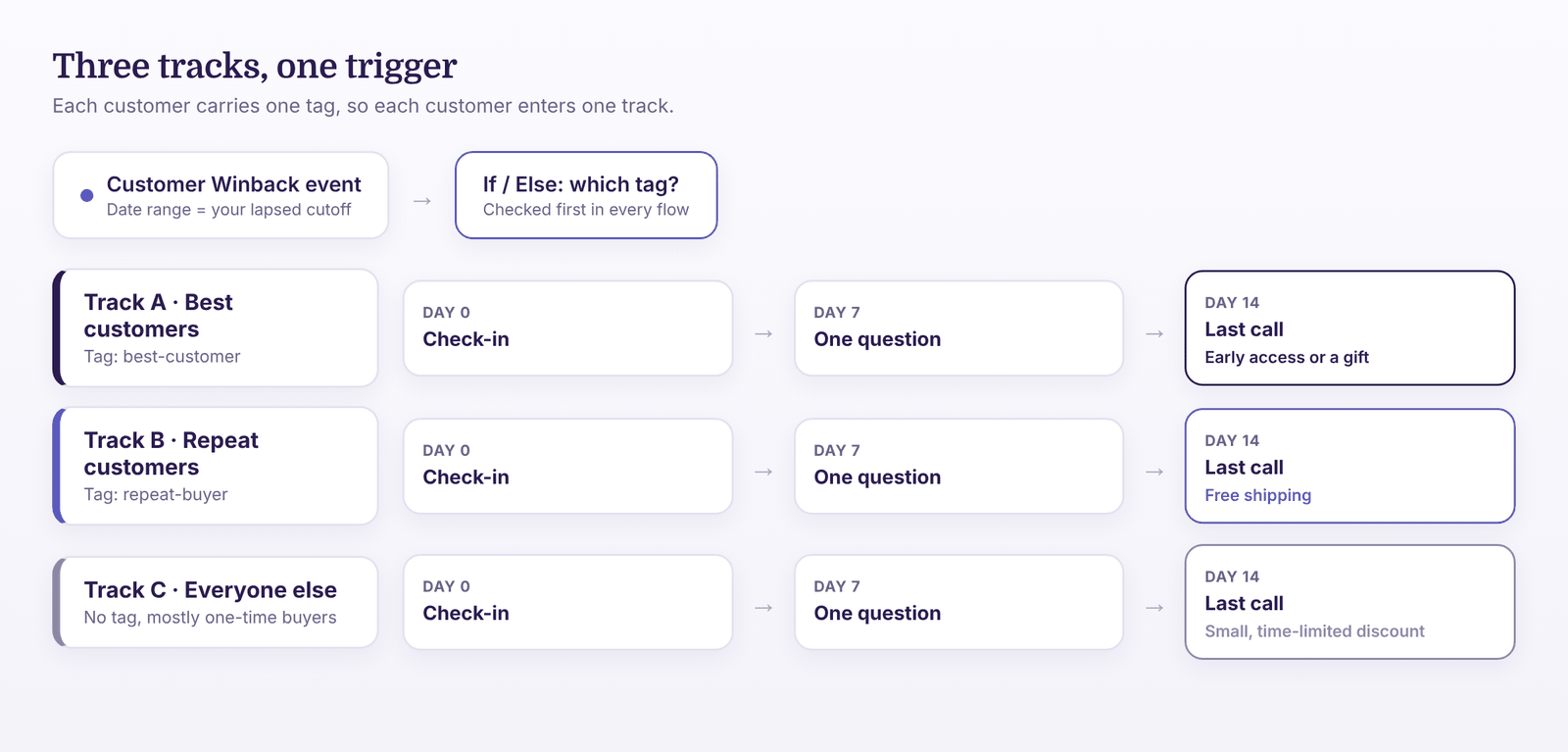
You will build three small flows, one for each type of lapsed customer. Each follows the same shape and differs only in the offer.
| Track | Who | Emails | Offer |
|---|---|---|---|
| A: Best customers | Tagged best-customer | 3, personal tone | No discount. Early access or a gift. |
| B: Repeat customers | Tagged repeat-buyer | 3 | Free shipping in email 3 |
| C: Everyone else | No tag, mostly one-time buyers | 3 | Small discount in email 3 |
Customers who spent more get a lighter touch, because they already like you and a discount can feel cheap. One-time buyers, however, need a bigger reason to return.
Before You Build
Have these ready first. Each one takes only a few minutes.
- Your store is connected, so orders sync to Adflipr (contact management shows your customers).
- You know your lapsed cutoff. If not, the method is in our churn guide, so use it first.
- You have tagged your best customers (best-customer) and repeat buyers (repeat-buyer). Give each customer one tag only.
- You have a sending name people recognize.
- You know which products to feature, such as your bestsellers or new arrivals.
Step 1: Start the Flow With the Customer Winback Event
Open Adflipr, create a new automation and choose the Customer Winback event. Set the date range to your cutoff. Customers whose last order falls outside it enter the flow. This works the same on Shopify and WooCommerce. If you are new to the canvas, follow how to create an automation first.
Build the flow once, then duplicate it for each track. Make the first step of every flow an If / Else condition on tags:
- Track A flow: continue only if the contact has the best-customer tag.
- Track B flow: continue only if the contact has the repeat-buyer tag.
- Track C flow: exit if the contact has either tag. Everyone left continues.
Because each customer carries at most one tag, they enter only one track.
Step 2: Write the Three Emails
Shopify’s guide describes a win-back series as a reconnection email, a request for feedback, an incentive and a last-chance farewell. We fold those into three emails that go out in a week-apart rhythm. Build each in the email builder with short copy and one button.
Email 1 (day 0): The check-in
No offer. The aim is a click.
Subject: It’s been a while, {{FirstName}}
Preview text: A few things we think you’ll like.
Hi {{FirstName}}, it has been a little while since your last order. Here are three things customers like you have been buying lately. No pressure, just thought you might want a look.
Button: See what’s new
Email 2 (day 7): The question
Send this only to people who did not click. Ask one question, because a one-line reply is easier than a survey.
Subject: Did we get something wrong?
Preview text: One question, one line.
Hi {{FirstName}}, we would like to do better. Was something wrong with your last order, or did we not have what you wanted? Just reply with one line, and a person will read it.
Email 3 (day 14): The last call
Send this only to people who are still silent. Add the offer from your track, and say clearly that this is the last one.
Subject: A last note from us, {{FirstName}}
Preview text: Free shipping on your next order.
Hi {{FirstName}}, this is our last email for now. If you would like to come back, here is free shipping on your next order until Sunday. If you would rather hear from us less, you can tell us here.
Button: Use my free shipping
For more subject line ideas, see our subject lines guide.
Step 3: Add the Delay and the Click Check
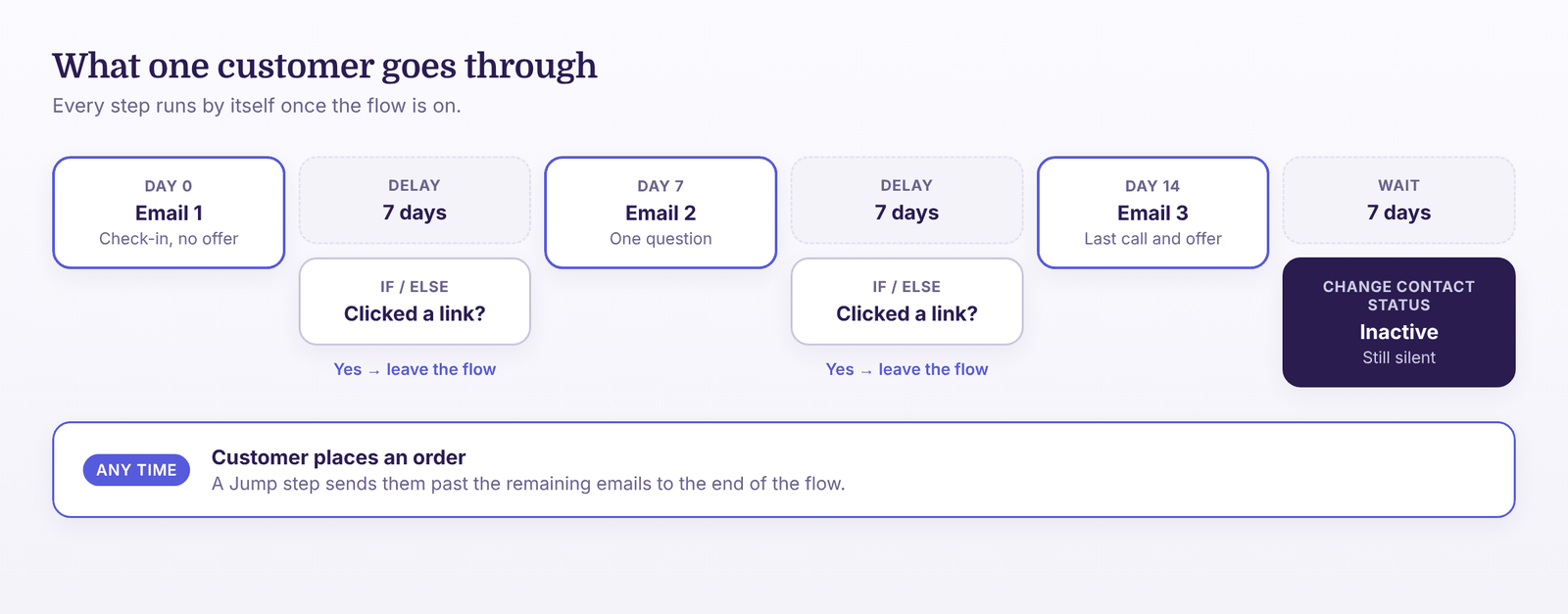
Between emails, add a Delay of 7 days. That gives people time to click before the check runs. After emails 1 and 2, add an If / Else condition: has the contact clicked a link?
- Yes: leave the flow. They are interested, so a regular campaign suits them better than a last call.
- No: continue to the next email.
Anyone who places an order should also leave at once. Nothing hurts trust like a “we miss you” email the day after a purchase. Use a Jump step to send buyers past the remaining emails to the end of the flow.
Step 4: Choose the Offer for Each Track
Hold the offer until email 3. Some customers return after the first two, and they never need a discount.
| Track | Email 3 offer | Why |
|---|---|---|
| A: Best customers | Early access to a new product, or a small gift with the next order | Protects margin and treats them as insiders |
| B: Repeat customers | Free shipping on the next order | Moves a customer who already buys twice |
| C: One-time buyers | A small, time-limited discount | A bigger nudge for people who have not decided yet |
Keep the deadline short, such as five to seven days, so the offer feels real. Keep the same offer for every customer in a track, so reporting stays clear.
Step 5: End the Flow With a Status Change
After email 3, wait a week. Anyone who still has not ordered or clicked gets a Change Contact Status step that marks them inactive. That keeps them out of your regular sends. Our churn guide explains the reasons and the Google and FTC limits.
Run It Around Black Friday and the Holidays
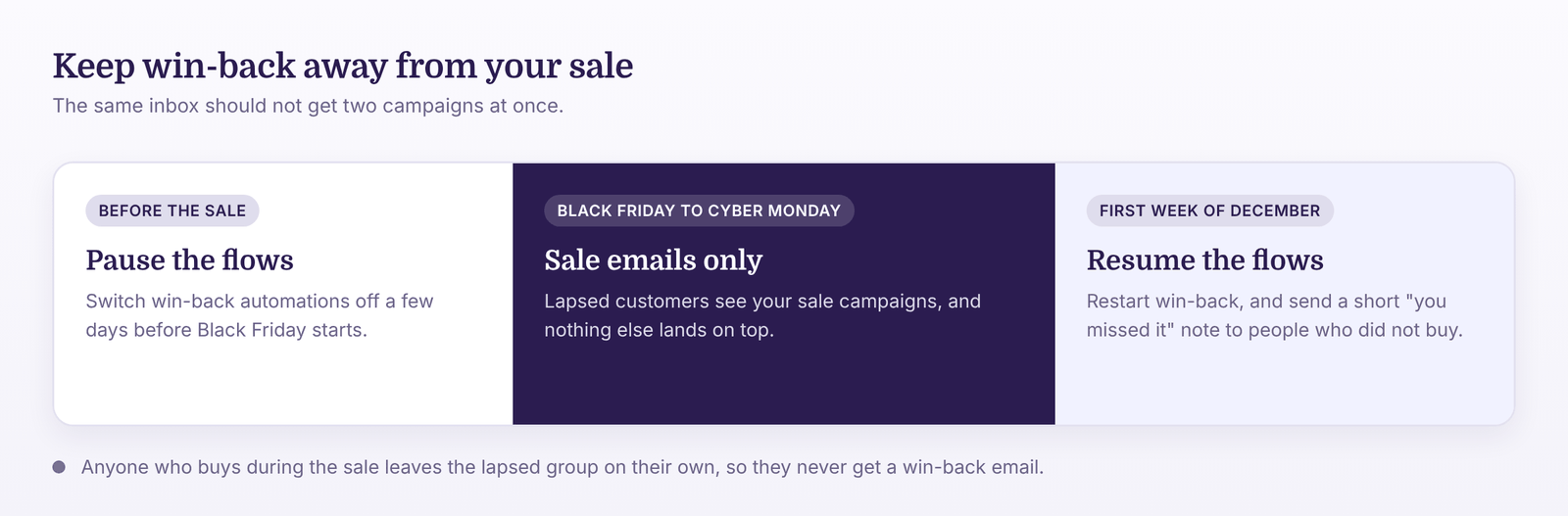
Do not let a win-back flow overlap your big sale, because the same people already get your sale emails.
- Pause the flows a few days before the sale starts.
- Resume them in the first week after Cyber Monday.
- Make sure anyone who bought during the sale leaves the lapsed group.
People who saw your sale emails and did not buy are warm, so a short “you missed it” note in early December suits them. Our Black Friday email guide covers the sale itself.
Check Whether It Works
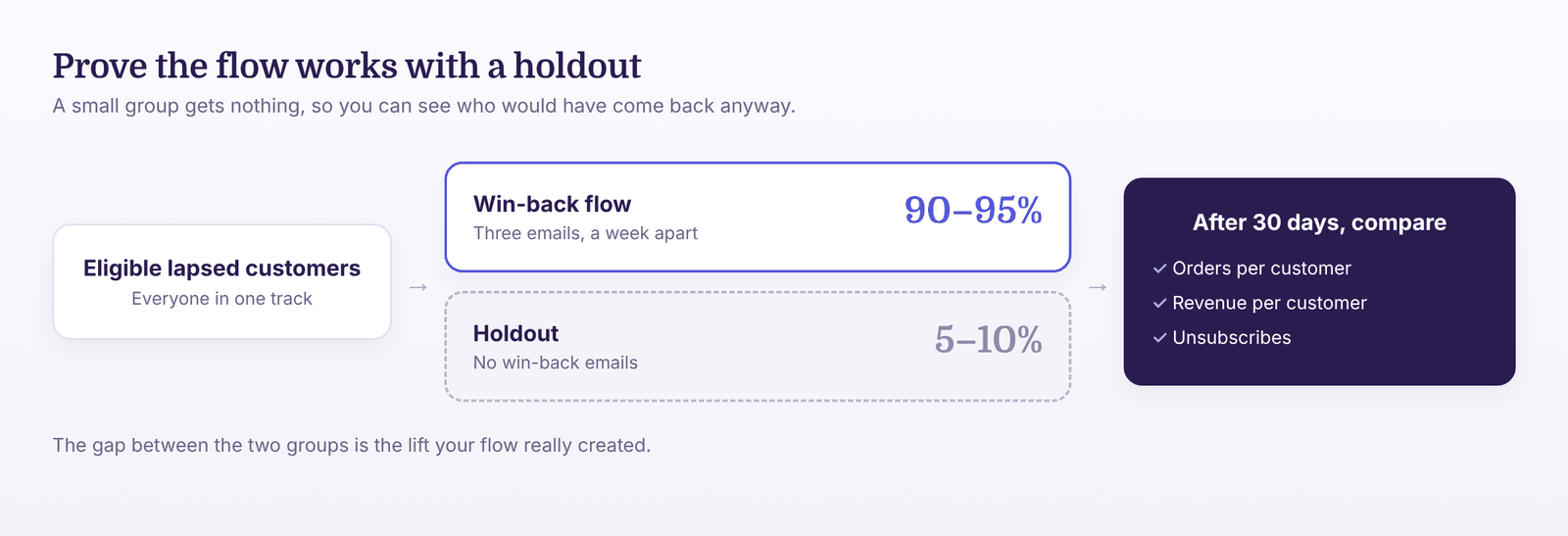
Keep a small holdout, around 5 to 10 percent of eligible customers who get nothing. Some will return anyway, and the holdout shows you how many. After 30 days, compare these for each track:
- Orders from customers in the flow versus the holdout
- Revenue per customer emailed
- Unsubscribes after email 3
Judge by orders and clicks, not opens, because privacy features can inflate opens. Analytics and reporting shows results for each automation.
Common Mistakes
- One flow for everyone: best customers and one-time buyers need different offers.
- A discount in email 1: you teach customers to wait for coupons.
- No exit on order or click: customers get emails that no longer fit.
- Overlapping a sale: two campaigns hit the same inbox.
- Mixing in cart abandoners: shoppers who left items need an abandoned cart flow instead.
How Adflipr Helps You Run This
Adflipr is an email marketing platform for Shopify and WooCommerce stores, so your store and order data are part of the product. For win-back, you get:
- The Customer Winback event, which starts a flow from the date of the last order.
- Delay, If / Else, Jump and Change Contact Status steps on one canvas in automation workflows.
- Emails with merge tags in the email builder.
- Results for each flow, so you can compare tracks.
Start with Track B, since it is the easiest. Then build your first flow.
Key Takeaways
- Build three small flows, one per customer value.
- Send three emails a week apart, and keep the offer for email 3.
- End the flow on any order or click.
- Pause around your big sale and restart after it.
- Prove it works with a small holdout.
Frequently Asked Questions
Connect your store, create an automation, and choose the Customer Winback event with your cutoff as the date range. Add three emails with seven-day delays, a click check, and a status change at the end.
Yes. Adflipr syncs orders from both Shopify and WooCommerce, so the same Customer Winback event, delays and checks work on either store.
Not first. Lead with a check-in and a question, then offer something in email 3. For your best customers, early access beats a discount.
About three weeks in total: three emails a week apart, then one more week before you mark silent contacts inactive.
No. Only email people who still agree to receive marketing. Unsubscribed contacts must stay out of every flow, including win-back.
No. You build the flow on a canvas with clicks, and the whole setup takes under an hour once your store is connected.