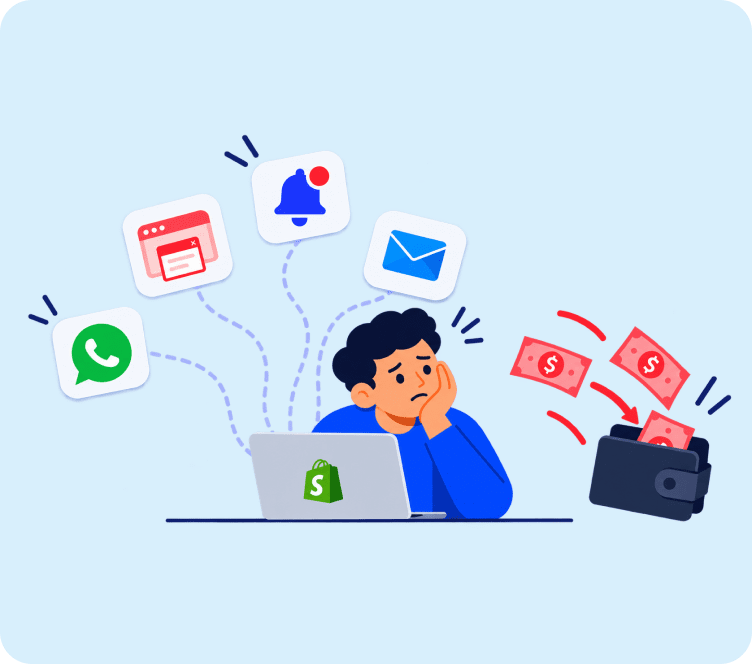
A big mailing list feels like a win, until you notice half of it never opens your emails. At that point, the list is not helping you. It is quietly dragging your open rates down and putting your sender reputation at risk with every send. Good email list management, not just list size, is what actually keeps a store’s email marketing profitable.
Quick answer: Solid email list management comes down to five habits: honest opt-in consent, regular cleaning, real segmentation, transparent sign-up forms, and re-engagement before removal. A smaller, engaged list always beats a bigger, cold one.
Start With Real Consent, Not Just an Email Address
One of the most overlooked parts of email list management is looking at how people joined in the first place, not just how many are on the list. Your mailing lists are only as good as the way people joined them. If someone was added through a purchased list, a scraped contact, or a vague checkout checkbox, they were never really opted in, and they will not engage like someone who signed up on purpose.
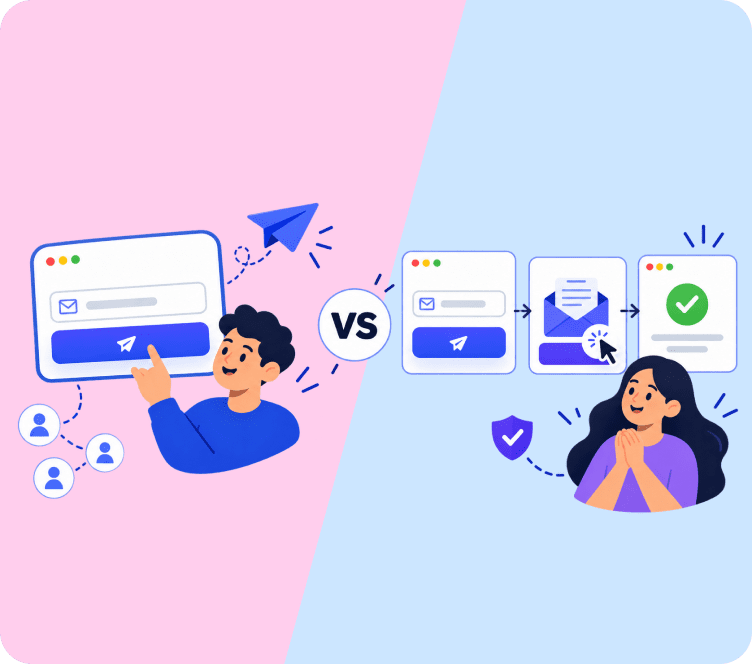
Use a clear opt-in process where the subscriber knows exactly what they are signing up for. A simple sentence like "Get 10% off your first order plus weekly deals" under the sign-up box does more for long-term list health than a blank email field ever will. Double opt-in, where a subscriber confirms their email address before joining the list, adds one extra step but keeps out fake and mistyped addresses from day one.
- State clearly what type of emails they will get and how often
- Avoid pre-checked opt-in boxes
- Confirm the address with a welcome email before treating them as fully subscribed
This isn’t just good practice, it’s often a legal requirement. Depending on where your subscribers live, an opt-in process is mandated under regulations like GDPR in the EU, CASL in Canada, and similar consent-based laws in other regions. Building honest consent into your sign-up flow from the start avoids having to retrofit compliance later once your list has already grown.
Clean Your List on a Regular Schedule
Good email list management means treating list cleaning as a recurring task, not a one-time cleanup. Every email list decays over time. People change jobs, abandon old inboxes, or simply stop opening emails from brands they used to care about. Left alone, this slowly damages your sender reputation, because inbox providers watch how many of your emails go unopened or bounce.
A practical rule: review your list every 60 to 90 days. Remove hard bounces immediately, since they signal an address that no longer exists. For soft bounces, give it two or three sends before removing the contact. For subscribers who have not opened or clicked in 90 to 120 days, move them into a separate re-engagement flow rather than deleting them outright.
- Hard bounces: remove immediately
- Soft bounces: retry 2 to 3 times, then remove
- No opens in 90+ days: re-engagement segment, not the main send list
Skipping this step is one of the most common reasons an email list looks big on paper but performs poorly in the inbox. This kind of regular email list hygiene is what separates a list that keeps performing from one that quietly decays.
How List Health Connects to Sender Reputation
Every major inbox provider, Gmail, Outlook, and Yahoo included, tracks how recipients behave with your emails and uses that behavior to decide where your next email lands: inbox, promotions tab, or spam folder. This is called sender reputation, and it is built almost entirely from the same signals that email list management is meant to control.
A few specific signals matter more than people expect:
- Complaint rate: if more than roughly 0.1% of recipients mark your email as spam, most inbox providers start treating your domain as suspicious. A list full of people who forgot they signed up is a complaint problem waiting to happen.
- Spam trap hits: old, purchased, or scraped lists often contain spam trap addresses, dormant inboxes that ISPs use specifically to catch senders with bad list hygiene. Even a handful of hits can tank deliverability for weeks.
- Engagement ratio: the percentage of recipients who open or click, relative to how many you send to. A list where 60% of contacts never engage tells inbox providers your content isn’t wanted, even if the other 40% loves it.
This is why "just send to everyone, it can’t hurt" is backwards. Sending to an unengaged portion of your list actively drags down performance for the engaged portion too, since the whole domain’s reputation is shared across every send.
As a rough reference point, a healthy list generally supports a delivery rate above 95%, a bounce rate under roughly 2-3%, and an unsubscribe rate under about 0.5%. These aren’t hard thresholds so much as warning lines. Consistently missing them across several sends is usually a sign that list hygiene, not content, is the real problem.
How to Calculate Your List's Real Engagement Rate
Most email platforms show total subscriber count front and center, but that number hides the metric that actually predicts performance. A simple calculation gives a clearer picture: take the number of subscribers who opened or clicked at least one email in the last 90 days, divide by your total list size, and multiply by 100.
A list with 20,000 total subscribers but only 6,000 actively engaged in the last quarter has a 30% real engagement rate, not a 20,000-subscriber list in any meaningful sense. Running this calculation every quarter, and watching whether the percentage trends up or down, tells you more about list health than the raw subscriber count ever will.
Segment Instead of Sending One Email to Everyone
Treating your entire email list as one audience is the fastest way to make a good list feel disengaged. A new subscriber who just signed up for a discount has different intent than a customer who bought three times last month.
Basic segments worth setting up first:
- New subscribers (welcome series)
- Recent buyers (post-purchase follow-up)
- Repeat customers (loyalty and early access)
- Inactive subscribers (re-engagement)
You do not need dozens of segments to see a difference. Even four or five well-defined groups, each getting content relevant to where they actually are, will lift open and click rates compared to one generic newsletter. A store sending the same weekly newsletter to its entire list, for example, might see a blended 18% open rate. Splitting that same send into "recent buyers" and "everyone else," with a slightly different subject line for each, commonly lifts the recent-buyer segment’s open rate well above that blended average, simply because the content finally matches where the reader actually is.
Give Subscribers Control Over What They Get
Not every unsubscribe means someone hates your brand. Often it means they are getting more emails than they want, or emails that are not relevant to them. A preference center, where subscribers can choose email frequency or topics instead of leaving entirely, keeps more people on your mailing lists.
This is a smaller lift than it sounds like. Even a simple link in your footer that says "Manage your email preferences" and lets someone choose "weekly" instead of "daily" can meaningfully lower your unsubscribe rate.
Key Takeaways
- Only add subscribers through clear, honest consent, ideally confirmed with double opt-in
- Review and clean your email list every 60 to 90 days to protect deliverability
- Sender reputation is shared across your whole list, so unengaged contacts drag down everyone’s deliverability
- Calculate your real engagement rate quarterly instead of relying on total subscriber count
- Segment your list by behavior instead of emailing everyone the same message
- Offer a preference center so subscribers can adjust frequency instead of unsubscribing
Final Thoughts
These email list management habits are not complicated on their own, but they compound over time into a genuinely healthy list. A healthy list is not the biggest one. It is the one where most people actually want to hear from you. Building that takes honest sign-up practices, regular email list hygiene, and content that matches where each subscriber actually is in their relationship with your store. If you’re still building your mailing lists from scratch, our guide on how to build an email list covers the sign-up side in more depth, and Adflipr’s contact management tools make it easier to keep segments and preferences organized as your list grows. Once someone joins, our guide on writing a good registration success message covers that very first moment of the relationship.
FAQs
Email list hygiene means regularly removing invalid, bounced, or inactive addresses so your list stays accurate and your sender reputation stays healthy.
Most stores should review their list every 60 to 90 days as part of email list management, removing hard bounces and moving inactive subscribers into a re-engagement segment.
Often, yes. A smaller, healthy list of engaged subscribers usually gets higher open and click rates than a large list full of inactive addresses.
Double opt-in requires a subscriber to confirm their email address after signing up, which keeps out fake and mistyped addresses from the start.
Not immediately. Try a re-engagement email first. If they still do not respond after that, removing them protects your deliverability.
Give subscribers a way to lower their email frequency instead of leaving entirely, through a simple preference center link in your footer.
Buying or scraping contact lists is the biggest risk, since those addresses never gave real consent and often lead to spam complaints.
Divide the number of subscribers who opened or clicked in the last 90 days by your total list size, then multiply by 100.
Yes. Sender reputation is shared across your domain, so sending to a large unengaged portion can lower inbox placement for everyone.
Often yes, depending on where your subscribers live. Regulations like GDPR and CASL require consent-based opt-in, not just a passive checkout field.
Roughly a 95%+ delivery rate, under 2-3% bounce rate, and under 0.5% unsubscribe rate. Consistently missing these usually points to list hygiene, not content.