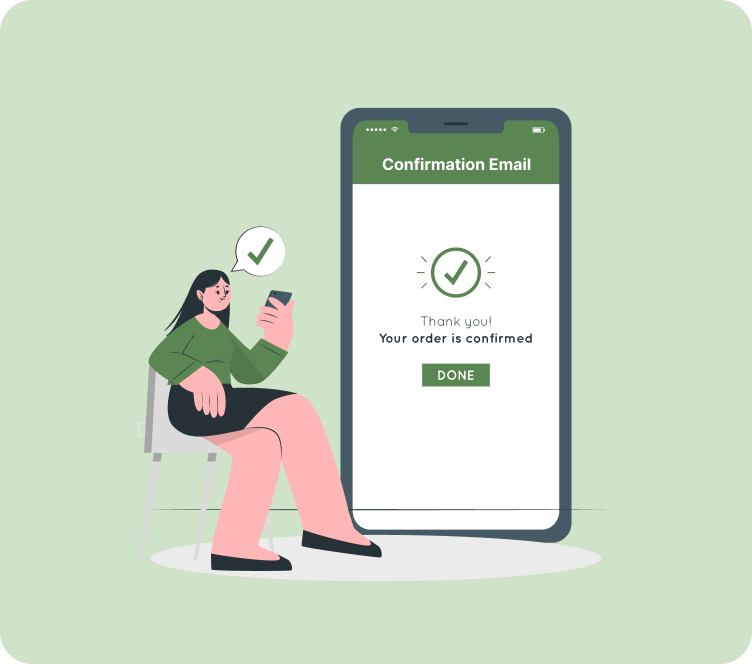
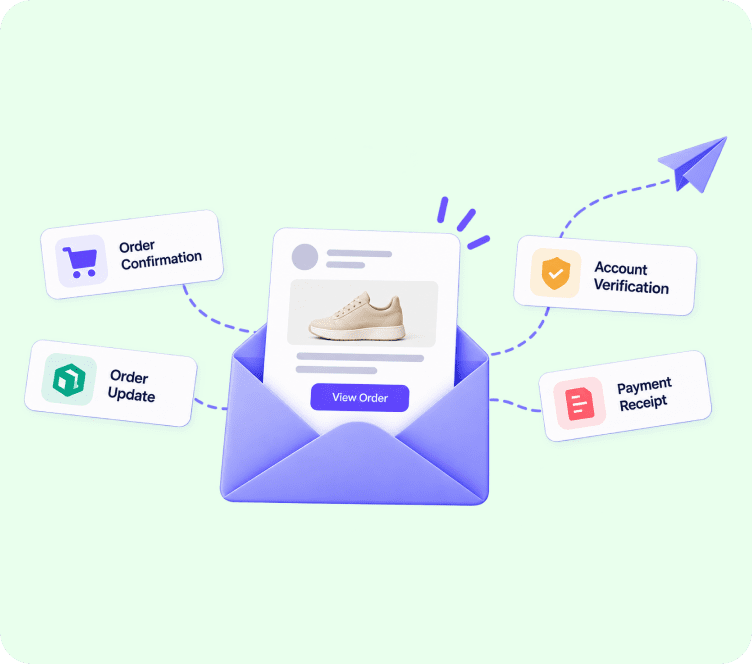
Marcus runs a boutique coffee brand on Shopify. Last Friday evening, a customer placed a $140 subscription order for espresso beans. Ten minutes passed, but no digital receipt arrived in her inbox. Panicked that her credit card was charged twice or that her payment failed, she immediately submitted a customer support ticket and flagged her bank. Marcus checked his backend system and found the issue: his purchase receipts were sharing a server with his promotional newsletter, causing a 15-minute sending backlog.
This scenario highlights why optimizing your order confirmation email is essential. When a customer completes checkout, receiving an instant purchase receipt provides psychological reassurance, confirms financial transactions, and establishes immediate brand trust.
Quick answer: An order confirmation email is an automated transactional message sent immediately after a customer completes a purchase. It provides proof of payment, itemized product breakdowns, shipping details, and delivery estimates. Because customers actively look for purchase receipts, order confirmation emails record open rates between 60% and 85%.
What is an Order Confirmation Email and Why Does It Matter?
An order confirmation email is a one-to-one transactional message triggered programmatically when an order is placed on an ecommerce platform like Shopify or WooCommerce. Unlike marketing campaigns broadcast to subscriber lists to drive sales, a transactional receipt delivers critical operational information tailored specifically to an individual buyer.
Understanding why the ecommerce order confirmation email is your most powerful communication touchpoint comes down to recipient intent:
- Highest Engagement in Email Marketing: Order receipts consistently achieve open rates between 60% and 85%, which is 3 to 4 times higher than traditional marketing broadcasts.
- Reducing Support Inquiries: Providing transparent order numbers and estimated delivery windows cuts “Where is my order?” (WISMO) support tickets by up to 70%.
- Building Post-Purchase Trust: Prompt receipts eliminate buyer’s remorse and confirm that payment processing was successful.
- Unlocking Secondary Engagement: Customers reading receipts are highly receptive to tracking links, account creation, and loyalty program invitations.
Essential Components of a High-Converting Order Confirmation Email
A high-converting transactional order confirmation should balance operational clarity with professional branding. Include these core components in every template layout:
[ Store Header & Official Logo ]
│
▼
[ Order Identifier & Purchase Timestamp ]
│
▼
[ Visual Product Grid: Photos + Quantities + Variants ]
│
▼
[ Itemized Financial Summary: Taxes + Shipping + Total ]
│
▼
[ Shipping & Delivery Address Details ]
│
▼
[ Prominent Customer Support Link & Return Policy ]
- Clear Order Identifier: Display the order number prominently at the top (e.g., Order #10492) along with the purchase timestamp.
- Visual Product Summary: Show high-resolution product thumbnails, full item names, selected size or color variants, quantities, and individual prices.
- Financial Breakdown Table: Clearly itemize subtotal, tax fees, shipping costs, applied promo codes, and final total charged to the customer’s credit card.
- Shipping and Billing Details: Include the customer’s verified shipping address, chosen delivery method, and estimated delivery window.
- Customer Support Contact Link: Provide a direct link to your helpdesk, contact page, or return policy so buyers can easily request assistance if needed.
- Payment Trust Badges: Reassure customers by displaying secure payment confirmation icons (PayPal, Apple Pay, Visa, Mastercard).
3 Ready-to-Use Order Confirmation Email Templates
Use these copy-pasteable Markdown templates to set up your automated order confirmation email sequences quickly.
Template 1: Standard Ecommerce Order Receipt (Physical Products)
Subject: Order Confirmed #{{ order.name }}! We are preparing your shipment.
Preheader: Thank you for shopping with {{ shop.name }}. View your receipt details inside.
Hi {{ customer.first_name }},
Thank you for your purchase! We have received your order and our warehouse team is getting it ready for shipment.
Order Summary (Order #{{ order.name }})
Date: {{ order.created_at }}
Items Ordered:
{% for line in order.line_items %}
– {{ line.title }} x {{ line.quantity }} – ${{ line.price }}
{% endfor %}
Financial Breakdown:
Subtotal: ${{ order.subtotal }}
Shipping: ${{ order.shipping_price }}
Tax: ${{ order.tax_price }}
Total Charged: ${{ order.total_price }}
Shipping Address:
{{ shipping_address.name }}
{{ shipping_address.address1 }}
{{ shipping_address.city }}, {{ shipping_address.province }} {{ shipping_address.zip }}
We will send you another email with your tracking number as soon as your package ships.
Need to make a change or have a question? Contact our support team here: [Customer Support Link]
Warm regards,
The {{ shop.name }} Team
Template 2: High-Value Order with Loyalty & Referral Bonus
Subject: You earned {{ loyalty_points }} points on Order #{{ order.name }}!
Preheader: Your purchase is confirmed. Here is your receipt and exclusive rewards balance.
Great news, {{ customer.first_name }}!
Your order #{{ order.name }} is officially confirmed! You earned {{ loyalty_points }} loyalty points with this order.
Order Breakdown:
{% for line in order.line_items %}
– {{ line.title }} (Qty: {{ line.quantity }}) – ${{ line.price }}
{% endfor %}
Total Amount Paid: ${{ order.total_price }}
Estimated Delivery Window: {{ delivery_estimate }}
Give $10, Get $10!
Love shopping with us? Share your personal referral link with a friend. When they place their first order, you both get a $10 store credit: [Your Personal Referral Link]
Track your shipment status here: [Track My Order]
Best regards,
The {{ shop.name }} Team
Template 3: Digital Product & Subscription Confirmation
Subject: Access your download for Order #{{ order.name }}
Preheader: Your digital order is complete. Click inside to access your files immediately.
Welcome aboard, {{ customer.first_name }}!
Your digital purchase is complete and ready for immediate download.
Digital Access Details:
Product: {{ product.title }}
Order ID: {{ order.name }}
Purchase Date: {{ order.created_at }}
Access Your Digital Files:
Click the secure link below to access your files or dashboard:
[Download My Files / Access Dashboard]
Subscription Details:
Billing Cycle: Monthly
Next Billing Date: {{ next_billing_date }}
Manage Subscription: [Account Settings Link]
If you experience any issues downloading your files, reply directly to this email or visit our help center: [Help Center Link]
Thanks for joining us,
The {{ shop.name }} Team
15 High-Click Order Confirmation Email Subject Lines & Preheaders
Your order confirmation email subject line dictates how quickly a buyer opens your message. Test these proven options:
Standard & Direct Subject Lines
- “Order Confirmed #10492: We are preparing your shipment!” (Preheader: Thank you for your purchase. View receipt details.)
- “Receipt for Order #8849: Thank you for shopping with us!” (Preheader: Your items are confirmed. Here is your receipt summary.)
- “Order #5521 Confirmation: Here are your order details” (Preheader: Your order has been received and is being processed.)
- “Thank you for your order, [First Name]!” (Preheader: We have received your purchase. Details inside.)
- “Your purchase confirmation (Order #3320)” (Preheader: View your itemized receipt and shipping breakdown.)
Friendly & Warm Brand Subject Lines
- “Good news, [First Name]! Your order is officially confirmed” (Preheader: We are getting your items ready for shipment.)
- “Woohoo! Your items are secured, [First Name]” (Preheader: Thanks for shopping with us! View your order receipt.)
- “You have great taste! Order #9912 is confirmed” (Preheader: We have received your order. Here is what happens next.)
- “It is official! Your order is being packed with care” (Preheader: View item breakdown and estimated delivery window.)
- “Welcome to the family! Your receipt for Order #4410” (Preheader: Your transaction was successful. Download details inside.)
Delivery & Tracking Focused Subject Lines
- “Order #7712 Confirmed + Tracking details inside” (Preheader: Track your package delivery progress online.)
- “Your order is in! Estimated delivery: [Date]” (Preheader: View your delivery address and order details.)
- “Order receipt + shipping confirmation info for [First Name]” (Preheader: Your payment went through. Details inside.)
- “Your digital download is ready! (Order #1209)” (Preheader: Click inside to access your digital files immediately.)
- “Subscription Confirmed: Your order details for #6630” (Preheader: Manage your recurring subscription settings easily.)
You can test additional subject line variations using an online subject line generator to compare engagement.
Order Confirmation Email Best Practices for Ecommerce Stores
To make your order confirmation email template perform effectively, apply these core optimization rules:
1. Send Receipts Immediately (Sub-Second Speed)
Never queue transactional receipts behind promotional marketing blasts. Purchase receipts demand dedicated delivery infrastructure that dispatches emails within 2 to 5 seconds after checkout.
2. Design for Mobile Responsiveness
Over 65% of purchase receipts are opened on mobile phones. Use a modern drag and drop email builder to ensure itemized receipt tables and buttons render cleanly on small screens.
3. Compliant Post-Purchase Cross-Selling
Under privacy frameworks like the anti-spam policy compliance guidelines and GDPR, the primary intent of a transactional email must remain administrative. You can include small, relevant product recommendations near the bottom of receipts, provided they remain secondary to the purchase details.
4. Maintain Consistent Brand Styling
Customize pre-designed ecommerce email templates with your official logo, brand colors, and company address to reinforce brand recognition.
Technical Setup & Deliverability: Keeping Receipts Out of Spam
Even the best order confirmation email examples fail if your messages land in the spam folder. Maintain top inbox deliverability with these technical steps:
- Segregate Sending IP Streams: Keep transactional sending isolated on a dedicated IP address or separate subdomain away from promotional broadcasts.
- Configure Domain Authentication Records: Set up SPF, DKIM, and DMARC DNS records to verify your sending domain identity across Gmail and Yahoo.
- Monitor Hard and Soft Bounces: Maintain clean subscriber lists by understanding the difference between hard vs. soft email bounces. Routinely inspecting your email deliverability settings prevents delivery failures from damaging your sending reputation.
Common Order Confirmation Email Mistakes to Avoid
Avoid these frequent mistakes when setting up your post-purchase messaging:
Delaying receipt delivery past 1 minute. Delays trigger customer anxiety, duplicate support tickets, and potential chargebacks.
Overloading receipts with promotional banners. Placing huge promotional popups above the fold distracts from the core purchase summary.
Using unbranded plain-text system defaults. Default store notification templates look generic and unprofessional.
Forgetting to verify mobile checkout links. Always test tracking and support buttons across mobile devices before launching.
How to Set Up Order Confirmation Emails Step by Step
Setting up reliable automated order confirmation email sequences takes just a few steps:
- Audit current checkout triggers: Verify that your platform fires a receipt trigger immediately when an order status changes to paid.
- Connect a fast transactional provider: Use an email automation solution built for speed and high deliverability.
- Configure DNS domain authentication: Add SPF, DKIM, and DMARC records to your domain settings.
- Customize your template layout: Add your logo, clean product tables, and helpful support buttons.
- Segment your post-purchase audience: Use contact management segmentation to apply dynamic offers based on VIP or first-time customer status.
- Pair with post-purchase workflows: Connect your purchase confirmation receipts with post-purchase email sequences to build a seamless customer journey.
- Monitor delivery reports: Track open rates and delivery speeds using email analytics and reporting.
Key Takeaways
- An order confirmation email is an automated 1-to-1 transactional receipt sent immediately after checkout.
- Order receipts achieve open rates between 60% and 85%, making them prime touchpoints for building post-purchase trust.
- Core components include order numbers, itemized product images, financial totals, shipping addresses, and support links.
- Deliverability requires sub-second speed, domain authentication (SPF/DKIM/DMARC), and segregating transactional sending from bulk marketing.
- Unbranded templates, delayed delivery, and broken mobile layouts are the most common mistakes store owners make.
Ready to Launch Pre-Built Automation Workflows in 1 Click?
Stop building complex marketing flows from scratch. Adflipr gives you instant access to pre-built, revenue-boosting customer journey templates created specifically for online stores.
Deploy Pre-Built Workflows in Minutes with Adflipr
Join thousands of Shopify and WooCommerce store owners using automated customer journeys to boost repeat sales.
Final Thoughts
Your order confirmation receipt is often the first direct communication a customer receives after handing over their hard-earned money. Delivering clean, branded, and instantaneous receipts builds immediate post-purchase confidence and reduces customer support overhead. Setting up your post-purchase messaging with automated email workflows ensures receipts deliver to the inbox in seconds while keeping your brand consistent.
If you haven’t reviewed your confirmation receipt templates recently, test your checkout delivery speed and update your mobile layouts today.
FAQs
An order confirmation email is an automated transactional message sent immediately after a customer completes a purchase, providing itemized receipts, financial breakdowns, and delivery details.
No. Under legal frameworks like CAN-SPAM and GDPR, pure transactional emails providing essential operational details are exempt from unsubscribe link requirements.
Yes, provided the promotional content remains secondary and is placed below the primary order receipt details.
A purchase receipt should land in the customer’s inbox within 2 to 5 seconds after completing checkout to prevent buyer anxiety.
An order confirmation is sent immediately after checkout to confirm payment and item selection, whereas a shipping confirmation is sent later when the order dispatches with tracking information.