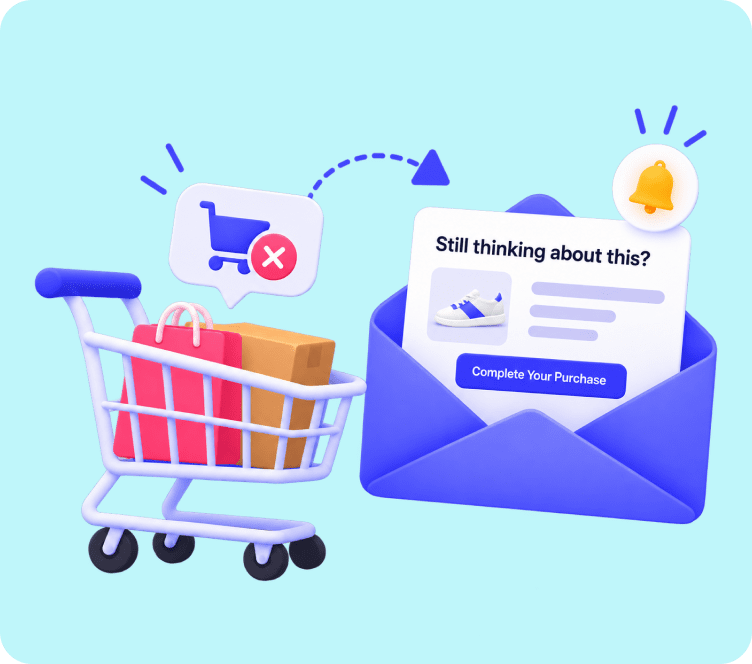
Consider two online stores selling the exact same products to 10,000 visitors every week.
- Store A writes an email every Tuesday morning, blasts it to all 10,000 subscribers simultaneously, and hopes someone is in the mood to buy.
- Store B creates a set of automated rules once. Whenever a customer browses a collection, leaves an item in their cart, or completes a first order, a tailored message arrives in their inbox at that exact second.
Store A spends 10 hours every week manually drafting emails and experiences declining open rates. Store B generates steady, compounding revenue on autopilot while their team focuses on product development.
That fundamental difference comes down to understanding what is email automation and how to use it strategically.
Quick Answer: Email automation is a technology-driven system that delivers personalized, targeted messages to individual subscribers based on specific triggers, schedules, or user behaviors. It replaces manual email blasting with intelligent, timely sequences that run 24/7 on complete autopilot.
The 3-Engine Architecture: How Email Automation Works Under the Hood
Rather than thinking of email automation as a basic scheduling tool, visualize it as an intelligent feedback loop operating through three synchronized engines:
┌──────────────────────────────────────────────────────────┐
│                  THE AUTOMATION ENGINE                   │
└──────────────────────────────────────────────────────────┘
             │                               │
             ▼                               ▼
┌──────────────────────────┐    ┌──────────────────────────┐
│    ENGINE 1: SENSORS     │    │     ENGINE 2: BRAIN      │
├──────────────────────────┤    ├──────────────────────────┤
│ • Page Views             │    │ • Cart Value > $50       │
│ • Cart Additions         │    │ • Previous Buyer?        │
│ • Form Submissions       │    │ • Location / Segment     │
└────────────┬─────────────┘    └────────────┬─────────────┘
             │                               │
             └───────────────┬───────────────┘
                             ▼
              ┌──────────────────────────────┐
              │     ENGINE 3: EXECUTION      │
              ├──────────────────────────────┤
              │ • Dynamic Product Email      │
              │ • Time-Delay (Wait 2 Hours)  │
              │ • Apply VIP Account Tag      │
              └──────────────────────────────┘
Engine 1: Behavioral Sensors (The Triggers)
The system continuously monitors your website and subscriber database for specific actions, including:
- Real-Time Actions: A shopper adds a leather jacket to their cart but closes the tab.
- Lifecycle Milestones: A user reaches their 1-year anniversary as a member or celebrates a birthday.
- Engagement Thresholds: A subscriber clicks three links about a new product line within 48 hours.
Engine 2: The Decision Brain (Conditions and Segmentation Filters)
Before sending anything, the automation checks logical filters:
- Has this customer already purchased this item today?
- Is their lifetime spend above $150?
- Are they currently receiving another promotional campaign?
Engine 3: The Execution Layer (Actions and Dynamic Content)
Once the conditions are verified, the system executes the outcome:
- Sends a personalized email pulling live product images from their abandoned cart.
- Adds an internal customer tag in your CRM.
- Sets a 24-hour delay before checking if a follow-up message is required.
The Strategic Showdown: Manual Broadcasts vs Automated Flows
| Strategy Dimension | Manual Batch-and-Blast | Automated Behavioral Flows |
|---|---|---|
| Delivery Timing | Set at the sender’s convenience | Delivered at the recipient’s peak moment of interest |
| Personalization Depth | Surface-level (Generic {{first_name}} tags) | Deep contextual data (Cart items, browsing history, LTV) |
| Time Investment | Recurring manual creation for every send | Build once, optimize periodically, runs indefinitely |
| Average Open Rate | 18% to 24% | 35% to 55%+ across behavioral triggers |
| Revenue Impact | Spikes temporarily, then fades | Compounding, predictable monthly baseline |
For a deeper dive into choosing the right balance between these approaches, explore our guide on email marketing vs marketing automation.
The 5-Stage Lifecycle Automation Matrix
Instead of random disjointed emails, organize your automated email workflows across the five primary stages of the customer lifecycle:
ACQUISITION --> CONVERSION --> RETENTION --> LOYALTY --> REACTIVATION
Stage 1: Acquisition (The Welcome and Induction Sequence)
Your welcome flow is your brand’s digital handshake. Because new subscribers are actively thinking about your products, welcome sequences consistently generate the highest engagement of any email type.
- Primary Trigger: New form submission or account creation
- Recommended Spacing: 3 to 4 emails over 6 days
- Strategic Focus: Deliver promised discounts, articulate your brand mission, and guide the subscriber toward their first purchase.
For a detailed structural walkthrough, check our guide on how to create an email campaign that turns subscribers into first-time customers.
Stage 2: Intent and Conversion Recovery
More than 70% of potential online sales are abandoned midway through the funnel. Automated recovery workflows act as a digital safety net.
The Abandoned Cart Sequence
- Trigger: Shopper adds products to cart and leaves without completing checkout.
- Cadence: 3 emails across 48 hours (1 hour, 24 hours, and 48 hours).
- Core Tactic: Email 1 offers helpful customer support; Email 2 brings real customer reviews and social proof; Email 3 introduces a subtle time-sensitive incentive.
If you want to implement automated cart recovery on your store, Adflipr provides a dedicated abandoned cart recovery solution that tracks and recovers lost checkouts automatically.
The Browse Abandonment Flow
- Trigger: Identified contact views a specific product or category page multiple times without adding it to their cart.
- Cadence: 1 email sent 2 to 4 hours post-browse.
- Core Tactic: Soft reminder showcasing the recently viewed product alongside complementary bestsellers.
Stage 3: Post-Purchase Nurturing and Care
The period right after an order is placed represents the peak of customer trust. Using this window strictly for basic receipts is a massive missed opportunity.
[Order Placed] --> [Fulfillment & Tracking] --> [Unboxing & Care Guide] --> [Review Request (Day 7)] --> [Cross-Sell Offer (Day 14)]
- Primary Goal: Prevent buyer remorse, reduce customer support inquiries, gather social proof, and set up the next purchase.
To learn more about extending customer lifetime value after checkout, explore our guide on customer retention email strategies.
Stage 4: Predictive Replenishment and VIP Recognition
Encouraging repeat purchases is 5x cheaper than acquiring new customers from paid advertising.
- Replenishment Workflows: Calculate typical consumption timelines for consumables (skincare, pet food, supplements) and automate a reorder reminder 5 days before supplies run out.
- VIP Rewards: Trigger exclusive discounts, early access, and personalized thank-you notes as soon as a customer crosses your top spending threshold.
Effective VIP nurturing begins with structured customer tagging. Discover how to organize your audience in our email list segmentation guide.
Stage 5: Reactivation and List Hygiene
When subscribers stop opening emails for 60 to 90 days, sending more promotional broadcasts only damages your deliverability.
- Win-Back Cadence: 2 automated emails offering a strong incentive to return (“We miss you, take 20% off your next order”).
- Sunset Policy: Automatically unsubscribe contacts who do not interact after the win-back series to protect your sender reputation with Gmail and Yahoo.
The 2026 AI Evolution in Email Automation
Email automation in 2026 goes far beyond simple scheduled emails. Modern platforms integrate artificial intelligence directly into the workflow engine:
1. Send-Time Optimization (STO)
Rather than picking a static send time, AI analyzes each subscriber’s historical open habits and delivers the email at their personal peak activity window.
2. Predictive Product Recommendations
Machine learning models examine entire catalog purchase patterns to automatically insert products individual shoppers are most likely to buy next.
3. Automated Subject Line Testing
AI models draft, test, and automatically shift traffic to the highest-converting subject line variations in real time.
5-Step Implementation Blueprint: From Zero to Automated Revenue
[ 1. DEFINE GOAL ] --> [ 2. MAP TRIGGERS ] --> [ 3. BUILD TEMPLATES ] --> [ 4. SET FILTERS ] --> [ 5. AUDIT & TEST ]
- Define Your Single Objective: Focus on one clear outcome per workflow, such as recovering abandoned checkouts or driving repeat purchases.
- Map the Trigger and Logic Rules: Decide what event starts the sequence and when subscribers should exit.
- Build Clean, Mobile-First Templates: Over 60% of emails are opened on mobile devices. Design single-column layouts with large fonts and prominent buttons. You can build responsive layouts easily using Adflipr’s no-code drag and drop email builder and choose from dozens of pre-made eCommerce email templates.
- Set Up Audience Segmentation Filters: Ensure customers who purchase are automatically filtered out of introductory discount flows with Adflipr’s contact management system.
- Test and Launch: Send test emails, verify all links and personalization tags on multiple devices, and monitor conversion metrics.
Performance Health Check: Benchmarks That Matter
To ensure your email automation best practices are delivering strong business results, measure your workflows against these industry benchmarks:
| Metric | Target Benchmark | Diagnostic Insight |
|---|---|---|
| Trigger Open Rate | 30% to 50%+ | High score proves your trigger timing matches customer intent |
| Click-to-Open Rate (CTOR) | 12% to 20% | Measures how compelling your email body copy and offer are |
| Conversion Rate | 2% to 6%+ | Percentage of recipients who completed a checkout |
| Revenue Per Recipient (RPR) | Tracks above $1.50+ | The true bottom-line metric for automated workflow ROI |
| Unsubscribe Rate | Below 0.25% | Low rate confirms you are not over-messaging your list |
For an in-depth breakdown of industry performance data, consult our guide on email marketing metrics and benchmarks.
5 Automation Traps That Burn Subscriber Lists
Avoid these common operational pitfalls:
- The Set-and-Forget Delusion: Automated workflows still require quarterly check-ups to fix broken links, outdated inventory images, and expired coupon codes.
- Overlapping Workflow Collisions: Sending a promotional broadcast, a welcome email, and an abandoned cart reminder on the same day overwhelms subscribers. Use global frequency caps.
- Missing Exit Rules: Failing to suppress customers who just purchased leads to awkward emails offering discounts for items they already bought.
- Superficial Personalization: Sticking a first name in a subject line is not real personalization. True relevance means referencing products, categories, and actions they actually care about.
- Multi-Column Mobile Failures: Complex desktop layouts break on smartphone screens. Always enforce single-column mobile responsiveness.
Power Your Store Automations with Adflipr
Building enterprise-grade automated customer journeys does not require a large technical team or complicated software.
With Adflipr, you get all the dedicated tools needed to build, launch, and automate high-converting campaigns:
- Pre-Built Workflow Blueprints: Launch high-converting welcome series, cart recovery sequences, and win-back flows in minutes with our marketing automation platform.
- Direct Store Integrations: Deep 1-click integrations for Shopify stores and WooCommerce stores synchronize your catalog, checkout events, and customer profiles seamlessly.
- Intuitive Visual Builder: Create responsive, high-converting email layouts effortlessly using our drag and drop email builder.
- Real-Time Revenue Analytics: Track conversion rates, order attribution, and revenue per email with clear reports in our analytics dashboard.
Frequently Asked Questions (FAQs)
Email automation is a software-driven system that sends targeted, personalized emails to subscribers automatically based on specific triggers, user actions, or predetermined schedules without manual intervention.
Email automation recovers abandoned shopping carts, welcomes new subscribers, nurtures repeat purchases, and delivers personalized product recommendations on autopilot to consistently increase store revenue.
Email marketing involves manual one-time broadcasts sent to entire subscriber lists, whereas email automation sends hyper-targeted messages triggered individually by user behavior in real time.
The abandoned cart recovery sequence is typically the highest-ROI workflow, recapturing up to 15% to 20% of lost sales from shoppers who left without buying.
No. Modern automation platforms provide intuitive visual drag-and-drop workflow builders, pre-configured triggers, and responsive templates that anyone can deploy without writing code.
A welcome series typically performs best with 3 to 4 emails spaced across 5 to 7 days, introducing your brand, delivering promised incentives, and showcasing bestsellers.