Alex runs a fast-growing online clothing store on Shopify. Last Tuesday, a customer bought a leather jacket and messaged customer support five minutes later: “Did my payment go through? I didn’t get an order confirmation!” Alex checked his email service provider and discovered a frustrating problem: his automated receipts were queued behind a 50,000-recipient promotional newsletter blast, delaying order confirmations by up to twenty minutes.
This is the exact problem that understanding what is transactional email solves. When a customer buys a product, resets a password, or requests a login code, they expect an instant confirmation in their inbox within seconds. When those emails are delayed or land in spam, customer trust drops and support tickets multiply.
Quick answer: A transactional email is an automated, one-to-one message triggered by a specific user action, such as completing a purchase, requesting a password reset, or verifying an account. Unlike bulk marketing campaigns, transactional emails deliver essential operational details that recipients expect immediately, recording average open rates between 60% and 85%.
How Transactional Email Works
To understand what is transactional email at a technical level, it helps to see how your backend website code communicates with mail servers. A transactional email sits directly at the intersection of web development and customer service. Instead of a marketer picking a list of subscribers and hitting send on a Tuesday morning, a transactional email is triggered programmatically by code running on your website or store platform.
When a user completes an action, such as clicking “Place Order” or “Forgot Password”, your website sends an API request or SMTP command to an email server. That server immediately generates a personalized email containing that user’s specific data, including their order number, item breakdown, or unique password reset link, and delivers it directly to their inbox.
Because these emails are administrative and operational, recipients expect them instantly. Delays of even a minute can lead to duplicate orders, abandoned logins, and negative customer reviews.
Transactional vs Marketing Email: Key Differences
Understanding how transactional emails differ from marketing campaigns is critical for compliance and deliverability. Mixing the two up can lead to domain blacklisting or legal fines under global privacy laws.
Primary Trigger
A transactional email is triggered by a single user’s direct action or account status change. A marketing email is scheduled by a business to reach a group of subscribers at a specific time.
Recipient Consent and Opt-In
Marketing emails require explicit subscriber consent, such as a double opt-in signup. Transactional emails operate on implied operational necessity; when someone buys a product or creates an account, they implicitly consent to receiving their receipt or login details.
Legal Unsubscribe Requirements
Under strict regulations like the CAN-SPAM compliance guidelines, CASL, and GDPR, promotional marketing emails must contain a clear, working unsubscribe link in every footer. Pure transactional emails are exempt from unsubscribe link requirements because opting out of an order receipt or password reset link would break the service for the user.
Open Rates and Engagement
Because recipients are actively expecting transactional emails, open rates consistently hover between 60% and 85%. Standard promotional marketing newsletters average between 15% and 25%.
Deliverability Risks
If a promotional campaign gets filtered into the Promotions tab or receives spam complaints, you lose potential sales. If a transactional email gets blocked or delayed, your business stops functioning smoothly: users can’t log in, and customers worry their money was stolen.
Types of Transactional Emails Every Store Needs
Different user actions call for different types of operational messages. Here are the core types of transactional emails used by ecommerce stores and SaaS applications.
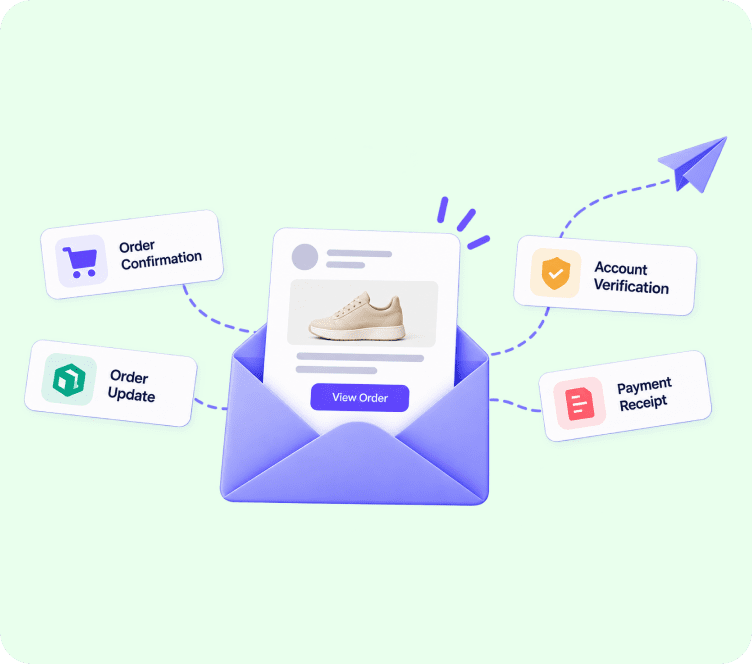
1. Order Confirmations and Digital Receipts
Sent immediately after checkout, an order confirmation email provides proof of purchase, lists itemized costs, displays tax and shipping fees, and assigns a unique order tracking number.
2. Shipping and Parcel Tracking Notifications
When an order leaves your warehouse, automated dispatch emails notify the buyer and provide a direct tracking link for carriers like FedEx, UPS, or DHL.
3. Password Reset and Account Recovery Emails
Sent when a user requests access to a forgotten account, these emails contain time-sensitive, single-use reset links that must land in the inbox within seconds.
4. Two-Factor Authentication (2FA) and One-Time Passwords (OTP)
Security-focused platforms send short numerical codes via transactional email to verify identity during sensitive logins or account changes.
5. Email Address Verification and Welcome Activation
When a new user signs up, verification emails confirm that the email address is real and belongs to the registrant before activating full account access.
6. Subscription Renewals and Billing Statements
SaaS applications and subscription boxes rely on automated invoices, payment success notifications, and failed payment alerts to keep recurring billing transparent.
Why Transactional Email Deliverability is Critical
A transaction email is useless if it lands in the spam folder or arrives ten minutes late. Maintaining top deliverability requires specific infrastructure choices.
Sub-Second Speed and Latency
Transactional messages demand dedicated sending infrastructure, often using high-speed REST APIs or optimized SMTP relays, that process and dispatch emails in less than two seconds.
Segregating Sending IP Addresses
If you send promotional email blasts from the same IP address or domain stream used for order receipts, a bad promotional campaign can destroy the deliverability of your receipts. High-volume senders isolate transactional sending onto a dedicated IP address or subdomain (such as trx.yourdomain.com).
Essential Domain Authentication
Mailbox providers like Gmail, Yahoo, and Outlook inspect domain authentication records before accepting emails:
- SPF (Sender Policy Framework): Identifies which IP addresses are authorized to send email on behalf of your domain.
- DKIM (DomainKeys Identified Mail): Adds an encrypted signature to ensure email content was not altered in transit.
- DMARC: Instructs receiving mail servers on how to handle emails that fail SPF or DKIM checks.
Adflipr’s email marketing and deliverability platform automates domain authentication and provides dedicated transactional infrastructure so receipts and account alerts arrive in the inbox reliably.
Common Mistakes Stores Make With Transactional Emails
Even experienced store owners make simple errors with their transactional setup. Here are the most common pitfalls to avoid.
Mixing promotional blasts into transactional streams. Sending bulk marketing emails through the same server handles your order receipts risks blocking critical operational messages if promotional spam complaints spike.
Ignoring mobile responsiveness. Over 60% of receipts and tracking links are opened on mobile devices. Designing layouts with a modern drag-and-drop email builder ensures receipts stack cleanly on mobile screens.
Delaying password reset delivery. If a password reset email takes longer than 10 seconds to arrive, users assume your site is broken and leave.
Leaving transactional templates unbranded. Using plain text or default system templates looks unprofessional. Always customize your ecommerce email templates with store logos and brand colors.
Forgetting to monitor bounce rates. Hard bounces from invalid customer email addresses should be suppressed immediately. Learn how to handle hard bounce vs soft bounce to protect your domain reputation score.
How to Set Up Transactional Emails Step by Step
Setting up reliable transactional emails for your store or app follows a straightforward process:
- Audit your user touchpoints. Identify every trigger point where users expect an operational email (checkout, password reset, account signup, shipping update).
- Choose a fast transactional provider. Select an email platform with sub-second API or SMTP delivery designed for ecommerce sending.
- Authenticate your sending domain. Add SPF, DKIM, and DMARC records to your DNS settings to build trust with Gmail and Yahoo.
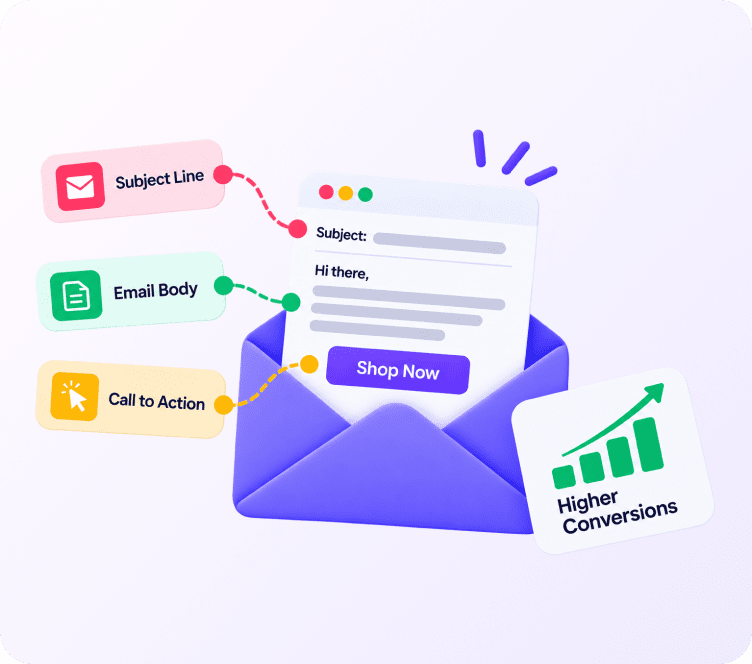
- Design clean, mobile-responsive templates. Include your logo, clear order details, and prominent call-to-action buttons.
- Separate sending streams. Keep transactional emails on a dedicated subdomain away from promotional broadcasts.
- Test delivery speeds. Run real test transactions and password reset requests to ensure messages arrive in under 3 seconds.
- Monitor analytics and bounce reports. Check delivery logs regularly for bounces or spam flags to maintain clean inbox placement.
Key Takeaways
- Understanding what is transactional email and isolating operational triggers from promotional broadcasts protects your domain reputation score.
- Transactional emails achieve 60% to 85% open rates because recipients are actively expecting them.
- Unlike marketing emails, pure transactional emails do not require an unsubscribe link under CAN-SPAM and GDPR.
- Core types include order receipts, shipping tracking, password resets, 2FA codes, account verifications, and billing invoices.
- Deliverability requires sub-second speed, domain authentication (SPF, DKIM, DMARC), and segregating transactional sending from promotional blasts.
- Unbranded templates, delayed delivery, and broken mobile layouts are the most common mistakes store owners make.
Final Thoughts
Ultimately, understanding what is transactional email and how it influences post-purchase trust is essential for growing any ecommerce store or SaaS application. Your transactional emails are often the first direct communication a customer receives after handing over their money. Spending hours troubleshooting broken receipt layouts or waiting on developers for small template tweaks hurts customer trust and wastes time.
The right transactional email setup delivers clean, mobile-friendly operational messages in seconds, keeps your brand consistent, and protects your domain reputation. Adflipr was designed with fast ecommerce and transactional sending in mind, helping stores handle order notifications and customer communications effortlessly.
If your current setup causes delayed receipts or support complaints, upgrading to a dedicated transactional infrastructure will immediately improve customer satisfaction and protect your sender reputation.
Frequently Asked Questions
An automated, one-to-one email triggered by a user action on a website or app, delivering operational details like order receipts or password resets.
Transactional emails are operational messages triggered by a user action (like buying a product), whereas marketing emails are promotional blasts scheduled by a business to drive sales.
No. Pure transactional emails providing necessary operational information are exempt from unsubscribe link requirements under CAN-SPAM and GDPR.
Because recipients have just taken an action (such as placing an order) and are actively expecting the confirmation email in their inbox.
Yes, as long as the promotional content is secondary and placed below the primary operational information.