Black Friday email marketing is the set of emails you send before, during and after Black Friday and Cyber Monday to turn subscribers into buyers. This guide gives you a dated 2026 plan, seven copy-ready emails, segment rules and the sending limits that keep you out of spam. It also has a seven-day plan if you are starting late.
Last updated: November 2026.
Quick answer: Clean and segment your list, authenticate your domain, then plan up to seven emails (a menu, not a fixed sequence): teaser, VIP early access, launch, product picks, cart reminder, last chance and Cyber Monday. Make every offer and deadline true.
When Are Black Friday and Cyber Monday in 2026?
| Date (2026) | Day |
|---|---|
| 26 November | Thanksgiving (U.S.) |
| 27 November | Black Friday |
| 28 November | Small Business Saturday |
| 30 November | Cyber Monday |
Cyber Week is the five days from Thanksgiving to Cyber Monday. Many stores also start deals earlier in November, so plan your emails around the full month, not one Friday.
What the Data Says About Black Friday 2026
First, the demand is real. Adobe’s 2026 forecast expects U.S. online holiday sales of $275.1 billion from 1 November to 31 December, up 6.7%. It expects Cyber Week to bring $47.5 billion, with Black Friday near $12.9 billion (up 9.2%) and Cyber Monday above $15 billion.
Last year points the same way. Adobe’s 2025 results show Black Friday at $11.8 billion and Cyber Monday at $14.25 billion. Black Friday growth beat Cyber Monday for the second year running, because shoppers moved earlier. On Shopify, merchants sold $14.6 billion over the weekend, with an average cart of $114.70.
What this means for your emails:
- Start before Friday: Adobe expects $95.8 billion in October alone, so shoppers are already buying. A teaser and an early-access email catch them first.
- Do not stop after Friday: Cyber Monday stays the biggest online day, so it needs its own email.
- Land the launch early: Shopify’s sales peaked at 12:01 p.m. ET on Black Friday last year, so send your launch email in the morning.
- Design for phones: Adobe expects mobile to be 57.4% of season spending, and 63% on Thanksgiving.
How to Plan Your Black Friday Email Strategy in Five Steps
Work through these steps before you write a single email.
Step 1: Set One Goal
Pick one main goal for the weekend: revenue, new customers or repeat purchases. Then set a target from your own store’s results last year, because no public benchmark fits every store.
Step 2: Choose Offers You Can Afford
Check your margin and stock first. Then pick one clear offer per segment, such as percentage off, spend-more-save-more tiers, free shipping over a set amount, a gift with purchase, a bundle or early access.
A discount only pays off if it lifts sales enough. This table shows how many times more units you must sell to earn the same profit as before. It uses profit per unit before and after the discount.
| Your gross margin | 10% off | 20% off | 30% off |
|---|---|---|---|
| 50% | 1.25x | 1.67x | 2.5x |
| 40% | 1.33x | 2x | 4x |
For example, at a 40% margin a 20% discount means you must sell twice as many units to break even. Early access, bundles and gifts protect margin better than deep sitewide cuts.
Also compare your own average order value with Shopify’s $114.70 BFCM average before you set a free-shipping or tier threshold. Finally, keep your promise. The FTC’s CAN-SPAM guide says a subject line must not mislead readers about what is inside.
Step 3: Prepare Your List
Remove hard bounces and contacts who have not engaged in a long time. Keep a sign-up form live all week, and invite shoppers to a VIP list with a clear benefit, such as first pick of stock. Only email people who agreed to hear from you.
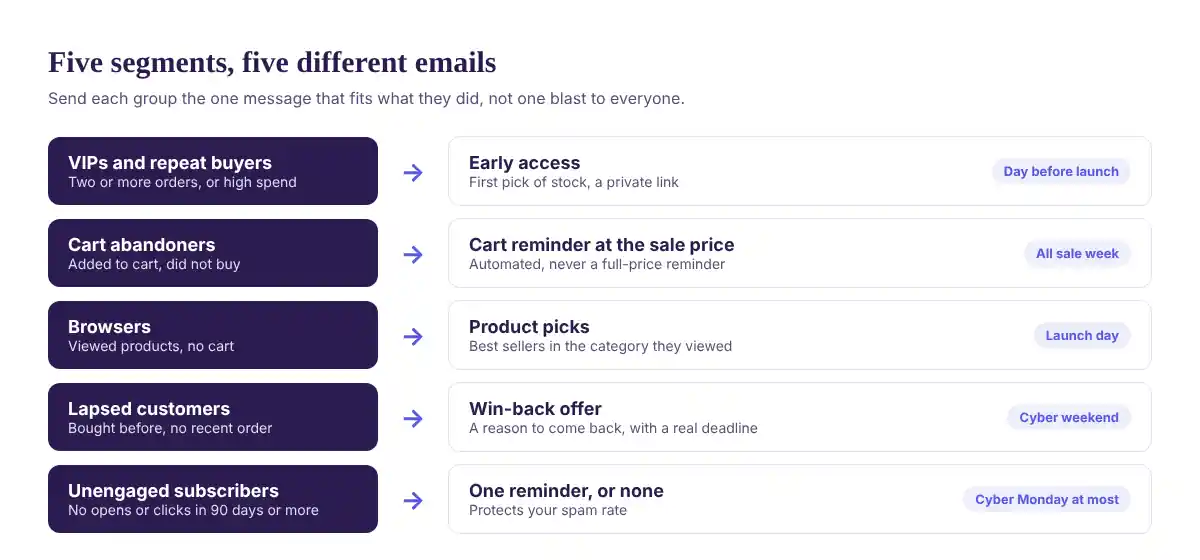
Step 4: Segment Your Subscribers
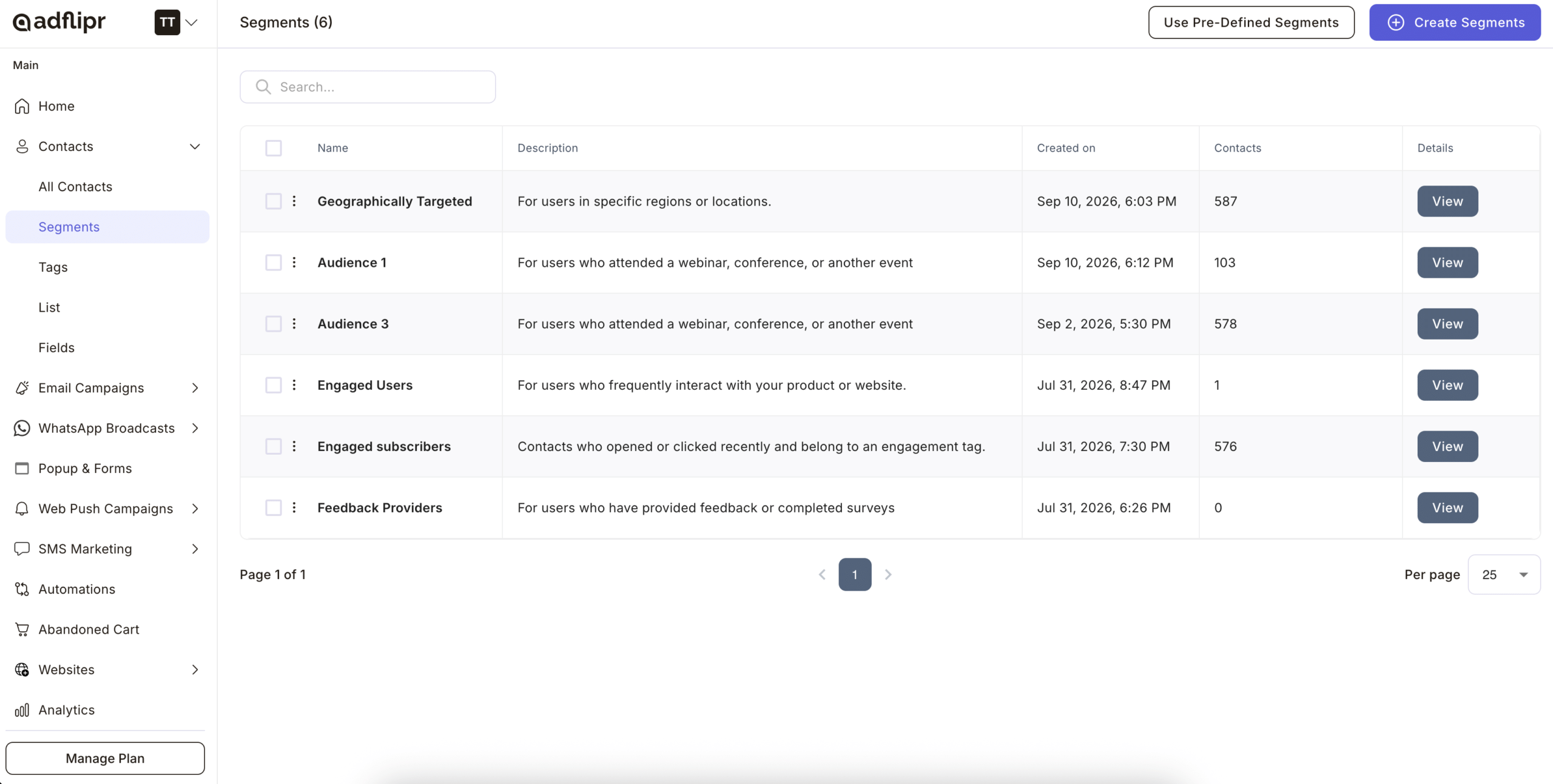
Segmentation means sending the right email to the right group. Adflipr’s contact management groups subscribers by behavior and purchase history, and the same rules work in any platform.
| Segment | How to build it | What to send | When |
|---|---|---|---|
| VIPs and repeat buyers | Two or more orders, or high lifetime spend | Early access, first pick | Day before launch |
| Cart abandoners | Added to cart, did not buy | Cart reminder with sale price | Sale week |
| Browsers | Viewed products, no cart | Best sellers in the category they viewed | Launch day |
| Lapsed customers | Bought before, no recent order | A win-back email | Cyber weekend |
| Unengaged subscribers | No clicks, purchases or site visits in 90 days or more | One reminder, or none | Cyber Monday at most |
The 90-day window is editorial guidance. Adjust it to how often your customers normally buy.
Step 5: Add WhatsApp and Web Push
Email carries the story, while other channels carry the last-minute nudge to people who opted in. Use WhatsApp marketing for cart reminders and broadcasts to customers who gave you their number. Use web push notifications for shoppers who allowed browser alerts.
Black Friday Email Calendar for 2026
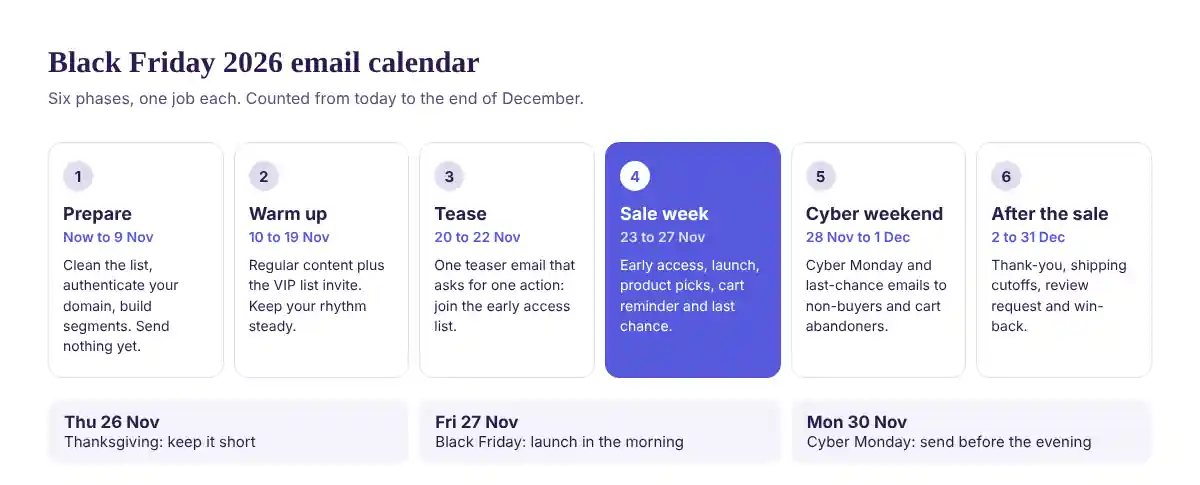
Each phase has one job, so no single email has to do everything.
| Phase | Dates (2026) | Send | To |
|---|---|---|---|
| Prepare | Now to 9 Nov | Nothing yet. Clean the list, authenticate your domain, build segments | Whole list |
| Warm up | 10 to 19 Nov | Normal content and the VIP list invite | Engaged subscribers |
| Tease | 20 to 22 Nov | Teaser | Engaged subscribers |
| Sale week | 23 to 27 Nov | Early access, launch, product picks, cart reminder, last chance | VIPs first, then all |
| Cyber weekend | 28 Nov to 1 Dec | Cyber Monday and last-chance emails | Non-buyers and cart abandoners |
| After the sale | 2 to 31 Dec | Thank-you, shipping cutoffs, win-back | Buyers and lapsed |
Keep your sending rhythm steady in the warm-up phase. A sudden jump from one email a month to daily emails can raise unsubscribes and spam complaints. Also note that Thanksgiving is 26 November, so keep that day’s email short. For the rest of the season, see Adflipr’s holiday email marketing glossary page.
Starting Late? A Seven-Day Plan
If you have only a week before launch, do this:
| Day | Do |
|---|---|
| 1 (Sat 21 Nov) | Authenticate your domain, remove bounces, choose your offer and build three segments: VIPs, cart abandoners and engaged subscribers |
| 2 (Sun 22 Nov) | Build the launch email and the cart reminder from a template |
| 3 (Mon 23 Nov) | Send the teaser with the VIP invite. Update your cart flow with sale pricing |
| 4 (Tue 24 Nov) | Build the last-chance email. Run a pre-send check on all three |
| 5 (Wed 25 Nov) | Send VIP early access |
| 6 (Thu 26 Nov) | Thanksgiving: send nothing new, or one short reminder at most |
| 7 (Fri 27 Nov) | Send the launch email in the morning and the last-chance email in the evening |
7 Black Friday Emails to Send
Each email has one job: one offer, one deadline and one button. Adflipr’s email templates include five Black Friday templates you can open in the drag-and-drop email builder.
How many should you send? The seven emails are a menu, not a compulsory sequence. Automate the cart reminder and send the rest only to the segments that fit. Engagement matters more than list size. A small, active list can take more emails than a large, inactive one. These are editorial starting points, so adjust them with your own results and watch unsubscribes and spam complaints after every send.
| Who they are | Send |
|---|---|
| Clicked, bought or visited in the last 90 days | All seven emails |
| Past buyers and VIPs | Emails 2, 3, 5, 6 and 7: early access, launch, cart reminder, last chance and Cyber Monday |
| No clicks, purchases or site visits in 90 days | Emails 3 and 6 only, or hold them back and test |
| Unsubscribes or spam complaints rising | Send fewer emails and tighten the segment |
1. Teaser Email
- Send: 10 to 14 days before, to engaged subscribers
- Subject: Something big lands Nov 27
- Preview text: Join the early access list first.
Hi (First name), our biggest sale of the year starts on 27 November. Early access subscribers shop first. (Join the early access list)
Tip: Ask for one action now, joining the list, instead of revealing every detail.
2. VIP Early-Access Email
- Send: 25 or 26 November, to VIPs and repeat buyers
- Subject: Early access: your Black Friday code
- Preview text: You shop first. Here is your link.
Hi (First name), thank you for being one of our best customers. You can shop our Black Friday sale before everyone else, until (time). Use code (CODE) for (offer). (Shop early)
Tip: Give a real benefit, such as first pick of stock, not a code anyone could use.
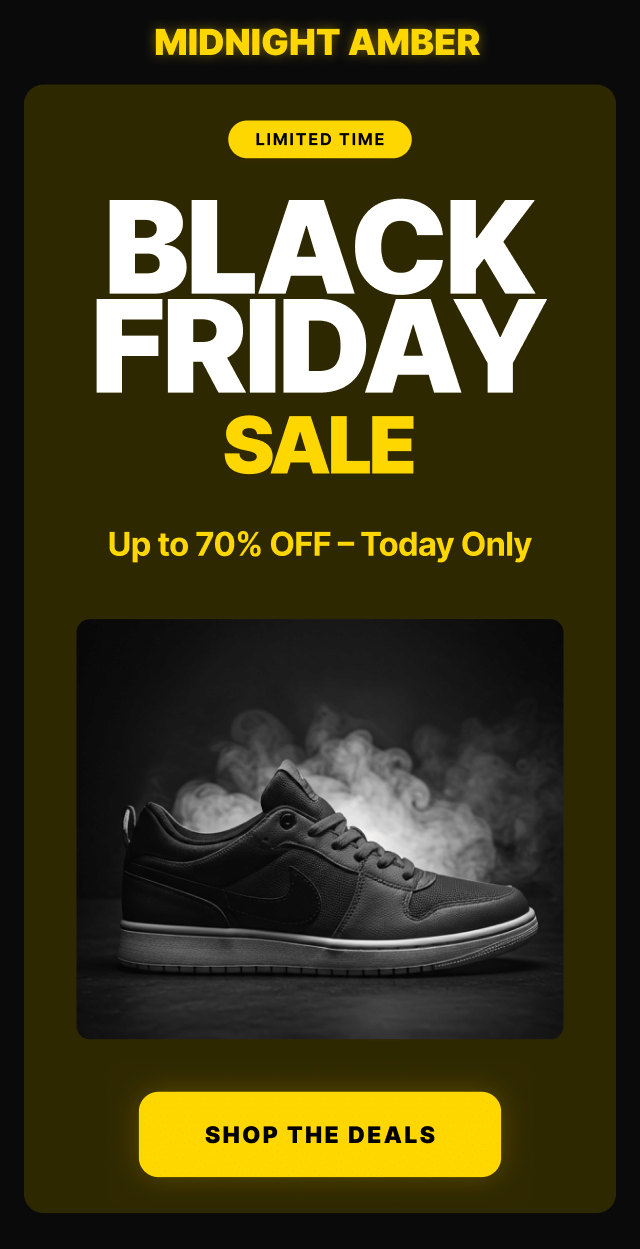
3. Launch Email
- Send: early morning of 27 November, to all engaged subscribers
- Subject: Black Friday starts now: (offer)
- Preview text: Our biggest sale of the year is live.
(Offer) on (categories), until (date and time). (Three product blocks) (Shop the sale)
Tip: Put the offer and end date in the headline, not below an image. Send it before the midday peak.
4. Product Picks Email
- Send: Black Friday weekend, to browsers and past buyers
- Subject: Picked for you: Black Friday deals
- Preview text: Based on what you looked at.
Hi (First name), you looked at (category). It is now (price), plus a few items that go with it. (See your picks)
Tip: Use the category the shopper viewed, not a generic best-seller list.
5. Cart Reminder Email (Automated)
- Send: automatically all sale week, to cart abandoners
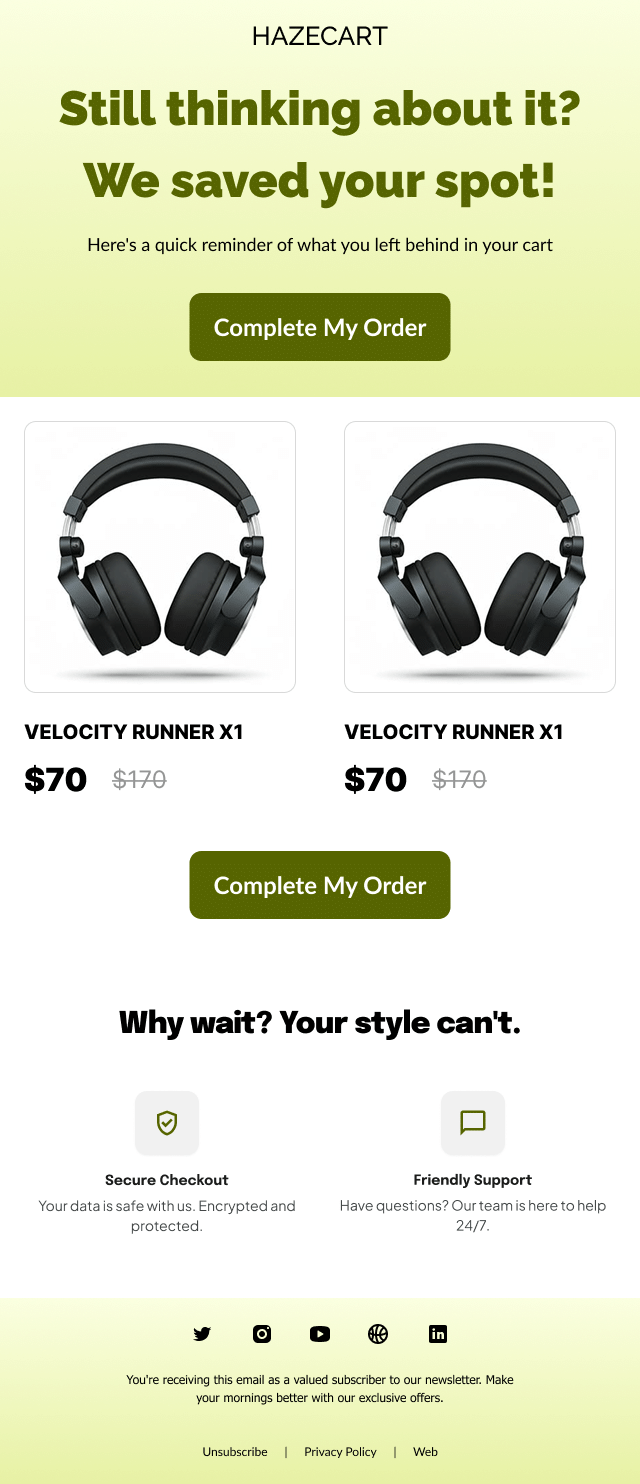
- Subject: Your cart is waiting, now (offer)
- Preview text: Your items are still saved.
Hi (First name), you left (product name) in your cart. It is now part of our Black Friday sale until (date). (Return to my cart)
Tip: Update the cart flow for the sale so shoppers never see a full-price reminder. Our abandoned cart email examples show more wording.
6. Last-Chance Email
- Send: a few hours before the deadline, to people who have not bought
- Subject: Last call: sale ends at midnight
- Preview text: Your favorites are still in stock.
The sale ends at (time) tonight. After that, prices go back to normal. (Finish my order)
Tip: Exclude people who already bought, and send it only if the deadline is real. See Adflipr’s guide to email countdown timers.
7. Cyber Monday Email
- Send: 30 November, in the afternoon, to non-buyers and cart abandoners
- Subject: Cyber Monday: (offer) ends tonight
- Preview text: One more chance to shop the sale.
Missed Black Friday? You still have until (time) today for (offer). (Three best sellers) (Shop Cyber Monday)
Tip: Say what changed since Black Friday. Adobe saw Cyber Monday spending peak between 8 and 10 p.m. last year, so send before the evening rush. For more subject line ideas, see our sale email subject lines guide.
How to Send Black Friday Emails Without Hitting Spam
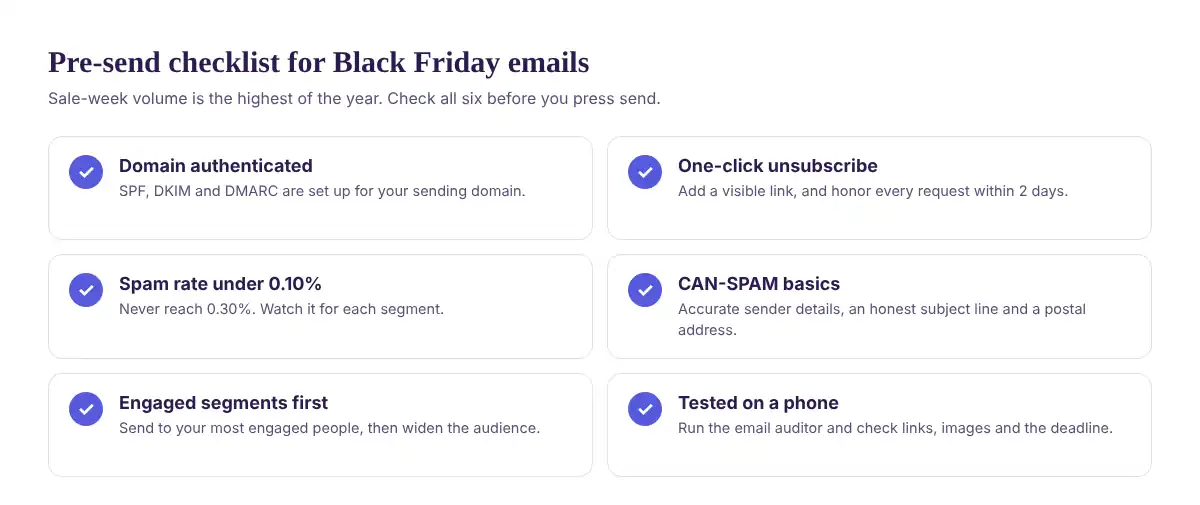
Sale-week volume is the highest of the year, so check these before you send:
- Authenticate your domain: Google’s sender guidelines and Yahoo’s sender best practices ask bulk senders for SPF, DKIM and DMARC. Google counts a sender as bulk at about 5,000 messages a day to personal Gmail accounts from the same primary domain, not total messages across all providers.
- One-click unsubscribe: marketing emails need the List-Unsubscribe and List-Unsubscribe-Post headers (RFC 8058), so Gmail and Yahoo can show their own unsubscribe button. A visible link in the email body is also needed, but a link alone is not enough. Honor requests within 2 days (48 hours).
- Spam rate: keep it under 0.10%, and never reach 0.30%, as Google advises.
- CAN-SPAM: use accurate sender details, an honest subject line, a postal address and an opt-out you honor within 10 business days. Adflipr’s CAN-SPAM glossary page explains each rule.
- Ramp up gradually: send to your most engaged segments first, then widen the audience. This is editorial guidance, since no official source sets a safe send speed.
- Pre-send check: run the email auditor on your HTML.
For more on inbox placement, read Adflipr’s email deliverability guide and why emails go to spam.
How to Automate Your Black Friday Email Campaign
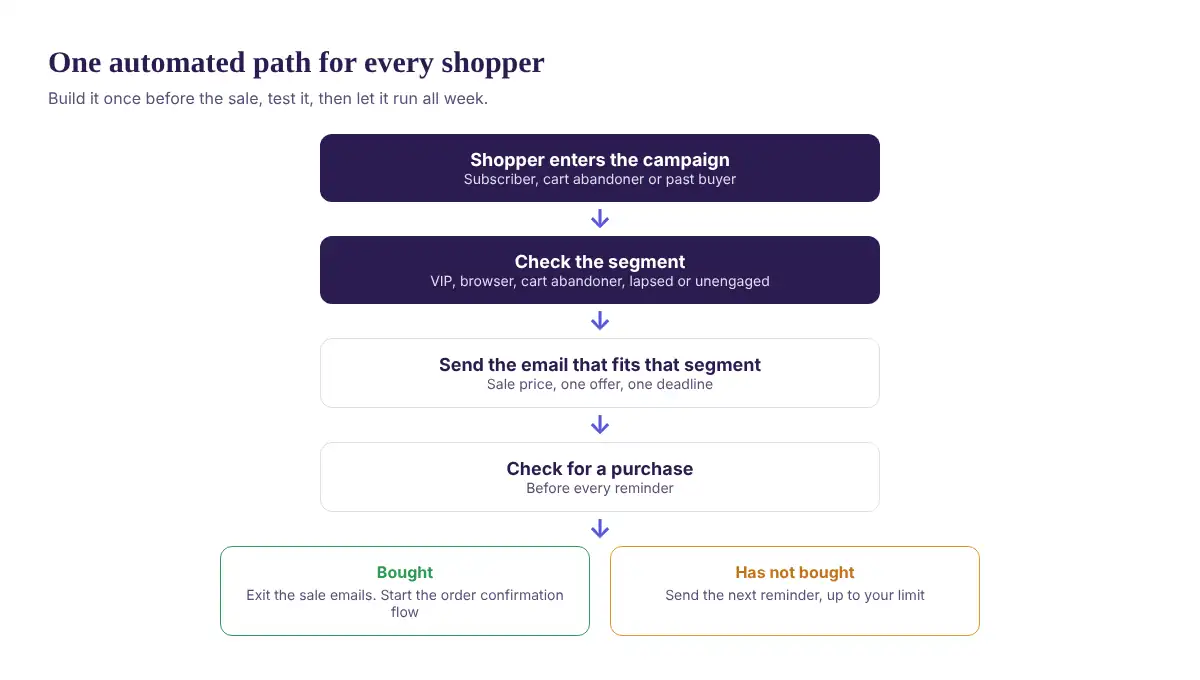
Set automation up before the sale, test it, then let it run during the busiest days. Each shopper follows one path:
- Enter: a subscriber, cart abandoner or past buyer joins the campaign.
- Segment: the flow checks their group: VIP, browser, cart abandoner, lapsed or unengaged.
- Send: they get the email that fits their group, at the sale price.
- Check: before every reminder, the flow checks for a purchase.
- Exit or continue: buyers leave the sale emails and get an order confirmation. Everyone else gets the next reminder, up to your limit.
These flows are worth building first:
- Cart reminders: update your flow so reminders show the sale price. See abandoned cart recovery.
- Dynamic segments: use rules that update on their own, such as “bought twice or more” or “no click or purchase in 90 days”.
- Back in stock: send an alert when a sold-out item returns. Our back-in-stock email guide shows how.
- After the sale: send an order confirmation, a delivery estimate and the holiday shipping cutoff. On WooCommerce, make sure these store emails actually go out during the traffic spike. Later, ask for a review and suggest a related product. Adflipr’s email automations include ready-made flows.
Common Black Friday Email Mistakes
| Mistake | Why it hurts | Fix |
|---|---|---|
| First big email on the day | Cold sending can raise complaints and spam placement | Warm up with regular sends before the sale |
| One email for the whole list | Irrelevant offers raise unsubscribes | Segment buyers, abandoners and lapsed customers |
| Fake urgency | Breaks trust and can mislead | Use real deadlines and real stock levels |
| Deep sitewide discount | Needs far more units to break even | Use early access, bundles or gifts where margin is thin |
| Desktop-only design | Most shoppers read on phones | Design and test on mobile first |
How to Measure Black Friday Email Results
Judge each email by clicks, orders and revenue per recipient, not opens, because Apple Mail Privacy Protection can inflate open counts. For the same reason, define an engaged subscriber by clicks, purchases and site visits, not opens alone. Revenue per recipient is the revenue from an email divided by the emails delivered. For example (illustrative numbers), $1,200 from 8,000 delivered emails is $0.15 per recipient.
Next, watch unsubscribe and spam complaint rates for each segment, and compare them with your own results from last year. To check whether the campaign caused the sales, hold back a small random group and compare, as the holdout test in our email campaign guide explains. Adflipr’s analytics and reporting shows results by campaign.
How Adflipr Can Help You Prepare
Adflipr is an email marketing platform for Shopify and WooCommerce stores. Here is what helps most before the sale.
Templates and builder
Segments
Automations
Other channels
Key Takeaways
- Start now: clean the list, authenticate your domain and build segments before the sale.
- Plan up to seven emails, and use the seven-day plan if you are starting late.
- Check the break-even before you discount, and protect margin with early access and bundles.
- Launch early on Friday, and keep Cyber Monday as its own email.
- Follow Google, Yahoo and FTC rules, and measure revenue per recipient, not opens.