Every revenue-generating email your business sends falls into one category: an email marketing campaign. Whether it is a welcome series greeting a new subscriber, a flash sale announcement, or an automated sequence nudging a customer toward a repeat purchase, each one is a campaign with a goal, an audience, and a measurable result.
The difference between stores that consistently generate revenue from email and stores that treat it as an afterthought is not the platform they use or the size of their list. It is how deliberately they plan, execute, and optimise their campaigns.
This guide covers everything you need to build, run, and improve email marketing campaigns that drive real results for your eCommerce business.
Quick Answer: Email marketing campaigns are targeted emails sent to a subscriber list with a specific goal, such as driving a purchase, recovering an abandoned cart, or re-engaging inactive customers. The most effective campaigns are segmented, personalised, and tied to clear measurable outcomes.
What Are Email Marketing Campaigns?
An email marketing campaign is a coordinated series of emails sent to a defined audience with a specific objective. Unlike a single one-off email, a campaign has structure: a goal, a targeted segment, a planned sequence or schedule, and defined metrics to measure success.
Email marketing campaigns serve a wide range of business purposes:
- Welcoming new subscribers and converting them into first-time buyers
- Promoting a sale, product launch, or seasonal offer
- Recovering revenue from shoppers who abandoned their carts
- Nurturing leads who are not yet ready to purchase
- Re-engaging customers who have gone inactive
- Building loyalty and increasing repeat purchase frequency
The unifying principle across all campaign types is intentionality. A campaign sent to the right audience, with the right message, at the right moment will always outperform a broadcast sent to everyone at once.
8 Types of Email Marketing Campaigns Every eCommerce Store Needs
1. Welcome Campaign
The welcome campaign is the first impression your brand makes through email. Triggered automatically when someone subscribes, it typically runs as a 3-email series over the first 4 to 7 days.
What it should include:
- A warm introduction to your brand and what makes it different
- Delivery of any promised incentive (discount, resource, free shipping code)
- Your bestselling products with genuine social proof
- A soft nudge toward a first purchase
Welcome emails have the highest open rates of any campaign type. Subscribers are at peak curiosity and engagement in the first 48 hours after joining your list. Missing this window with silence or a generic single email is one of the most costly missed opportunities in email marketing.
2. Promotional Email Campaigns
Promotional email campaigns are time-bound messages designed to drive immediate action. These include flash sales, seasonal promotions, product launches, clearance events, and limited-time offers.
Key elements of a high-converting promotional campaign:
- A subject line that leads with the specific offer (not a vague tease)
- A clear, single call to action focused on one goal
- A real deadline that creates legitimate urgency
- Mobile-optimised design with the offer visible above the fold
The temptation in promotional campaigns is to pack in multiple offers or products. Resist it. One offer, one CTA, one clear action performs significantly better than a cluttered promotional email trying to serve every segment at once.
3. Abandoned Cart Campaign
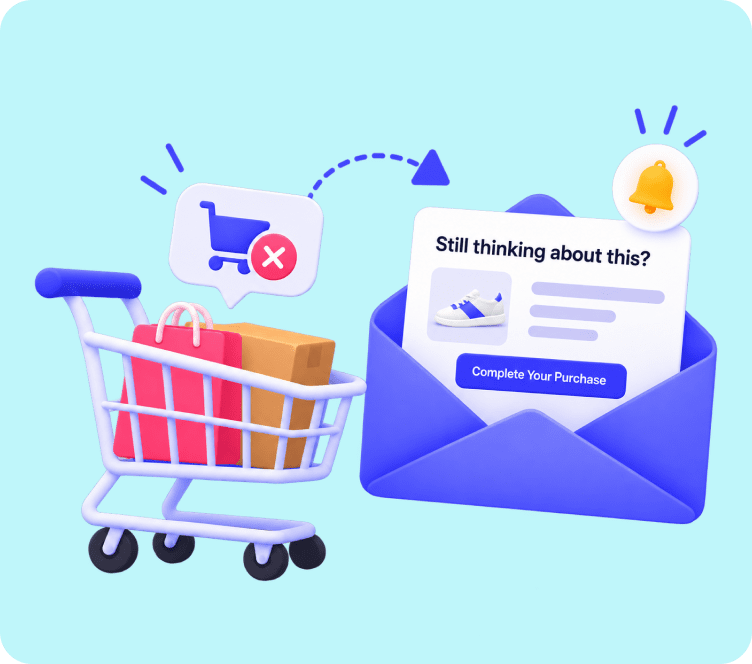
The abandoned cart campaign is the highest-ROI automated email campaign for eCommerce businesses. With cart abandonment rates averaging around 70 percent, even recovering a fraction of those shoppers creates significant incremental revenue.
A proven 3-email abandoned cart sequence:
| Timing | Focus | |
|---|---|---|
| Email 1 | 1 hour after abandonment | Gentle reminder with product image and cart link |
| Email 2 | 12 to 24 hours later | Social proof: reviews, customer photos, trust signals |
| Email 3 | 48 hours later | Urgency or a small incentive to complete the purchase |
This campaign runs entirely on autopilot once configured, recovering revenue 24 hours a day without manual effort. If you want to deploy a dedicated recovery system for your store, Adflipr’s abandoned cart recovery solution tracks and re-engages shoppers automatically. For a step-by-step guide to building this workflow, read how to create an email campaign that recovers lost carts effectively.
4. Drip Email Campaigns
Drip email campaigns are pre-written sequences sent on a scheduled cadence, triggered by a subscriber’s action or enrollment into a specific workflow. Unlike broadcast emails that go to everyone at once, drip campaigns deliver personalised content over time.
Common drip sequences for eCommerce:
- Post-purchase drip: Order confirmation, shipping update, delivery confirmation, review request, cross-sell recommendation
- Lead nurture drip: Educational content building toward a first purchase decision
- Onboarding drip: Helping new customers get maximum value from their purchase
- Re-engagement drip: Progressively warm up inactive subscribers before suppressing them
Drip campaigns work because they deliver the right message at each stage of the customer lifecycle rather than bombarding subscribers with everything at once.
5. Re-Engagement Campaign
Re-engagement campaigns target subscribers who have gone quiet, typically those who have not opened an email in 60 to 90 days. Leaving these contacts unaddressed damages your sender reputation and inflates your list with dead weight.
A 3-step re-engagement approach:
- Email 1: “We miss you” with a compelling reason to return
- Email 2: A stronger incentive or a different angle
- Email 3: A final notice: “This is your last email unless you want to stay”
Subscribers who re-engage after this sequence are genuinely interested and valuable. Those who do not respond should be suppressed to protect deliverability. Keeping a clean, engaged list is one of the most overlooked email campaign best practices in eCommerce.
6. Post-Purchase Campaign
The period immediately after a purchase is when customer trust and brand sentiment are at their highest. A well-designed post-purchase campaign capitalises on this window to increase loyalty, generate reviews, and drive a second purchase.
A complete post-purchase sequence includes:
- Order confirmation with clear order details
- Shipping notification with tracking information
- Delivery confirmation with a personalised thank-you
- Review request 5 to 7 days after delivery
- Cross-sell or upsell recommendation 2 to 3 weeks later
For more strategies on maximising the post-purchase relationship, explore these post-purchase email strategies that turn one-time buyers into repeat customers.
7. Newsletter Campaign
Newsletter campaigns are regularly scheduled broadcasts that keep your audience informed, entertained, and connected to your brand. Unlike promotional campaigns, newsletters lead with value rather than a hard sell.
Effective eCommerce newsletter content includes:
- New arrivals and behind-the-scenes product stories
- Customer spotlights and user-generated content
- Educational content relevant to your product category
- Curated recommendations based on seasonal trends
- Company updates that feel personal, not corporate
Newsletters build the relationship equity that makes promotional campaigns work better. Subscribers who regularly open your newsletters are significantly more likely to convert when you run a sale.
8. Win-Back Campaign
Win-back campaigns target customers who purchased in the past but have not bought again in an extended period. These are not the same as re-engagement campaigns for non-purchasers. Win-back campaigns speak to people who know your brand and have demonstrated buying intent.
Win-back subject lines that work:
- “It has been a while. Here is something for your return.”
- “Your loyalty deserves a reward. Come back for 20% off.”
- “We updated a lot since your last order. Come see.”
These campaigns consistently deliver strong ROI because the cost of winning back a previous customer is far lower than acquiring a new one.
How to Build an Email Marketing Campaign Step by Step
Step 1: Define Your Campaign Goal
Every email marketing campaign starts with a single, measurable goal. Not “increase sales” but “generate 50 purchases from our summer clearance in 7 days.” Specificity drives every decision that follows: who you target, what you offer, and how you measure success.
Step 2: Identify and Segment Your Audience
Who receives this campaign matters as much as what it says. Sending a win-back campaign to active buyers, or a first-purchase offer to loyal repeat customers, is not just ineffective; it actively damages your relationship with them.
Use purchase history, engagement level, product interest, and lifecycle stage to segment your list accurately. Tools like Adflipr’s contact management platform allow you to organize subscriber lists and filter audiences based on real purchasing behavior. For a deeper look at segmentation strategy, this guide on email marketing segmentation covers the key approaches for eCommerce stores.
Step 3: Plan Your Email Sequence
Decide how many emails the campaign needs and what each one should achieve. For a promotional campaign, one email may suffice. For a drip or nurture sequence, map out 3 to 7 emails across a defined timeline.
Each email in the sequence should have:
- One primary goal
- One clear call to action
- A subject line written specifically for that email’s purpose
Step 4: Write Subject Lines First
Write your subject lines before your email body. Subject lines determine whether the rest of your work gets read. Test at least two variations and let performance data, not personal preference, choose the winner.
Step 5: Build and Design Your Emails
Keep design focused on the goal. Single-column layouts, prominent CTA buttons, and product images that load quickly consistently outperform complex multi-column designs. You can also leverage pre-built eCommerce email templates to maintain design consistency and speed up campaign creation without starting from scratch every time.
Step 6: Set Up Tracking Before You Send
Ensure UTM parameters are attached to all links so you can track campaign-attributed revenue in Google Analytics or your eCommerce platform. Without tracking in place, you are flying blind on ROI.
Step 7: Test Before You Send
Before any campaign goes live, send a test email to yourself and review it on both desktop and mobile. Check every link, every image, every personalisation tag, and the preview text in your email client.
Step 8: Analyse and Iterate
After every campaign, review the key metrics. What worked? What did not? Which subject line won the A/B test? Which segment had the highest conversion rate? Apply those learnings to the next campaign.
Email Campaign Best Practices That Separate Good from Great
Segment Before You Send
Unsegmented broadcasts consistently underperform targeted campaigns. Even basic segmentation by new vs. returning customers or engaged vs. inactive subscribers produces meaningfully better results.
Personalise Beyond First Names
True personalisation means recommending products based on past purchases, sending birthday offers, and timing messages based on individual behaviour. First-name merge tags are a starting point, not a strategy.
Optimise for Mobile First
Over 60 percent of emails are opened on mobile devices. Design for the phone screen first, then verify the desktop experience. A campaign that renders poorly on mobile loses the majority of its potential.
A/B Test Every Major Campaign
Never send a significant campaign without testing at least two subject line variations. Over time, consistent A/B testing builds a reliable understanding of what your specific audience responds to.
Send at the Right Time
The best send time varies by audience, but most eCommerce campaigns perform well Tuesday through Thursday between 10 AM and 2 PM in the subscriber’s local time zone. Use send-time optimisation tools when available.
Keep Your List Clean
Inactive subscribers who never open harm your deliverability. Run re-engagement campaigns quarterly and suppress those who do not respond. A smaller, engaged list outperforms a large, cold one every time. This guide on email list management covers the best practices for keeping your list healthy.
Key Metrics to Track for Every Campaign
Measuring the right things determines whether your email campaign strategy improves over time or stays flat.
| Metric | What It Measures | Benchmark |
|---|---|---|
| Open rate | Subject line effectiveness | 20 to 30% for eCommerce |
| Click-through rate | Email body and CTA performance | 2 to 5% |
| Conversion rate | Percentage of clicks that result in purchase | 1 to 3% |
| Revenue per email | Direct business impact of each campaign | Varies by store |
| Unsubscribe rate | Content-audience mismatch signal | Under 0.5% |
| Bounce rate | List quality and deliverability health | Under 2% |
Open rate and click-through rate tell you how your campaign performed. Revenue per email tells you whether it mattered to the business. Always track both.
For a complete breakdown of eCommerce email benchmarks, the guide on email marketing metrics and benchmarks provides category-specific data to compare your performance against industry standards.
Automated Email Campaigns: Set Once, Run Forever
The most efficient eCommerce email campaigns are not sent manually. They are automated workflows that trigger based on subscriber behaviour, purchase history, or lifecycle stage.
The five automated campaigns every eCommerce store should have running:
| Automation | Trigger | Revenue Impact |
|---|---|---|
| Welcome series | New subscriber | High: converts interest into first purchase |
| Abandoned cart | Cart abandonment detected | Very High: direct revenue recovery |
| Post-purchase | Order placed | Medium: drives reviews and repeat sales |
| Browse abandonment | Product viewed, no cart added | Medium: captures early-stage intent |
| Win-back | 90 days of inactivity | Medium: reactivates dormant revenue |
Once these five are live, they generate revenue continuously without requiring a team member to plan, write, or schedule them. That is the compounding advantage of automation over manual campaign sending.
To understand how automated workflows are built and structured, this guide on what is email automation covers the foundational concepts for eCommerce stores.
Campaign Calendar: When to Send What
Plan your promotional email campaigns around the commercial calendar. Trying to build campaigns during peak periods is stressful and produces lower quality work. Build in advance.
| Quarter | Key Campaign Opportunities |
|---|---|
| Q1 (Jan to Mar) | New Year sale, Valentine’s Day, end-of-winter clearance |
| Q2 (Apr to Jun) | Spring collection, Mother’s Day, mid-year sale preview |
| Q3 (Jul to Sep) | Summer sale, back-to-school, early autumn refresh |
| Q4 (Oct to Dec) | Halloween, Black Friday, Cyber Monday, Christmas, year-end clearance |
Layer your automated campaigns underneath this promotional calendar. The automation handles the always-on revenue while the calendar campaigns drive seasonal spikes.
Common Email Campaign Mistakes to Avoid
| Mistake | Why It Costs You |
|---|---|
| Sending to your full list every time | Irrelevant emails drive unsubscribes and damage deliverability |
| No clear call to action | Readers do not know what to do next |
| Inconsistent sending schedule | Subscribers forget who you are |
| Ignoring mobile rendering | Loses 60 percent of opens before the email is read |
| No post-campaign analysis | Prevents learning and improvement over time |
| Using misleading subject lines | Destroys trust and spikes unsubscribe rate |
For a structured way to identify gaps in your current email program, this email marketing audit guide walks through every element worth reviewing.
Frequently Asked Questions (FAQs)
An email marketing campaign is a targeted series of emails sent to a specific audience with a defined goal, such as driving purchases, recovering carts, or nurturing new subscribers.
It depends on the campaign type. Promotional campaigns often need 1 to 3 emails. Welcome and nurture sequences typically run 3 to 7 emails spread across several days.
Tuesday through Thursday between 10 AM and 2 PM in the subscriber’s local time zone consistently delivers strong open rates for most eCommerce audiences.
Track open rate, click-through rate, conversion rate, and revenue per email. Revenue per email is the most direct measure of whether a campaign delivered business value.
A campaign is manually scheduled for a specific date. An automation triggers automatically based on subscriber behaviour, such as joining a list or abandoning a cart, and runs continuously without manual input.
Most eCommerce stores perform well sending 2 to 4 campaigns per week. Automated flows run independently of this schedule and do not count toward your broadcast frequency.