Most people use CC and BCC without ever really learning the difference, until an email goes to the wrong group of people and exposes everyone’s address by accident. Knowing what does cc mean in email, and how it differs from BCC, is a small habit that prevents a genuinely awkward mistake, whether you’re managing a two-person thread or sending to a group of fifty people at once.
Quick answer: CC shows everyone who received the email. BCC hides recipients from each other. Use CC for transparency, BCC for privacy or large group sends.
What Does CC Mean in Email?
If you’ve ever paused mid-email wondering what does cc mean in email, the short answer is visibility. CC stands for carbon copy, a term borrowed from the days of typewriters and literal carbon paper copies. When you add someone to CC, they receive the email and everyone else on the thread, including the main recipient, can see that they were copied.
CC works well for:
- Looping in a manager or teammate who needs visibility but not action
- Keeping a client informed that someone else on your team is involved
- Group project updates where everyone benefits from seeing who else is included
The key idea behind CC is transparency. Everyone knows exactly who received the message and who did not.
What Does BCC Mean in Email?
The other half of what does bcc mean in email comes down to privacy instead of visibility. BCC stands for blind carbon copy. It works the same way as CC in that the recipient gets a copy of the email, but their address stays hidden from everyone else, including anyone in the To or CC fields.
BCC is the right choice for:
- Sending an email to a large group where recipients do not need to see each other’s addresses
- Protecting subscriber privacy on newsletters or announcements sent to many people at once
- Quietly looping in a manager without the main recipient knowing
Using BCC for large sends also reduces the risk of an accidental reply-all chain, since BCC recipients cannot see or reply to each other, which avoids one of the more common and more public email mistakes.
CC vs BCC: The Real Difference
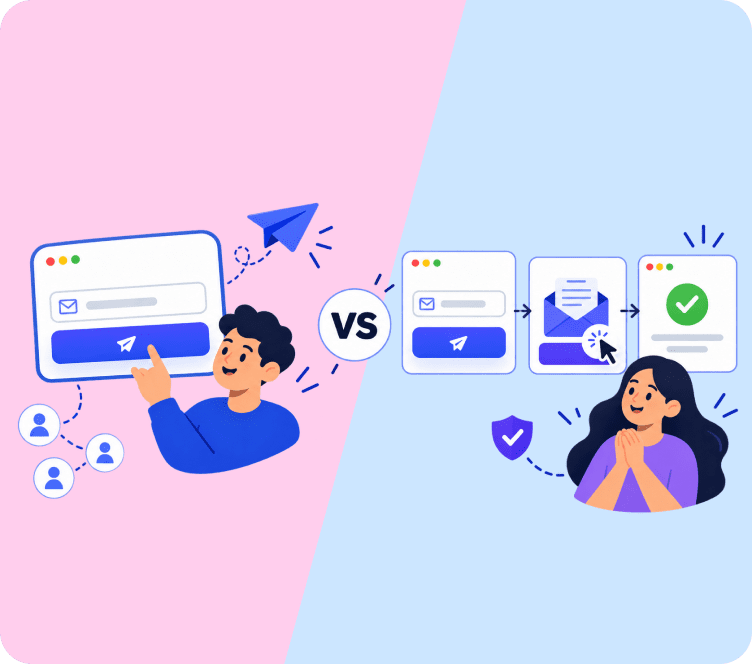
The core of cc vs bcc comes down to visibility. CC recipients are visible to everyone on the thread. BCC recipients are invisible to everyone except the sender. That single difference changes how each one should be used.
| Feature | CC | BCC |
|---|---|---|
| Visible to other recipients | Yes | No |
| Best for | Transparency, keeping people in the loop | Privacy, large group sends |
| Can see replies from others | Yes | No |
Whenever someone asks what does cc mean in email versus BCC, this table is usually the fastest way to explain it.
Real-World Scenarios: Which Field to Use
The rules make sense in theory, but the actual decision often comes down to a specific situation. A few common ones:
- Escalating a customer complaint to a manager: CC the manager on the reply to the customer, so the customer sees your team is taking it seriously and the manager can follow the full thread without a separate forward.
- Sending a company-wide announcement: BCC everyone except yourself in the To field, so employees aren’t exposed to hundreds of other addresses, and no one accidentally hits "reply all" to the entire company.
- Introducing two contacts by email: CC both people after a short intro line, so they can take the conversation from there without you staying in every reply.
- Sending a personal email to a group of friends or family: BCC works well here too, since most people don’t want their personal email address visible to a group of near-strangers on the same thread.
- Following up on a project with your own team: CC a stakeholder who needs visibility but isn’t expected to respond, keeping the direct conversation between the people actually doing the work.
The pattern across all five: CC when the group benefits from seeing who’s involved, BCC when privacy or group size makes that visibility a liability instead of a benefit. Getting this one distinction right covers nearly every real situation you’ll run into, whether the stakes are a customer complaint or a casual group email to friends.
CC, BCC, and Your Email Deliverability
For personal or internal email, CC and BCC are just organizational tools. For marketing and customer emails, the choice has real deliverability consequences that are easy to miss.
Manually CCing a large group of customers on one email is a common way accidental data exposure happens, and depending on where your customers are located, exposing email addresses without consent can even brush up against privacy regulations like GDPR. Beyond the privacy risk, a visible list of unrelated recipients makes an email look like spam to both the people receiving it and to inbox providers scanning for spam patterns, which can hurt deliverability for future sends from that same address, sometimes for weeks after the mistake.
This is the main reason legitimate email marketing platforms don’t ask you to CC or BCC your subscriber list at all. Each recipient gets their own individually addressed copy, generated from your list, with no other recipient’s address visible anywhere in the message. It solves the same underlying problem, reaching many people at once, without the privacy exposure or deliverability risk that manually BCCing a large list in a personal email client would create, and it scales cleanly whether you’re emailing fifty people or fifty thousand.
Common Mistakes to Avoid
A common mistake is using CC for a mass email meant for customers or subscribers, which exposes every recipient’s address to everyone else on the list. This is both a poor experience and, depending on your audience and their location, a real privacy and legal problem.
Another mistake is overusing CC internally, adding people "just in case" rather than because they genuinely need visibility. This clutters inboxes and trains people to skim or ignore CC’d messages altogether.
A Useful BCC Trick: BCCing Yourself
One legitimate use of BCC that often gets overlooked: adding your own address to the BCC field on an important email. This creates a personal copy in your own inbox without the recipient knowing, which is useful for keeping a record of sensitive communications, setting a reminder to follow up, or simply making sure you have proof of exactly what was sent if a dispute comes up later. It’s a small habit worth building for anything you might need to reference or prove later.
How AI Email Tools Are Changing CC's Role
As AI assistants increasingly handle inbox summarizing, routing, and follow-up tracking, CC is being used for a narrower purpose than it used to be. Instead of CCing several people "to be safe" and hoping someone notices, more teams are letting an AI tool surface the relevant context to the right person automatically, and reserving CC for the occasional, genuine FYI to someone outside the main conversation. The underlying meaning of CC hasn’t changed, but its role as a catch-all is shrinking as better routing tools take over that job.
Key Takeaways
- CC is for visibility, where everyone can see who else received the email
- BCC is for privacy, where recipients are hidden from each other, best for large sends
- The core of cc vs bcc comes down to that single visibility difference
- Match the field to the scenario: CC for shared visibility, BCC for group privacy
- Manually CCing or BCCing customer lists creates real privacy and deliverability risk
- Overusing CC internally trains recipients to ignore messages they were copied on
- BCCing yourself is a simple way to keep a private record of important emails
- AI routing tools are narrowing CC’s role to genuine FYIs rather than a catch-all habit
Final Thoughts
Knowing what does cc mean in email, and how it differs from BCC, is a small detail that protects both privacy and professionalism. For customer-facing sends, this decision usually does not come up at all if you are sending through a proper email marketing platform instead of your personal inbox, since the platform manages recipient privacy for you automatically and handles the addressing behind the scenes. If you are working on the broader tone of your customer emails, our guide to email marketing tips for small business covers more of the writing and sending fundamentals. For the rest of your email habits, our guides on email sign-offs and electronic mail etiquette cover the other small details that add up to a professional inbox.
FAQs
CC stands for carbon copy. It adds a recipient who can see everyone else on the email thread, including who else was CC’d.
BCC stands for blind carbon copy. It adds a hidden recipient who is invisible to everyone else on the thread.
CC is visible to everyone, BCC is hidden from everyone except the sender. That single difference decides which one to use.
Use BCC, or better, an email marketing platform, since CC would expose every subscriber’s address to the rest of the list.
No. BCC recipients only see the original message and cannot see any replies exchanged between the other recipients.
It can be, if used to secretly involve someone without the main recipient’s knowledge. Use it mainly for privacy or large sends, not office politics.
It comes from the pre-digital practice of using carbon paper to create duplicate copies of a typed document.
No. It exposes every recipient’s address to the whole group and can trigger spam filters. Use an email marketing platform instead.
Used occasionally for legitimate privacy, no. But manually BCCing large customer lists from a personal inbox can look like spam behavior over time.
To keep a private record in your own inbox, useful for follow-up reminders or proof of exactly what was sent if a dispute comes up later.
Its core meaning hasn’t changed, but AI routing and summarizing tools are reducing CC’s use as a catch-all, leaving it mostly for genuine FYIs.