As a small business owner, your biggest constraint is never ambition. It is time.
Between managing inventory, handling customer inquiries, fulfilling orders, and balancing bookkeeping, manual marketing often gets pushed to the bottom of the daily to-do list. You know you should be following up with new leads, recovering abandoned carts, and re-engaging past buyers, but there simply are not enough hours in the day.
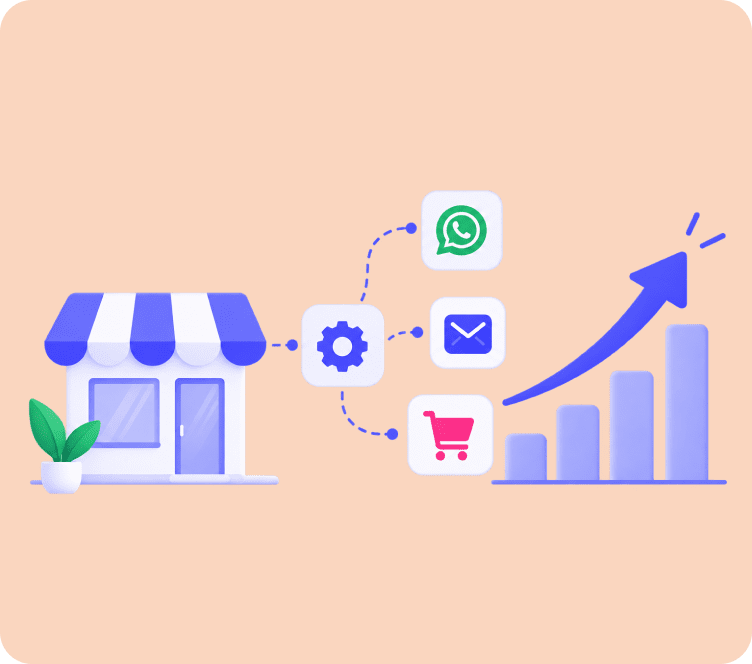
This is where marketing automation becomes your most valuable competitive advantage.Instead of requiring an enterprise budget or a dedicated marketing team, modern marketing automation for small business allows lean teams to deliver timely, hyper-personalized customer experiences on complete autopilot.
This comprehensive guide breaks down how small businesses can implement automated marketing systems that generate predictable revenue, retain customers, and scale operations without burning out.
Quick Answer: Marketing automation for small business uses software to automate repetitive tasks like sending welcome emails, recovering abandoned carts, segmenting audiences, and triggering follow-ups based on customer behavior. It enables small teams to deliver 24/7 personalized customer journeys on a lean budget.
Why Small Businesses Need Marketing Automation Now More Than Ever
For years, sophisticated automation software was exclusive to enterprise corporations with six-figure software budgets and dedicated engineering teams. Today, the landscape has completely shifted.
Adopting a smart small business marketing automation strategy solves three fundamental growth bottlenecks:
┌─────────────────────────────────────────────────────────────────────────┐
│                     THE SMALL BUSINESS GROWTH ENGINE                    │
├────────────────────────────────┬────────────────────────────────────────┤
│ 1. Eliminates Manual Work      │ Automates 15+ hours of repetitive tasks│
│ 2. Plugs Revenue Leaks         │ Recovers lost sales 24 hours a day     │
│ 3. Maximizes Customer LTV      │ Turns one-time shoppers into regulars  │
└────────────────────────────────┴────────────────────────────────────────┘
1. Reclaim 15+ Hours Every Week
Instead of manually typing individual follow-up emails or scheduling weekly promotional blasts from scratch, you build automated workflows once. They execute continuously in the background while you focus on high-impact business decisions.
2. Plug Hidden Funnel Leaks
Over 70% of eCommerce visitors abandon their shopping carts, and up to 90% of website leads never convert on their first visit. Automation acts as an intelligent safety net, instantly re-engaging shoppers the moment they show intent.
3. Compete with Larger Brands on Customer Experience
Consumers expect immediate responses, personalized recommendations, and seamless communication. Automation allows a two-person team to provide the same polished, responsive customer experience as a Fortune 500 retailer.
The 4 Core Pillars of Small Business Marketing Automation
An effective automation strategy is not about building overly complicated mazes of triggers. It rests on four straightforward operational pillars:
[ CAPTURE ] ──▶ [ SEGMENT ] ──▶ [ ENGAGE ] ──▶ [ ANALYZE ]
Pillar 1: Lead Capture
Automatically collecting qualified subscriber details at high-intent touchpoints using non-intrusive popup forms and opt-in widgets.
Pillar 2: Dynamic Segmentation
Categorizing contacts in real time based on their purchase history, browsing activity, or engagement score. Discover how to organize your list effectively in our email marketing segmentation guide.
Pillar 3: Triggered Communication
Delivering contextual messages across email, SMS, or web push notifications based on specific user actions.
Pillar 4: Revenue Analytics
Tracking direct sales attribution, click-through rates, and customer lifetime value to identify which workflows produce the highest returns. Check out our email marketing metrics and benchmarks to evaluate your numbers against industry standards.
6 High-Impact Workflows Every Small Business Should Automate First
If you are just getting started with email marketing automation for small business, do not try to build everything at once. Focus on these six high-ROI workflows that produce the fastest results with minimal setup time.
1. The High-Converting Welcome Sequence
Your welcome email is the single most opened email you will ever send, averaging open rates between 50% and 60%.
- The Trigger: A visitor subscribes via a website form or creates an account.
- The Cadence: 3 emails over 5 days.
- The Strategy:
- Email 1 (Immediate): Deliver promised incentives (e.g., 10% discount code) and introduce your brand origin.
- Email 2 (Day 2): Showcase your bestselling products with real customer reviews.
- Email 3 (Day 5): Address common objections, share FAQs, and highlight your satisfaction guarantee.
To master initial customer onboarding, explore our guide on email marketing campaign strategies.
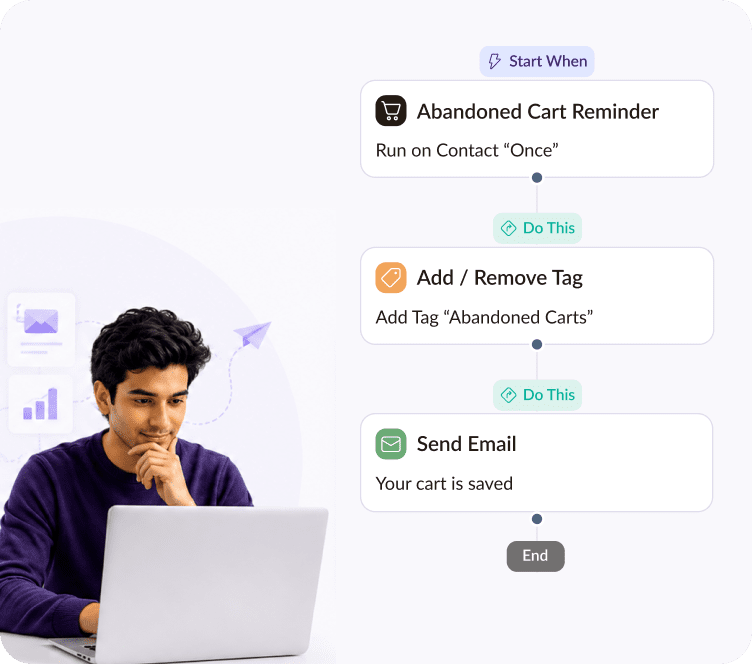
2. Automated Abandoned Cart Recovery
For eCommerce stores, cart abandonment is the largest source of unrealized revenue.
- The Trigger: An identified shopper adds items to their cart but closes their browser without completing payment.
- The Cadence: 3 emails over 48 hours.
| Email Stage | Delay | Messaging Angle |
|---|---|---|
| Email 1 | 1 hour after exit | Helpful service check-in with dynamic cart contents |
| Email 2 | 24 hours later | Social proof, verified customer reviews, and guarantees |
| Email 3 | 48 hours later | Final urgency notice before the reserved cart expires |
If you run an online store, Adflipr provides an automated abandoned cart recovery solution that captures lost checkouts on autopilot.
3. Post-Purchase Nurturing and Review Generation
The customer journey only truly begins once an order is placed. Turning a first-time buyer into a repeat customer costs five times less than acquiring a brand-new lead.
[Order Confirmation] ──▶ [Delivery Notice] ──▶ [Product Care Guide] ──▶ [Review Request (Day 7)]
- The Trigger: Successful checkout completion.
- The Strategy: Provide instant fulfillment updates, share educational tips on getting the most from their purchase, and automatically request a photo review after delivery.
For deeper retention frameworks, read our guide on customer retention email strategies.
4. Cross-Sell and Product Recommendation Triggers
Suggesting complementary items based on what a customer previously bought is one of the easiest ways to lift average order value (AOV).
- The Trigger: 14 to 21 days after initial product delivery.
- The Strategy: Dynamically recommend accessories or related categories (e.g., recommending leather conditioner to someone who bought boots).
5. Automated Customer Win-Back Campaign
Every customer database experiences natural disengagement. A win-back flow automatically identifies dormant contacts before they churn permanently.
- The Trigger: No purchases or email opens in 60 to 90 days.
- The Cadence: 2 emails spaced 5 days apart.
- The Strategy: Acknowledge their absence with a warm tone, highlight what is new in your catalog, and offer an exclusive “welcome back” incentive.
6. Birthday and Milestone Celebrations
Personalized milestone triggers strengthen brand loyalty and make your business feel approachable and human.
- The Trigger: Customer birthday or subscription anniversary date.
- The Strategy: Send a celebratory greeting alongside an exclusive, non-public reward valid for their birthday week.
How to Choose the Right Marketing Automation Tools for Small Business
Selecting software can feel overwhelming given the sheer number of platforms on the market. When evaluating marketing automation tools for small business, prioritize these essential criteria:
┌────────────────────────────────────────────────────────────────────────┐
│                   TOOL EVALUATION CHECKLIST FOR LEAN TEAMS             │
├────────────────────────────────────────────────────────────────────────┤
│ ✓ Easy Visual Workflow Builder (No complex coding required)            │
│ ✓ Native Store Integrations (1-click sync with Shopify or WooCommerce) │
│ ✓ Pre-Built Template Library (Ready-to-use email layouts)              │
│ ✓ Transparent, Scalable Pricing (No sudden enterprise price jumps)     │
│ ✓ Reliable Email Deliverability (High inbox placement rates)           │
└────────────────────────────────────────────────────────────────────────┘
If you are comparing different software options, check our in-depth roundup of the best email marketing automation tools for growing businesses.
To understand the difference between basic messaging tools and true workflow software, read our comparison on email marketing vs marketing automation.
5-Step Roadmap: Launching Your Small Business Automation Strategy
You do not need to overhaul your entire business overnight. Follow this structured 5-step roadmap to implement your marketing automation strategy for small business smoothly:
[ 1. AUDIT LEAKS ] ──▶ [ 2. MAP FIRST FLOW ] ──▶ [ 3. BUILD ASSETS ] ──▶ [ 4. SET RULES ] ──▶ [ 5. TEST & SCALE ]
Step 1: Identify Your Biggest Revenue Gap
Analyze your sales funnel. Are you losing shoppers at checkout? Start with cart recovery. Are new visitors leaving without buying? Start with a welcome sequence.
Step 2: Map the Workflow on Paper
Sketch out the trigger, the delays between messages, and the primary call to action for each email before touching any software.
Step 3: Design Clean, Mobile-First Templates
Over 60% of all marketing emails are opened on smartphones. Build single-column responsive layouts with large tap targets and legible 16px+ typography. You can design clean emails easily using Adflipr’s no-code drag and drop email builder and customize proven layouts from our email template library.
Step 4: Configure Audience Filters and Sync Your Store
Connect your eCommerce platform to ensure real-time data synchronization. Deep 1-click integrations for Shopify stores and WooCommerce stores allow you to pull live product catalogs and customer purchase records automatically with Adflipr’s contact management system.
Step 5: Test, Launch, and Optimize
Send test emails to multiple devices, check every link, verify coupon codes, and launch. Review open rates, click rates, and revenue generation monthly to refine your copy and timing.
For additional tactics tailored specifically to smaller brands, check out our email marketing tips for small business.
4 Common Small Business Automation Pitfalls (And How to Avoid Them)
| Common Mistake | The Consequence | The Solution |
|---|---|---|
| Over-Automating Too Early | Building dozens of overlapping sequences leads to subscriber confusion and fatigue | Start with just two core workflows: Welcome and Cart Recovery |
| Neglecting Exit Conditions | Pitching intro discounts to people who already bought creates an embarrassing customer experience | Always set suppression filters that remove buyers from prospect flows |
| Ignoring Deliverability Hygiene | Continuing to email unengaged contacts damages sender reputation with Gmail and Yahoo | Run periodic list scrubbing and suppress contacts inactive for 90+ days |
| Set-and-Forget Neglect | Broken links, expired coupons, and outdated product imagery slowly drain conversions | Schedule quarterly audits of all active automated journeys |
Scale Your Small Business on Autopilot with Adflipr
You do not need an enterprise budget, technical developers, or weeks of training to build high-converting automated customer journeys.
Adflipr gives small businesses all the powerful, intuitive tools required to run automated marketing campaigns for small business with ease:
- Pre-Built Automation Journeys: Launch proven welcome series, abandoned cart recovery flows, and re-engagement campaigns in minutes with our visual marketing automation platform.
- Seamless eCommerce Sync: Deep integrations for Shopify and WooCommerce synchronize orders, customer profiles, and product feeds automatically.
- Drag & Drop Email Builder: Create responsive, beautifully branded emails without writing code using our email builder.
- Smart Contact Management: Filter and tag your audience dynamically based on real purchase behavior using our built-in contact management system.
- Revenue Attribution Analytics: Track exact sales, conversion rates, and ROI generated by every automated email in our analytics dashboard.
To calculate your store’s revenue growth potential, try our free Email Marketing Calculator and ROI Generator.
Frequently Asked Questions (FAQs)
Marketing automation for small business uses software to automatically trigger personalized emails, messages, and campaigns based on customer behavior, saving time and increasing sales on a budget.
Most small business automation platforms start with affordable monthly tiers based on subscriber list size, offering high-ROI features without requiring expensive enterprise setup fees.
The abandoned cart recovery sequence and the welcome series are the most profitable starting workflows, delivering immediate revenue recovery and strong first-purchase conversion rates.
No. Modern automation platforms offer intuitive drag-and-drop workflow builders, pre-made templates, and one-click store integrations designed for non-technical business owners.
Marketing automation handles repetitive tasks like sending welcome emails, follow-ups, order receipts, and review requests automatically, saving small business owners 15 or more hours weekly.
Email marketing involves sending manual one-time promotional broadcasts to an entire list, while marketing automation delivers targeted, individual messages triggered automatically by specific customer actions.