1. Home
  2. | Documentation
  3. Email Builder
  4. Abandoned Cart

Abandoned Cart

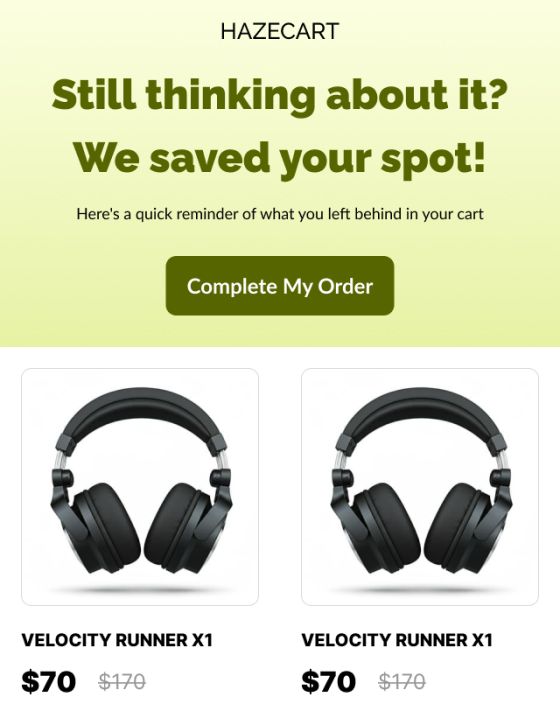
The Abandoned Cart is a special dynamic feature of adflipr. When a customer adds products to cart but leaves without buying, Adflipr automatically sends them an email showing their exact cart items,so they can come back and complete the checkout. This feature Shows product image, Product name + attributes (like color / size), Quantity, Price, Subtotal, Shipping, Taxes, Discount, Final Total, “Continue Checkout” button. All of this appears automatically. To send cart abandoned email to your customer first you need to create cart abandoned automation and create email.

Steps to create abandoned cart email:

Step 1: Log in to Adflipr

  1. Open Adflipr.
  2. Enter your login credentials.
  3. Go to the dashboard.

Step 2: Create a New Template

  1. Click on Templates.
  1. Select Create New Template.
  2. Choose a layout or start from scratch.
  3. The Email Editor will open.

Step 3: Add the Abandoned Cart Block

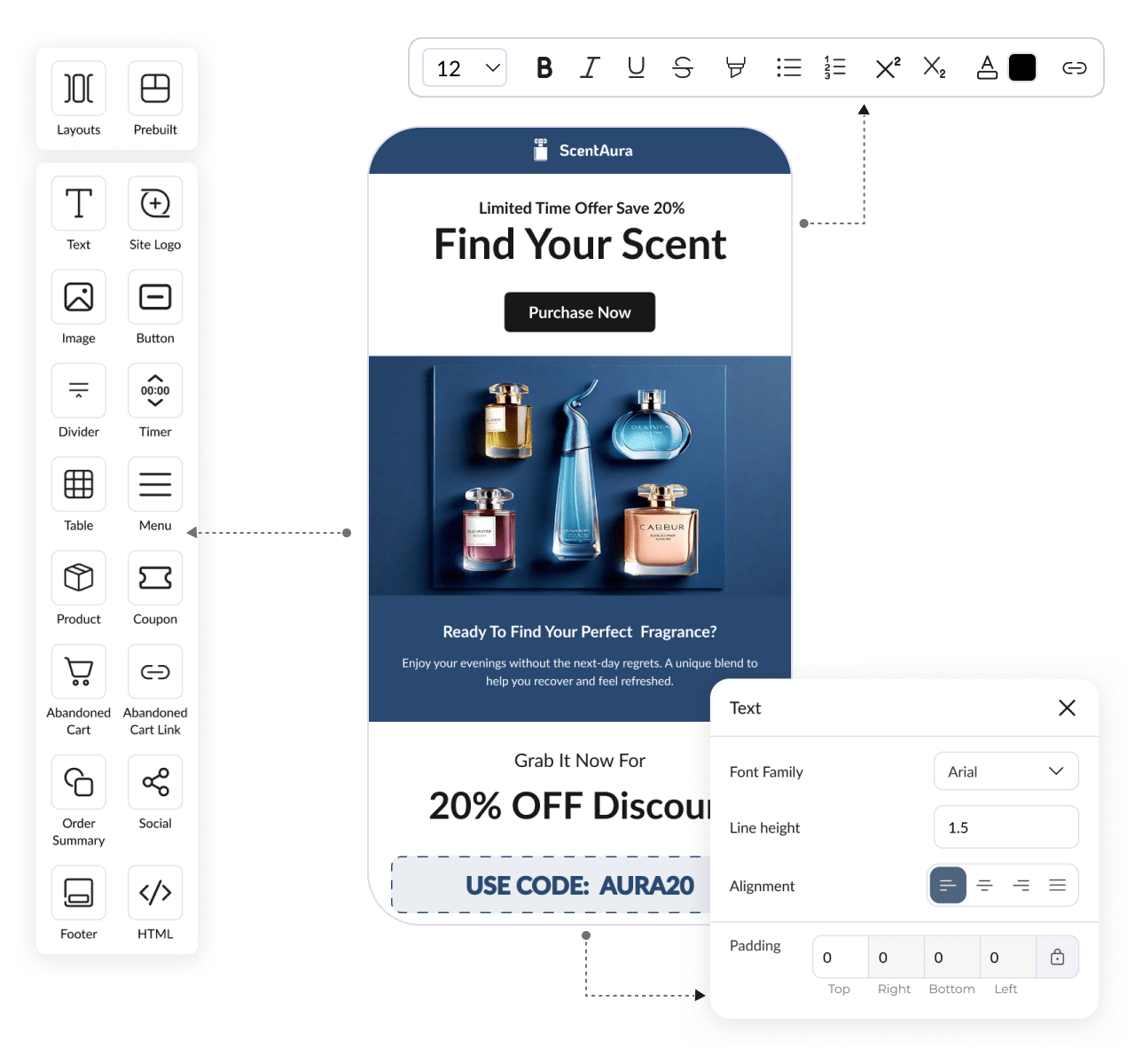
  1. In the left-side panel, find the Abandoned Cart.
  2. Drag and drop the Abandoned Cart into your template.
  3. Connect your store if not connected.

When you add the Abandoned Cart block for the first time, a pop-up will appear. It will ask you to connect your store with shopify or woocommerce stores.

Choose your store platform.

  1. Click Connect Shopify or woocommerce store.
  2. Click Install and login with your adflipr account.
  3. Wait for the confirmation message from authorized store 
  4. Once connected, Adflipr will start fetching cart data automatically.

Step 4: Configure Abandoned Cart Settings

After the store is connected:

  1. Click on the Abandoned Cart block.
  2. Customize Styles:
    • Product image display
    • Product name and price
  3. CTA button (e.g., “Complete Your Purchase”)

Also you can add a URL that directly reaches to cart details.This is a dynamic link, not a normal website URL. Instead of sending everyone to the same page, Adflipr automatically generates a unique checkout link for each customer. When abandoned cart automation created.

  1. Save your template.

Step 5: Preview and Save

  1. Click Preview to check product details.
  2. Click Save to complete your template setup.

Why this feature is powerful:

  • Saves manual work- No need to create product tables yourself.
  • Personalized automatically-  Each customer sees their own cart, not a generic product.
  •  Increases conversions- People often forget items this email reminds them.
  • Always accurate- Prices, discounts, shipping everything stays synced with the backend.

This is not a normal email. It is smart + automated + personalized feature 

1. Fully automatic- Once it is set up No manual sending is required and No manual product selection Everything runs on automation. You design email once the system handles thousands of customers automatically.

2. Personalized for every user- Each customer sees their own products,their prices, discounts and checkout link Two users never see the same cart email. This feels personal and increases trust.

3. Real-time data- Prices, taxes, discounts are pulled live from the backend. So email always shows:

✔ correct total
✔ correct shipping
✔ correct offers

4. Visual reminder- Seeing the product image again triggers buying intent.

5. One-click recovery- The Continue Checkout button Takes user directly to cart which is already filled with products

Benefits

Increased revenue- Abandoned cart emails recover. 15%–30% lost orders. That’s pure extra revenue without ads.

Saves time- The marketing team doesn’t manually follow up.

Better customer experience- Customer feels helped, not pressured.

They see:

  • Their items
  • Clear pricing
  • Easy checkout process

The Abandoned Cart feature in Adflipr is a smart automated recovery system that Detects unfinished shopping, sends personalized reminder emails, Shows exact cart products, Includes direct checkout link, Recovers lost revenue and Works automatically once configured.

How can we help?